







How to organize a successful webinar
How to Run a Successful Webinar : The Complete Guide
A webinar isn't just a Zoom call with a nice background. It's a real live event - a moment where you show up with your voice, your energy, and your expertise in front of an audience that may be meeting you for the very first time.
And people can tell within minutes whether you've prepared - or not. A webinar that's been thrown together at the last minute, overly salesy, poorly structured, or just too long is the fastest way to lose an audience you worked hard to build. So let's do this right.
In this guide, I'm sharing the preparation method I've developed over many webinars - including the ones where things went sideways...
Why run a webinar?
Webinars are one of the most powerful ways to communicate one-to-many online while still building a genuine connection with your audience.
They're also a uniquely effective way to be present, accessible, and real. Your audience isn't just reading an article or watching a pre-recorded video - they're engaging with you live, in real time.
How to organize a webinar: start with your goal
Before you open a slide deck or pick a tool, get clear on what you actually want this webinar to achieve:
-
Do you want to get in front of a new audience?
-
Do you want to drive sales?
-
Do you want to establish authority in your field?
This changes everything.
A webinar built for awareness is structured very differently from a sales webinar - and both look nothing like a customer Q&A or an expert panel.
The mistake to avoid: trying to run a webinar "for everyone." When you speak to everyone, you reach no one - beginners feel lost, experienced attendees get bored, and nobody converts. You need to speak directly to a specific audience: your ideal customer persona (ICP).
If you have multiple audience segments, no problem - create a webinar for each. The more precisely you speak to a specific problem, the more likely you are to hook people and turn attendees into customers.
Step one: define exactly who you're talking to, and build your webinar around the specific problems they face - and that you know how to solve.
2. Pick a webinar format that actually fits you
Don't chase the "perfect format" - it doesn't exist. What matters is choosing the one you're comfortable with, the one that reflects your natural energy and style.
You have plenty of options. Pick the format that best matches your goal, your personality, and your audience.
3. The main webinar formats
The "expert" webinar: you deliver concrete, actionable value - knowledge your audience can put to work immediately.
The "masterclass" webinar: more structured and scripted, built around a strong promise with clear, fast results.
The "roundtable" webinar: you bring in other professionals to discuss a focused topic. It's more dynamic, and if your guests are well-known in your space, that's a significant credibility boost.
The "product demo" webinar: ideal for showing prospects exactly how your solution works in practice.
The Q&A webinar: highly human, easy to run, great for building trust and nurturing existing customers - and since you're answering live questions, it requires minimal preparation.
The hybrid webinar: a blend of education, demo, and a natural call to action at the end. No hard sell - just a logical progression toward solving the problem your audience showed up to fix.
Storytelling: the backbone of any great webinar
Forget the slide deck for a second: your webinar is a story. Your story. Your perspective, your journey, your solutions.
An opening that sets the scene, a problem your audience recognizes, a few personal anecdotes, a clear solution, and a compelling call to action - that's the structure.
Example:
Open with something that grabs attention: "If you've ever watched 80% of your audience drop off before the end of your webinar, this one's for you."
Show that you understand the problem - maybe you've lived it yourself - then share your method, your tools, your real-world experience, and close with a concrete next step: a free trial, a consultation, a diagnosis call.
The technical setup: get it right without overthinking it
This matters - but don't go down a rabbit hole.
Nothing kills credibility faster than a crackling microphone or a frozen screen share. Always test your setup before going live: check audio and video, make sure your lighting works, and have your presentation and any supporting files ready to go.
Something will always come up - the goal is to minimize surprises as much as possible.
Webinar planning checklist
-
Choose a reliable webinar platform (LearnyBox, for example - we offer a complete live & replay webinar solution built specifically for this: hosting, invitations, reminders, and follow-up, all in one place).
-
Get a decent headset or microphone - you don't need to spend a fortune. The earbuds that came with your phone are fine to get started.
-
Set up soft lighting and a clean background - or lean into your own space and branding (logo, plants, bookshelves... just test it on camera first to see how it looks).
-
Have a backup plan for connectivity issues: mobile data, a hotspot, a neighbor's Wi-Fi - whatever it takes to keep the show going.
-
For timing, a solid default is 45 minutes of presentation followed by 15 minutes of live Q&A. This can vary - especially for expert-led formats - but for your first webinars, it's a reliable starting point.
The webinar KPI that matters most : show-up rate
There will always be a gap between registrants and actual attendees. That gap is your show-up rate: attendees ÷ registrants.
To maximize it, build a solid reminder sequence:
By email:
-
Registration confirmation (immediate),
-
Reminder the day before ("See you tomorrow for..."),
-
One hour before ("We can't wait to see you at [time] to talk about [topic]!"),
-
10 minutes before ("We're going live in a few minutes - we're ready!"),
-
5–10 minutes after start ("We're LIVE - there's still time to join!").
By text message:
-
24 hours before - tease it ("Can't wait to see you tomorrow for [topic/guest reveal]"),
-
1 hour before ("Almost time - we're getting ready"),
-
5 minutes before ("Going LIVE in a few minutes - see you there!"),
-
10–15 minutes after start ("We're LIVE - jump in, there's still time").
Via WhatsApp:
WhatsApp is a great complement to the above - and it has one significant advantage: you can create a dedicated group and invite registrants to join, building a direct communication channel before, during, and after the event.
Via voice message:
To add a more personal, immersive touch, consider supplementing your reminder sequence with a pre-recorded voice message - sent either via automated call or through WhatsApp.
This might feel like a lot. But most of your registrants will miss at least half of these touchpoints - and each one you send nudges your show-up rate higher: more attendees, more connections, more chances to convert.
We've all forgotten about a webinar we signed up for - not because we weren't interested, but because life got in the way.
On average, show-up rates run between 30% and 50% of registrants - which means maximizing this number is one of the highest-leverage things you can do.
5. Hosting your webinar: be prepared, but don't perform
You can always tell when someone is reading from a script. It's flat, it's lifeless, and people tune out fast.
Prepare your key points and the backbone of your structure - then give yourself permission to breathe and be spontaneous. You're talking about something you know deeply. This isn't an exam. You set the tone.
For your slides: one idea per slide, one strong sentence, one meaningful visual. Resist the urge to pack in text - if your audience is reading, they're not listening.
One thing that makes a real difference: look at the camera like you're talking to a person, not staring at the lens. If it helps, put a photo next to your webcam - it's a simple trick that works.
People showed up to connect with you, not to watch you read a deck. Your authenticity will always outperform a polished script.
6. Promote your webinar before the big day
The best content in the world doesn't matter if no one shows up.
Give yourself 2 to 3 weeks to promote your webinar:
-
On social media: a teaser post, a short video clip.
-
By email: announcement, reminder 3 days before, reminder on the day.
-
Through partnerships: bring in a guest speaker, cross-promote to each other's audiences.
The key insight: sell the outcome, not the agenda.
"Launch your first profitable webinar in 24 hours" will consistently outperform "Everything you need to know about webinars."
7. During your live Webinar : be yourself - that's your biggest asset
A couple of years ago, I was about 10 minutes into a webinar when my cat jumped onto the desk and knocked over my webcam.
I laughed, took a quick break, and introduced the culprit. The chat went wild.
What could have been an awkward moment actually made the connection stronger.
One attendee from that webinar - still a customer today - asks about "the little troublemaker" every time we speak. The moral of the story: cats authenticity always wins.
Get your audience involved. Ask questions, read answers out loud, respond and riff. When someone drops a "this is so useful!" in the chat, thank them by name - that small moment of recognition creates real warmth.
When you present your offer, just be honest. No need for a high-pressure closing pitch. Simply explain how your product or course solves a real problem - their problem.
8. After the webinar: this is where it really starts
The 24 hours after your webinar are critical. Send a thank-you email, share the replay, and include a clear call to action: "Start your free trial," "Book a discovery call," "Access the course," "Get a free audit..." Strike while the iron is hot.
Then review your numbers:
-
registrants,
-
attendees,
-
average watch time,
-
clicks on your offer,
-
conversions (appointments booked, sales closed, etc.).
Every webinar makes you better. It's an iterative process, not a one-shot performance.
You'll find your rhythm and your style - one session at a time.
9. Repurpose your webinar - it's a content goldmine
A great webinar has a long life if you let it. Break it down and squeeze every bit of value out of it:
-
LinkedIn posts,
-
short-form video clips (Reels, Shorts),
-
an email nurture sequence,
-
a downloadable lead magnet.
-
etc.
You've already put in the work to create your webinar - make it keep working for you long after the live is over.
10. Build a repeatable system around your webinars
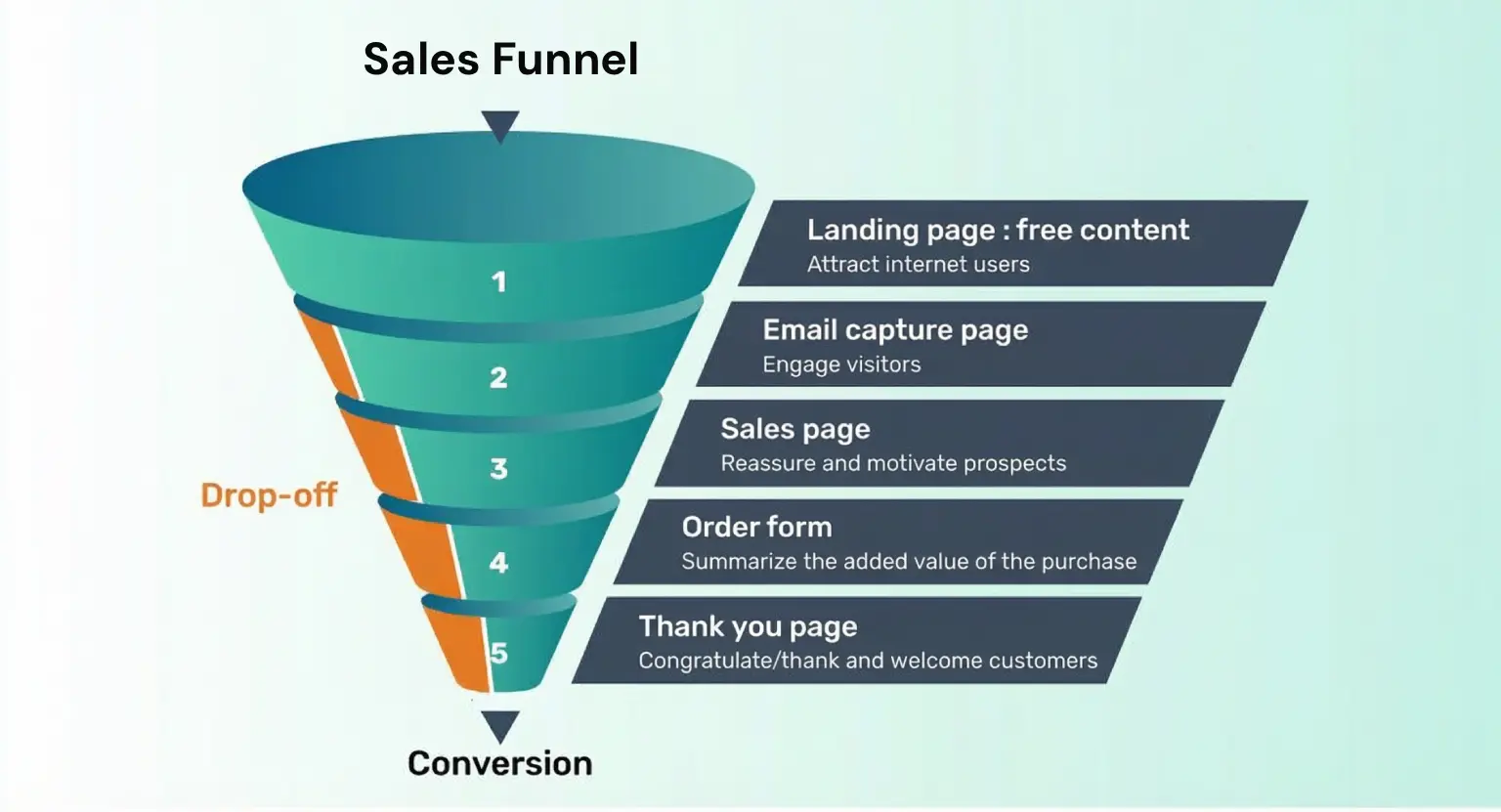
Once you've run a few, you'll notice everything gets easier: your email templates, your structure, your sales funnel... Automate everything that's repetitive, so you can focus on what only you can do.
This is exactly where LearnyBox earns its place: host, invite, follow up, and analyze - all in one platform, already wired together, no technical headaches required.
The bottom line
A successful webinar comes down to:
-
a clear intention,
-
solid preparation,
-
a human, authentic tone,
-
and a willingness to just go for it.
You don't need to be a professional speaker. You just need to show up prepared, genuine, and confident in what you know.
Pick a date.
Turn on your camera.
Hit go live... and be yourself !
Ready to run your first webinar?
✨ Host your first webinar with LearnyBox ✨
FAQ - How to run a successful webinar
What is a webinar and how does it work?
A webinar (short for "web seminar") is a live online event in which a host presents content to a remote audience in real time.
Attendees register in advance, join via a link, and can interact through chat, polls, or live Q&A.
Most webinar platforms also offer a replay feature, so people who couldn't attend live can watch the recording afterward.
What's the difference between a webinar and a regular video call?
A video call (Zoom, Teams, Google Meet) is designed for two-way conversation between a small group.
A webinar is a structured broadcast from one host - or a panel - to a larger audience that may not be visible on screen.
Webinars include dedicated tools for registration, reminders, audience engagement, replay hosting, and post-event follow-up: everything a simple video call doesn't offer.
How long should a webinar be?
The most reliable format is 45 minutes of presentation followed by 15 minutes of live Q&A - a total of one hour. For your first webinars, stick to this structure.
Expert-led or masterclass-style sessions can run longer if the content justifies it, but staying under 90 minutes is generally advisable.
Attention drops sharply after that threshold, regardless of how strong your content is.
What equipment do I need to host a webinar?
You don't need to invest heavily to run a professional webinar.
The essentials are:
-
a reliable webinar platform (LearnyBox, for example),
-
a decent microphone or headset - standard phone earbuds work fine to get started,
-
a webcam (your laptop's built-in camera is acceptable at first),
-
soft, front-facing lighting - a ring light or a window works well,
-
a stable internet connection, with a mobile data backup ready.
Always run a full test - audio, video, screen share - before going live.
What are the different webinar formats?
The six main formats are:
-
Expert webinar: you share actionable knowledge your audience can apply immediately.
-
Masterclass: more structured and scripted, built around a strong promise and fast results.
-
Roundtable: a multi-speaker panel discussion on a focused topic - great for social proof.
-
Product demo: you walk prospects through your solution in practice.
-
Q&A session: conversational, low-prep, ideal for building trust with existing or prospective customers.
-
Hybrid webinar: a blend of education, demo, and a natural call to action - no hard sell, just a logical progression.
What is a good show-up rate for a webinar?
The industry average is between 30% and 50% of registered attendees. So for 100 sign-ups, expect 30 to 50 people to actually join live.
This gap is normal - people forget, get pulled into meetings, or simply lose their window.
A well-structured reminder sequence is the most effective lever for pushing your show-up rate toward the higher end of that range.
How do I improve my webinar show-up rate?
The most reliable method is a multi-channel reminder sequence. By email: confirmation at registration, reminder the day before, 1 hour before, 10 minutes before, and a live-start nudge.
By SMS: 24 hours before, 1 hour before, 5 minutes before, and 10–15 minutes after start. WhatsApp and pre-recorded voice messages can add further lift.
Each touchpoint catches a different slice of your registrant list - use them all.
How do I promote a webinar effectively?
Start promoting 2 to 3 weeks in advance.
The channels that work best: social media (teaser posts, short video clips), email (announcement → 3-day reminder → day-of reminder), and partnerships (guest speakers, cross-promotion to each other's audiences).
The key principle: sell the outcome, not the agenda. "Launch your first profitable webinar in 24 hours" consistently outperforms "Everything you need to know about webinars."
What should I do right after a webinar?
The 24 hours following your webinar are your highest-leverage window. Send a thank-you email with the replay link and one clear call to action (free trial, discovery call, course access).
Then analyze your numbers: registrants, attendees, average watch time, offer clicks, and conversions. Finally, repurpose the recording - LinkedIn posts, short clips, an email sequence, a lead magnet.
One webinar can fuel weeks of content.
Which platform should I use to host a webinar?
Look for a platform that handles the full webinar workflow in one place: registration pages, live streaming, automated reminder sequences, replay hosting, and post-event follow-up emails.
LearnyBox is built specifically for course creators and online entrepreneurs - it covers live and replay webinars, email automation, sales funnels, and analytics, with no technical expertise required.