








AI for Course Customer Support: Scale Your Academy in 2026
AI for Course Customer Support
Key Takeaways
-
Frictionless administration : smart tools resolve over eighty percent of recurring administrative tickets immediately, which liberates your operational calendar.
-
Conceptual learner guidance : context-aware models serve as diligent virtual study assistants, translating difficult curriculum concepts for confused students.
-
Automated feedback processing : machine assessment of support data generates actionable insights to help you eliminate hidden course blind spots.
-
Optimized software framework : integrating your support system directly with the best all-in-one course platform ensures a cohesive and frictionless student onboarding journey.
Imagine this scenario. It is two o'clock on a Sunday morning. A highly motivated student finally gets a free window of time to study your advanced coaching masterclass…
They attempt to access their student portal, but they cannot remember their login password. Or perhaps their payment card has recently expired, and they find themselves locked out of the curriculum entirely.
They send an urgent support ticket. Under traditional, manual setups, that ticket sits in an inbox until Monday morning.
By the time you finally respond, their learning momentum has long vanished. They might even feel annoyed enough to request a refund…
Things have shifted. We are now running online businesses in 2026 - leaving eager learners stranded for days is no longer an acceptable option.
Utilizing smart automation to handle your client operations is not just a high-tech strategy; it is the absolute baseline for running a digital academy. When you integrate these smart support helpers directly into your LearnyBox platform, you keep students satisfied around the clock.
This change does not mean replacing human interactions with dry, robotic email templates. Instead, it is about giving students instant, deeply relevant assistance while saving your high-level intellectual energy for personal coaching and strategic course growth.
Let us explore exactly how these intelligent support systems turn a potential back-office bottleneck into your most powerful engine for student retention.
| Course scenario | Traditional support | AI-powered support (2026) | Impact on student |
|---|---|---|---|
|
Forgotten passwords or login bugs |
Manual email check with a typical four to twenty-four hour response time. |
Instant identity verification and automatic password recovery link sent. |
Zero friction; student resumes learning immediately. |
|
Difficult conceptual questions |
Post in a basic forum or wait for weekly office hours. |
Instant answer pull using tailored course transcripts and material. |
Deep personalized support at the point of confusion. |
|
Billing and credit updates |
Support agent handles it manually within two business days. |
Automated links securely sent via conversational interfaces. |
Secure, swift resolution of sensitive financial anxiety. |
Automated Workflows for Repetitive Operational Tasks
Let us face the truth. Most student messages are incredibly repetitive.
"How do I change my billing card details?"
"Where do I download the module worksheet PDF?"
"Can I get an extension on lesson three?"
These questions do not require a master's degree to answer. Yet they drain your daily energy and steal hours from your content creation.
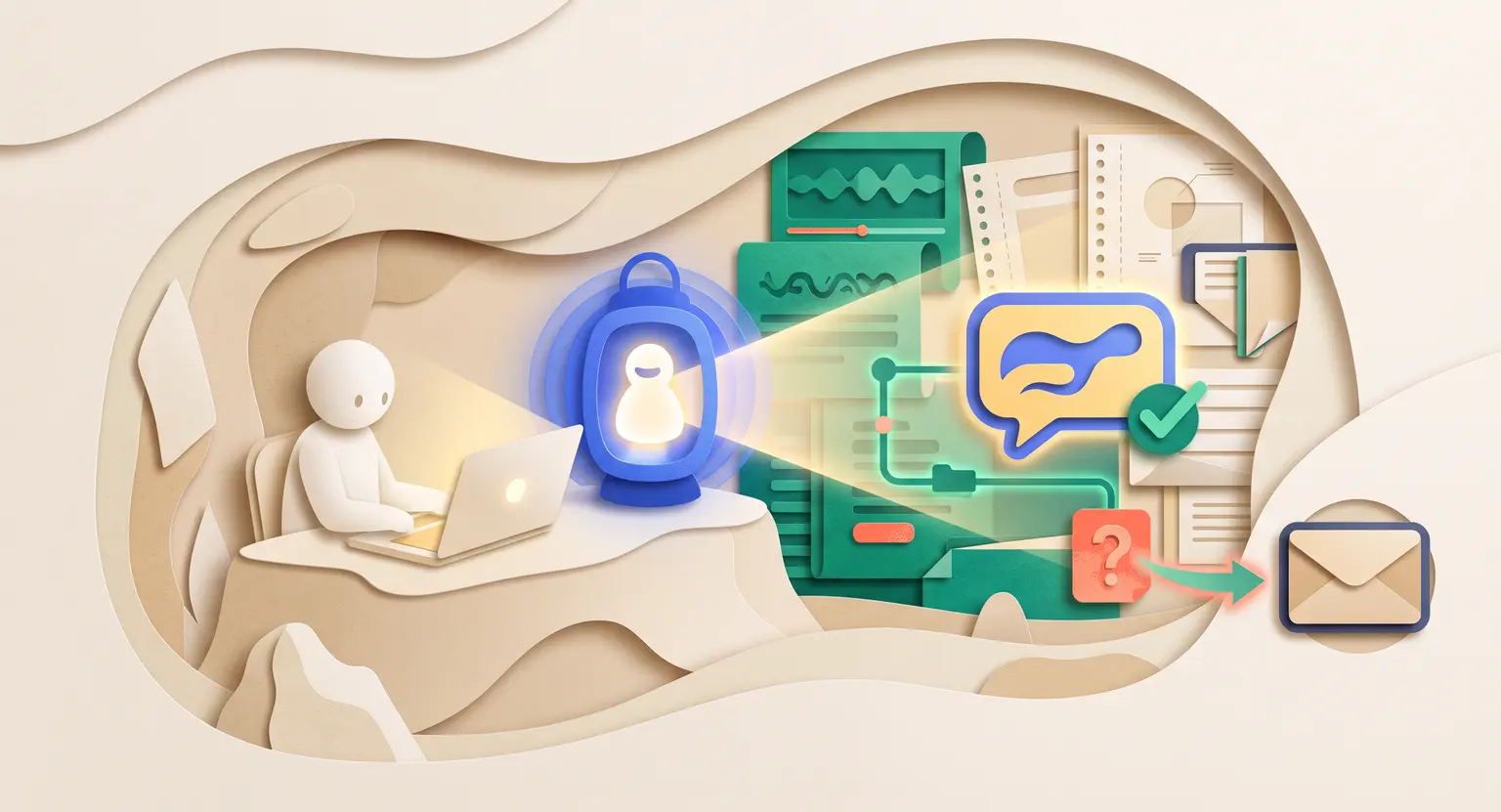
Modern workflows excel at executing these predictable tasks. Integrated tools communicate seamlessly with your CRM and payment gateways - when a student sends a request, the automated helper verifies their registration status, finds the exact download link, and delivers the answer within seconds.
And the beauty of this is its cross-channel reach. Whether they write in via email, an in-app portal, or a chat widget, the helper steps in.
If you have active email automation for creators, you can trigger specific workflows based on automatic support tags, keeping your messages perfectly timed.
Transforming Help Desks into Dedicated AI Tutors
Support is not just about fixed login issues or invoicing errors. Frequently, students reach out because they are stuck on a conceptual topic.
They ask, "What did the video mean by asset allocation in lesson four?"
Or, "Can you clarify the third step of the soil prep method?"
Previously, you had to write detailed answers yourself or pay support staff to do it. Now, you can deploy dedicated AI tutors for online courses alongside your customer help desk. These systems train on your unique course assets : your videos, transcripts, PDFs, and files.
As a result, when a learner asks a complex training question, the engine does not give an unrelated search response. It pulls the exact source context from your modules and explains it gently.
It offers alternative examples based on your prior teachings, acting as a tireless assistant who ensures students finish the program successfully.
Uncovering Gaps in Your Digital Program
Every ticket your students open contains valuable information. If dozens of people keep asking how to complete a specific worksheet, there is an issue with that step. Either the instructions are confusing, or your lesson lacks proper examples.
Scanning manually through thousands of old tickets to spot these patterns is an absolute nightmare. This is exactly where you should use AI to analyze student feedback efficiently.
Technology categorizes user issues, reads chat sentiments, and spots negative student sentiment trends without you lifting a finger.
By assessing these patterns, your system helps you identify gaps in your online course. It highlights lessons that spark high volumes of confusion.
Rather than guessing what needs improvement, you receive clean, data-backed guidance on exactly where to refine your modules to keep student outcomes high.
Blending Automation with Human Care
But wait, won't your academy start to feel cold and impersonal? Only if you configure the experience incorrectly. The secret to success when implementing automated support systems in 2026 is maintaining an easy handoff pathway between machinery and humans.
Consider these essential strategies for keeping a natural human touch :
-
Honesty first : always tell students when they are discussing issues with a virtual bot. Building trust requires transparent interactions.
-
Instant escalation : avoid circular loops. If the system fails to solve a question in two replies, route the ticket directly to your private inbox.
-
Sentiment triggers : set up workflows to detect frustration. If a customer uses angry words, the machine should step aside for a live staff member.
-
Proactive outreach : do not just wait for tickets. Send automated, friendly notes when a learner stalls mid-module.
To ensure you do not skip critical steps during setup, keeping a robust course creation checklist handy will keep your infrastructure clean.
Remember that solid support starts with structure. Designing smooth modules prevents technical snags before they surface. When you sit down to create engaging course content, you naturally minimize student friction down the road.
Frequently Asked Questions
How do I prevent my automated system from sounding like a dry robot?
You can easily achieve this by feeding your past newsletters, live webinar scripts, and blog posts directly into the language model.
This refines its voice to mirror your unique personal conversational tone. Keep answers encouraging, concise, and simple.
Always have your helper introduce itself openly as your school's automated guide so that students possess clear expectations from the absolute start.
Is my intellectual course content safe with conversational models?
Yes, but you must avoid public consumer engines that train on your data inputs.
Instead, select tailored APIs and specialized custom software integrations that offer strict enterprise data protections.
This blocks external training systems from accessing your video files, private PDFs, and student records, keeping your proprietary assets safe.
Can virtual agents successfully help run student communities?
Absolutely. Automation tools are highly proficient at tracking member activity.
They can filter spam, flag inappropriate messages, point users to relevant lecture modules, and highlight unanswered student threads for human coaches.
This makes it much easier to build an online community that feels vibrant, supportive, and active without requiring your presence 24/7.
What is the optimal time to deploy support automation?
Ideally, you should introduce automated features as soon as you have validated your course idea and started onboarding your first fifty active students.
At this initial milestone, handling manual inquiries still feels manageable, but implementing smart processes early allows you to construct a robust operational foundation.
This strategic timing saves you from playing catch-up later when ticket volume scales rapidly.
Plus, it ensures your first wave of learners receives an incredibly polished, highly responsive experience, which naturally drives positive customer reviews, stellar early testimonials, and a much more reliable recurring business revenue trajectory over the long run.







 How to Create a Course Refund Policy (Templates & Best Practices for 2026)
 How to Run a Beta Version of an Online Course (2026 Guide)
 How to Create a Cohort-Based Online Course (2026 Guide)
 How to Sell an Online Course With a Quiz Funnel (2026 Guide)
 How to Sell an Online Course Through a Sales Call (2026 Guide)