








How to Choose an Online Course Platform for Your Business
How to Choose an Online Course Platform for Your Business
Key Takeaways
-
Assess your business model (simple courses, native community memberships, or complete high-ticket ecosystems) before buying software.
-
Avoid tech stack bloat by looking for an all-in-one platform to sell online courses.
-
Ensure your platform includes built-in email tools, marketing funnels, and zero-headache checkout flows.
-
Select platforms with strong customer support and migration services to support your future growth.
We have all been there. You have spent weeks, maybe months, mapping out your course modules, recording crisp videos, and designing PDFs. But suddenly, you find yourself staring at an endless sea of software options.
If you choose the wrong system, you might end up paying hundreds of dollars a month for tools that do not talk to each other. Your student experience suffers, your checkout cart breaks, and you spend more time fixing software integrations than actually working with your audience.
So, how do you find the sweet spot? The truth is, there is no single magical choice that works for everyone, but there is definitely a right choice for your specific business model, your budget, and your tech comfort level.
Let us break down exactly how to sift through the noise so you can find the perfect home for your digital academy without losing your sanity.
Step 1 : Define Your Business Framework
Before looking at features or comparing prices, you need to understand what you are actually building.
We see creators buy complicated enterprise setups when they only need to sell one basic PDF and a video. Conversely, we see established coaches trying to run a six-figure membership on a bare-bones system that cracks under pressure.
Think about your growth path too. Some businesses begin with a simple single course but quickly expand into live coaching cohorts, micro-learning paths, or a VIP subscription hub. Changing systems down the road is a huge headache that disrupts your user experience, so sizing up your long-term roadmap right now is a vital first step.
To get things straight, you first need to understand the structural options. In the ongoing debate over an online course platform vs learning management system, the choice depends on your end goals. If you train internal corporate teams, you want an LMS. If you sell direct-to-consumer courses, you need a marketing-heavy course platform.
Ask yourself these three questions :
-
Is this a sideline hustle or your main business? If it is your main business, do not piece together cheap WordPress plugins. Use dedicated infrastructure.
-
What does your daily workflow look like? Do you want to build pages, write campaigns, and manage students under one dashboard, or do you love connecting Zapier to six different systems?
-
How will your students learn? Are they self-paced watchers, or do they need live group calls, cohort peer support, and interactive quizzes?
Once you clarify these points, your path becomes way cleaner.
Step 2 : Benchmark the Crucial Features
It is incredibly easy to get distracted by flashy features, but when you strip away the marketing hype, your course business relies on a few fundamental mechanics. Let us look at what you absolutely must demand from any vendor.
First up is the page builder and user experience. If it takes you four hours to change a header font, run away. Your platform should let you build clean, conversion-focused landing pages effortlessly. It should also provide a beautiful, intuitive portal for your students so they do not email you every five minutes asking how to find their next module.
Let us not overlook branding flexibility either. You want your course layout to mirror your exact brand colors, logo placement, and design aesthetic. If a platform forces you to use their standardized layout with zero wiggle room, your course will feel generic. Students can easily spot a cheap template, and it actively hurts your premium pricing options.
Second is the commerce and payout flow. You want robust payment flexibility. Look for platforms that allow you to customize checkout forms, offer upsells, and handle payments without taking huge transactional cuts.
If you want to scale globally, you will also need to consider your strategy for how you can sell online courses internationally with minimal VAT or currency friction.
Third is the marketing engine depth. This is where most standalone course tools fall short. They host your videos beautifully but offer zero marketing power. You then have to buy separate landing page tools, list managers, and form builders.
A truly smart business owner opts for platforms that house a high-performing email marketing platform directly inside the course hub. This keeps your student communications fast, automated, and hyper-targeted based on their learning progress.
Finally, ensure they offer solid student engagement tools. Look for direct community spaces, automated certificates, clean progress bars, and simple quizzes. These components keep people coming back, which directly boosts your completion rates and testimonial quality.
Step 3 : Choose Between Standalone and All-in-One Systems
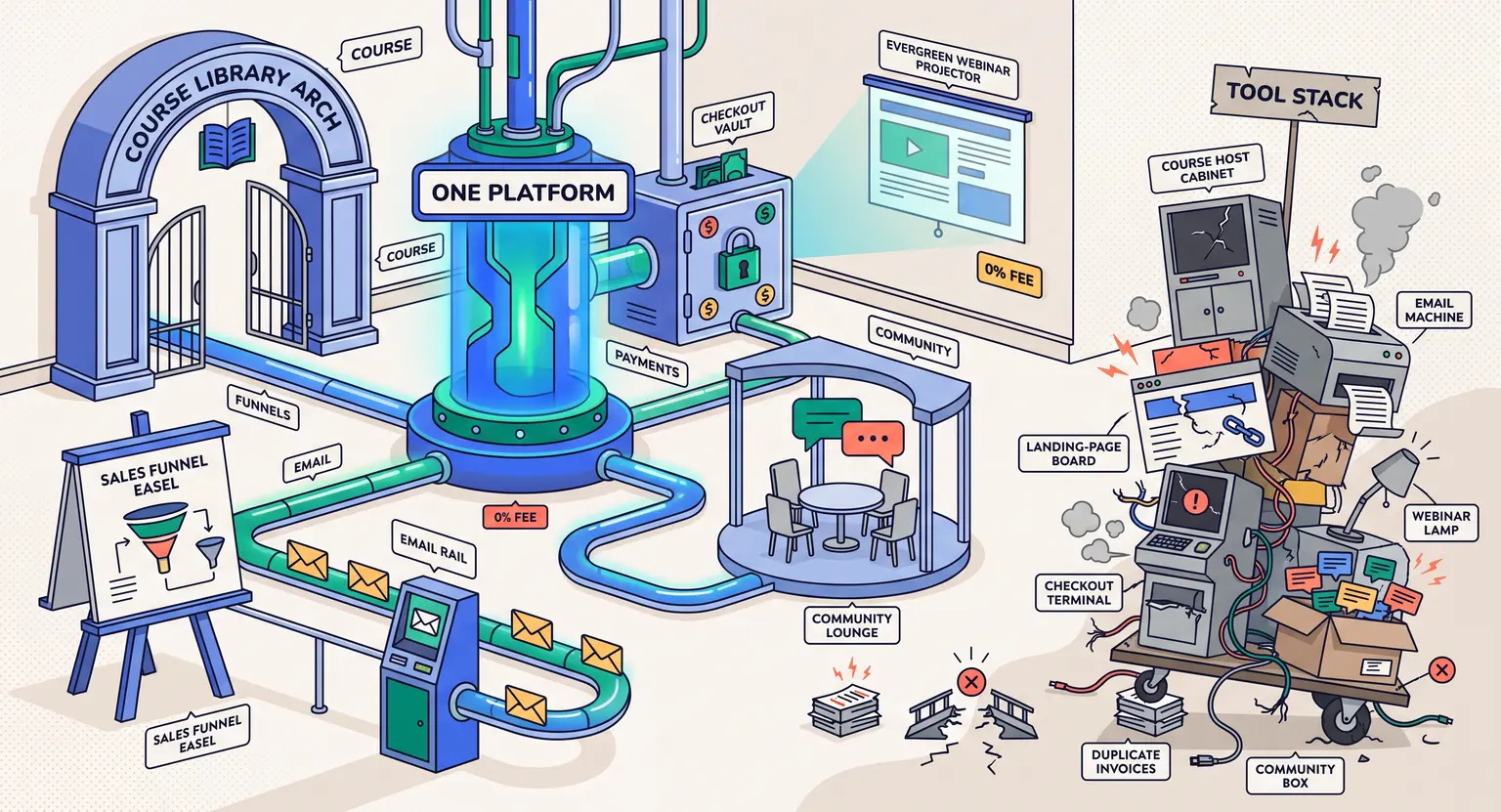
This is the big forks-in-the-road moment. You generally have two primary options when hunting for the best online course platforms on the market. You can either construct a custom "best-of-breed" stack, or you can go all-in on an integrated suite.
The Standalone Route involves picking individual tools. You use one system for video hosting, another for emails, another for checkouts, and another for your site… But keeping this digital house of cards standing is exhausting - one API update can break your entire registration flow overnight.
The All-in-One Route integrates all of these tools. You manage pages, courses, checkouts, affiliates, and marketing in one central hub. It saves you massive amounts of money, and more importantly, it saves your time. If you want to optimize your resources, using a best all-in-one course platform ensures everything syncs without messy third-party connectors.
Let us contrast these options side-by-side to see how they stack up in everyday business use.
| Business feature | Standalone and integrations model | All-in-one native ecosystem |
|---|---|---|
|
Monthly technical costs |
High. You pay separate subscriptions for video hosting, email, funnel building, and communities. |
Low and flat. One single subscription covers all core operating features without extra tool costs. |
|
Data and analytics sync |
Often fragmented. You must manually bridge customer sales data to email lists via Zapier. |
Instant and native. Student progress, email behavior, and sales are tracked in one single profile. |
|
Marketing capabilities |
Basic. You usually need an external suite to build high-converting landing pages and launch emails. |
Advanced. Features built-in tools to construct a sales funnel sequence with ease. |
|
Customer support help |
Complex. Vendors often blame each other when an API bridge breaks between integrations. |
Simple. One support team resolves both your hosting, checkout, and email delivery issues. |
Step 4 : Think Ahead to Avoid Hidden Costs
Many creators make decisions based solely on the starting price. But cheap plans can get incredibly expensive as your audience grows. Always read the fine print before migrating your files.
Watch out for transaction fees. Some entry-level plans charge up to 10% per sale. If your course costs $500, they keep $50 of every single transaction. That eats up your marketing margins fast. As you launch, you must adopt a smart online course pricing strategy that counts these hidden deductions.
Do not forget to audit the checkout process from a friction standpoint.
If your checkout page asks for fifteen fields of information just to process a credit card, you will see high basket abandonment rates - checkouts must be incredibly lean, swift, and highly secure. Make sure you can also set up split-payment terms and trial periods easily.
Also, test their customer support before moving in. Send a support ticket on a Friday afternoon.
Do they answer with a helpful, human response, or do you get an unhelpful AI bot that loops you in circles? When your checkout page breaks during a launch, every hour of delay costs you cold, hard cash.
If you are running a service-oriented company, you might also want to look at platforms that support multi-tier operations. For instance, if you want to know how to start an online coaching business combined with digital programs, choose a platform that effortlessly handles calendar bookings alongside course content.
Make Your Move
Selecting your platform represents a massive step toward scaling your knowledge. So, stop over-analyzing and pick a path. Pick an option that lets you focus on teaching, not troubleshooting.
Frequently Asked Questions
Do I need separate hosting for my course videos?
No. Most premium course platforms provide integrated secure video players. This stops students from sharing direct links and keeps your content safe.
Should I look for platforms with custom domains?
Absolutely. A custom domain ensures your course portal matches your brand seamlessly. It builds trust and looks highly professional to prospective corporate clients.
How long does it take to move my content to a new course platform?
It depends on your current library. If you have clean video assets, moving takes a few days. Look for sites that offer migration teams to handle the heavy technical lifting for you.
Can I sell digital products other than courses on these platforms?
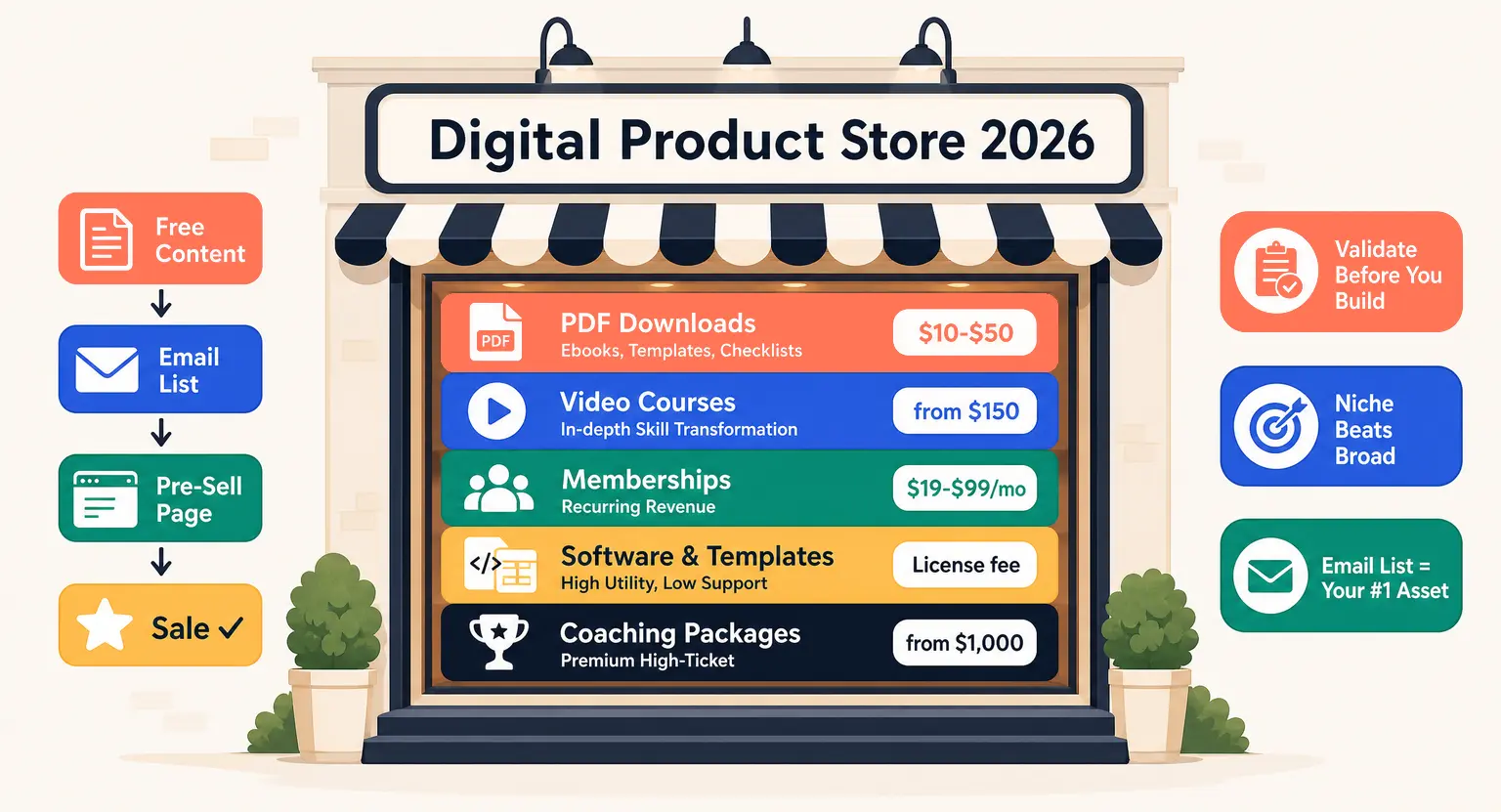
Yes, good modern platforms let you sell ebooks, coaching sessions, templates, and webinar tickets. This makes it simple to bundle various offers together and diversify your revenue streams without running multiple payment tools.







 How to Create a Course Refund Policy (Templates & Best Practices for 2026)
 How to Run a Beta Version of an Online Course (2026 Guide)
 How to Create a Cohort-Based Online Course (2026 Guide)
 How to Sell an Online Course With a Quiz Funnel (2026 Guide)
 How to Sell an Online Course Through a Sales Call (2026 Guide)