







How to Create an Online Course with AI (2026 Guide)
How to Create an Online Course With AI
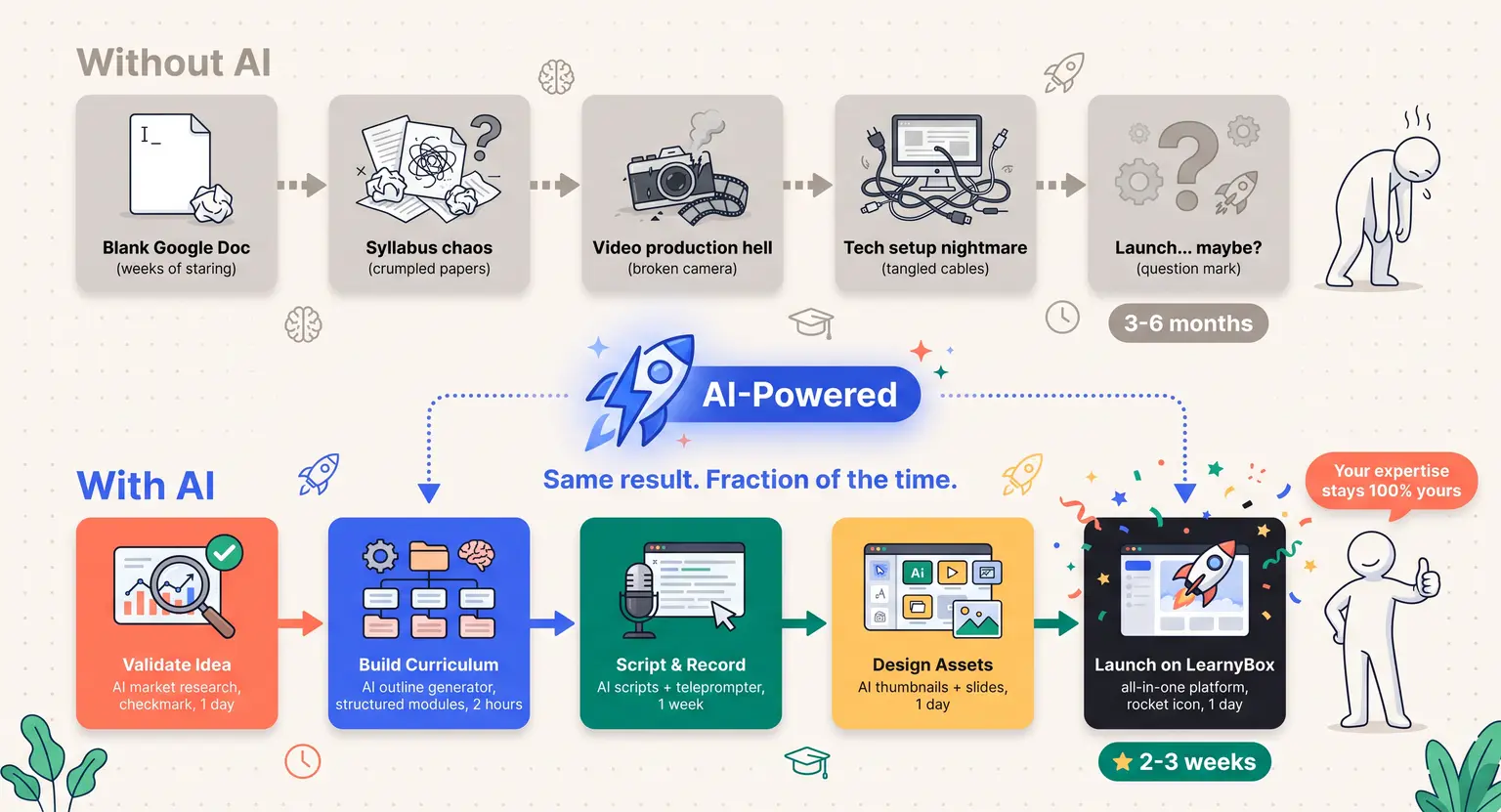
Remember when launching a digital class meant weeks of staring at a blank Google Doc, pulling your hair out over syllabus structures, and spending thousands on external video editors? Those days are officially over.
By 2026, artificial intelligence has completely flipped the script on how we build, package, and sell educational content. It's no longer about whether you should use these systems, but how smartly you can orchestrate them.
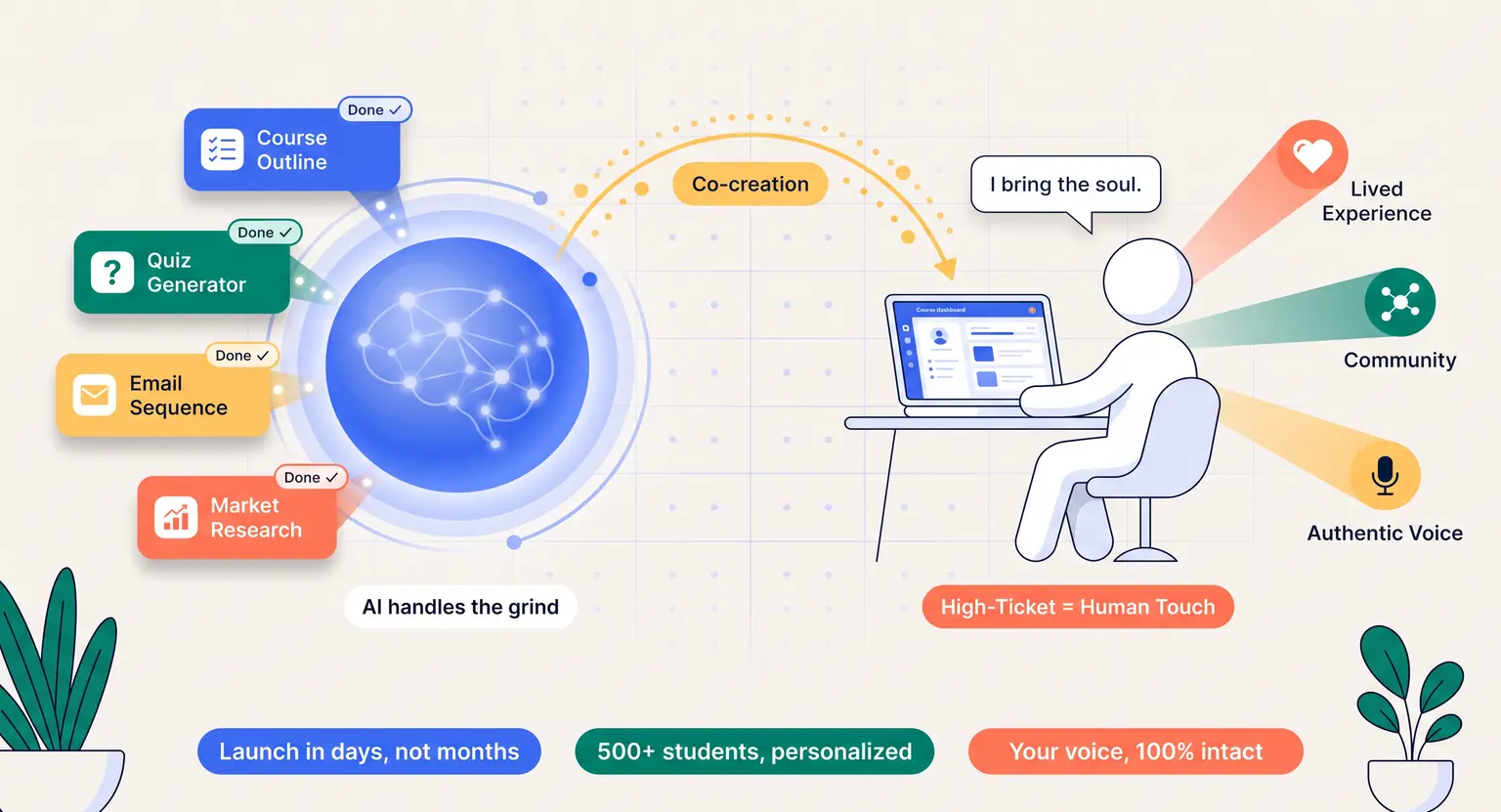
But let's get one thing straight from the start - AI won't replace your expertise. Your unique worldview, your failures, and your weird anecdotes are exactly what your students pay for.
The secret is using machine learning as your ultra-efficient assistant, freeing up your mental bandwidth so you can focus on actual teaching and connection.
Whether you want to build a side hustle or scale a full-time online teaching as a business, this guide lays out the practical blueprint for getting your program built and launched fast.
Let's look at how to construct a curriculum, script lessons, generate high-quality assets, and host your work without burning out.
Key Takeaways
-
Speed meets substance : AI accelerates development, but human supervision ensures actual educational quality and unique student value.
-
Validating first saves money : never record a single minute of video until you've verified student interest and refined your main concepts.
-
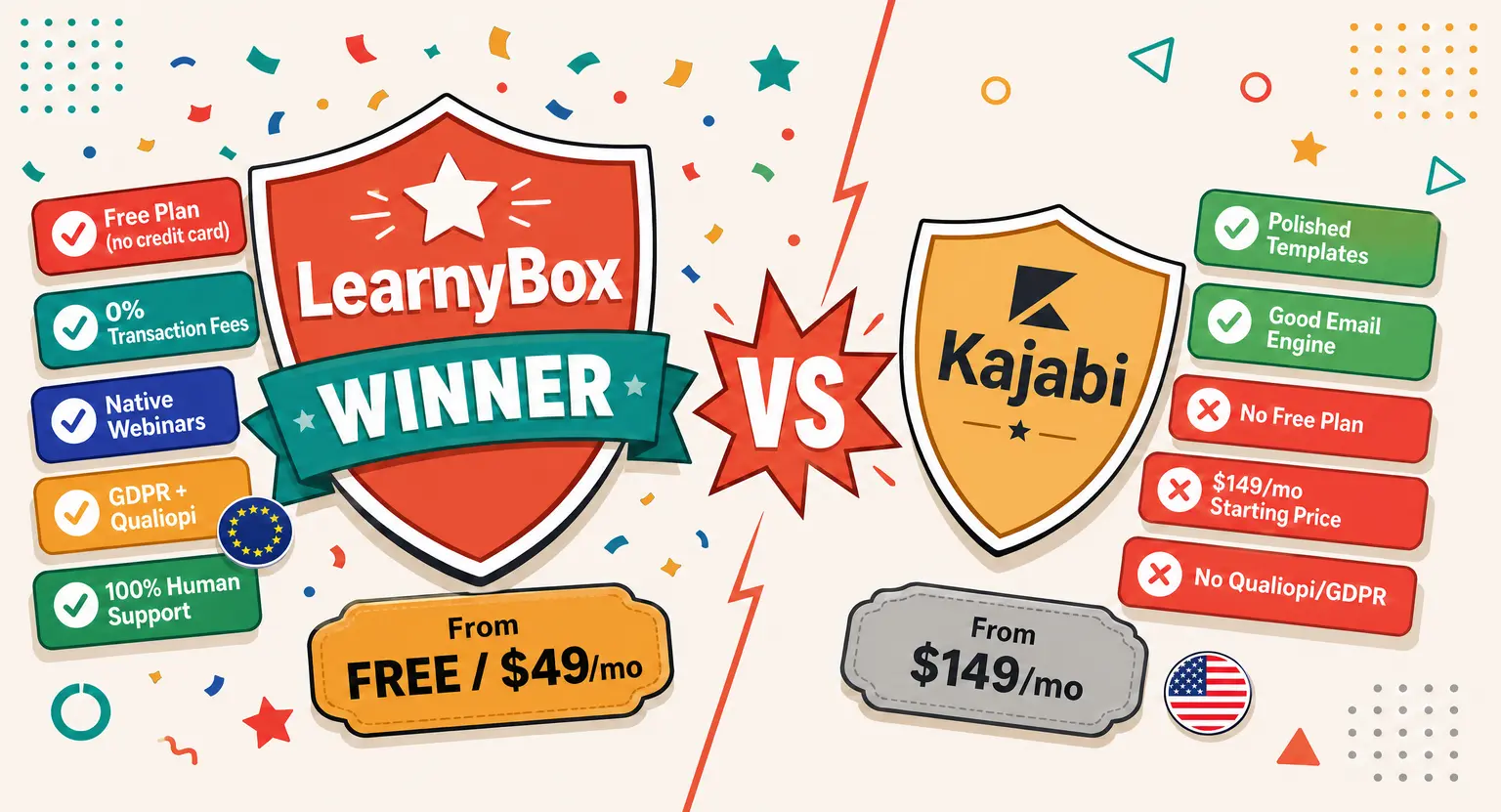
Platform selection matters : sticking to a robust, integrated tool like LearnyBox keeps all your assets, funnels, and marketing in one neat ecosystem.
-
Keep a structured approach : following our comprehensive course creation checklist ensures you don't miss critical technical steps before your big launch.
-
Always run a complete audit : always fact-check and tone-police any generated written outlines, scripts, and slide decks.
Finding Your Spark and Validating Your Core Concept with AI
The biggest trap in digital education is building something nobody wants. You spend three months hiding in your home office, record thirty beautiful video lessons, and then launch to absolute silence. It's painful, but it happens because of a lack of market research.
So, how can you bypass this risk? Enter smart data analysis. Instead of guessing what your target audience wants, you can leverage AI for course creators to scan online communities, analyze search trends, and dissect competitive offerings.
Feed your target audience's common pain points into an LLM and ask it to play devil's advocate. For instance, prompt the model : "Act as an aspiring digital marketer who is skeptical about buying an introductory course. What are your primary objections?"
This simple conversation gives you direct access to consumer resistance. You can quickly adjust your topic to address those exact worries before writing a single slide.
If you need a thorough guide on verifying demand, check out our guide on how to validate an online course idea to build confidence in your business direction.
Once you've confirmed that real humans actually want to solve the problem you are teaching, you can confidently proceed to the architectural stage.
Designing Your Curriculum Architecture and Outlining Like a Pro
Now that you have a validated concept, you need a logical, progressive learning path. A disorganized curriculum leaves students confused, leading to high refund rates and terrible reviews - and let's be honest : staring at a blank screen trying to structure twelve modules is intimidating.
This is where AI tools for course creation shine brightest. By passing a clear description of your target student's starting point and their ultimate goal to a generative assistant, you can generate a structured outline in seconds.
But do not just copy-paste whatever the AI spits out. Use it as a wireframe. Your role as the human expert is to inject real-world context, reorganize steps that look too academic, and sprinkle in practical case studies.
To avoid a learning structure that feels flat, mix up your formats. We have a detailed breakdown on how to make a course outline that balances cognitive load while keeping students highly motivated.
Make sure your curriculum includes distinct milestones where students can easily measure their progress. Maybe that is a small quick-win exercise at the end of Module 1, followed by a deeper project in Module 3.
This rhythmic pacing is what turns passive video watchers into active, successful graduates.
Generating High-Quality Assets From Scripts to Interactive Media
Once your structure is set, the actual production begins. This phase usually consumes about eighty percent of a creator's energy. Writing scripts, building presentation decks, filming videos, and designing PDFs can feel like an endless mountain of administrative work.
But we live in 2026. This mountain is now a gentle hill.
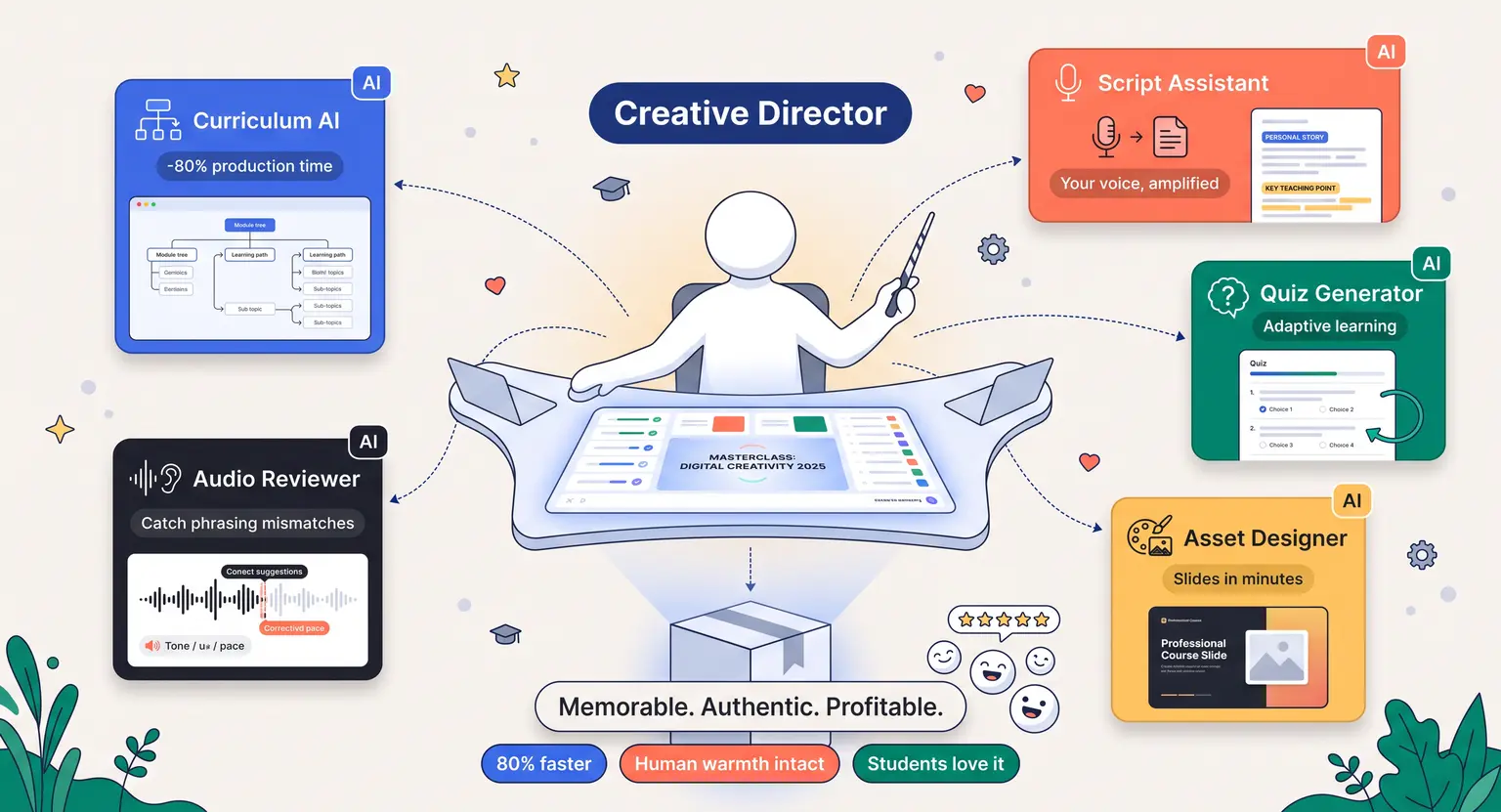
You can use AI to build draft scripts for your video lessons. Copy your module outline, explain your preferred tone, and ask for a conversational, five-minute script. Read it aloud. Does it sound like you? If it is too stiff, edit it on the fly.
You can also speed up slide creation by using design assistants that automatically turn text outlines into clean, modern slide presentations.
Next, look at engagement. No one wants to sit through three hours of boring lecture videos. You must learn how to create engaging course content that keeps eyes on the screen.
This means using AI to generate quick pop-quizzes, create downloadable workbooks, and build interactive scenarios. This active learning approach dramatically improves retention.
For instance, you can program an AI model to act as a custom simulator. If you teach negotiation, your students can practice their skills by chatting directly with an AI persona designed to react to their tactics.
This kind of experiential learning makes your program stand out in a crowded market.
The Tech Stack : Choosing the Right Hosting and Management Tools
You have your outline, your scripts, and your interactive assets. Where do they all live?
Many creators make the classic mistake of duct-taping ten different software tools together. They use one tool for emails, one for hosting videos, another for their landing pages, and a checkout system that barely talks to any of them. It is a technical nightmare that inevitably breaks when you launch.
You need a unified system that handles everything smoothly. If you look at the landscape of best all-in-one course platform options, you want one that integrates AI natively within its core features.
This allows you to manage your community, monitor student progression, automate marketing sequences, and process secure payments under a single dashboard.
When your tech stack is consolidated, your data remains clean. You can instantly see which traffic sources convert into buyers, which lessons students are getting stuck on, and when they are dropping out.
This clarity is impossible when your data is scattered across five different platform logins.
Launching, Marketing, and Scaling Your Course with AI Automation
You could have the most transformative content in the world, but if nobody knows it exists, your sales dashboard will stay at zero. Selling your educational product requires a clear marketing engine.
Fortunately, promotion is an area where AI tools can save you hundreds of hours of manual labor.
Instead of writing twenty unique promotional emails from scratch, you can feed your sales page copy into an AI assistant and ask it to generate an entire launch sequence.
You can also quickly spin up social media hooks, blog post frameworks, and high-converting ad variants based on what worked during your validation phase.
If you are unsure where to start, check out our guide on how to launch an online course to ensure you avoid common launch pitfalls.
Once your launch is complete, use automated email flows to onboard your students, send them encouraging reminders when they fall behind, and ask for testimonials when they finish.
By letting systems handle these routine communications, you can focus on answering complex questions in your member communities or planning your next big program upgrades.
| Course creation stage | Traditional method | AI-assisted method | Major advantage |
|---|---|---|---|
|
Market research & validation |
Manually scrolling forums, sending Google forms, and waiting weeks for random replies. |
Using AI data engines to analyze real-time search patterns and simulate ideal customer objections in minutes. |
Saves weeks of guesswork and targets proven buyer pain points directly. |
|
Curriculum & syllabus outline |
Staring at a blank document for hours, trying to organize technical topics logically. |
Generating structured, modular syllabus outlines with clear cognitive milestones in seconds. |
Provides a balanced learning path and prevents cognitive overload. |
|
Scripting & content creation |
Weeks of draft writing, editing presentation slides, and manually making worksheets. |
Drafting conversational scripts, automatic slide design, and generating customized interactive worksheets instantly. |
Reduces production hours by up to eighty percent while maintaining quality. |
|
Interactive quizzes & audits |
Writing choice tests by hand and manually grading assignments yourself. |
Generating automated quizzes and using AI assistants to provide rapid student feedback. |
Enables interactive student testing at scale without added grading hours. |
|
Marketing & launch copy |
Writing long-format sales pages, video sales letter scripts, and forty launch emails manually. |
Repurposing main curriculum highlights into high-converting email sequences and landing page structures. |
Maintains consistent messaging across all promotions with zero mental blocks. |
Frequently Asked Questions
Can I create an online course using AI if I have absolutely zero technical skills?
Yes, absolutely.
The beauty of AI-assisted course platforms today is that they are built with intuitive, natural language interfaces. You do not need to understand coding or complex database design.
Modern integrated platforms handle the complicated infrastructure. Your primary focus remains on feeding clear instructions to the AI tool to draft outlines and scripts, then reviewing them to ensure they align perfectly with your unique real-world experience.
Will my students notice that I used artificial intelligence to help build my course?
Only if you copy and paste raw, unfiltered AI output.
If you let the software write everything without your personal voice, the content will feel robotic, cold, and generic.
However, if you treat AI as a layout assistant to build structures, spark outline ideas, and drafts, and then inject your actual personal examples and unique style, your students will see a polished, exceptionally structured, high-value program.
How can I prevent my new training materials from sounding generic?
The trick is using highly specific prompts.
Instead of asking for a generic lesson outline, feed the system your target persona, your teaching philosophy, and specific case studies, and always review the drafts to replace robotic vocabulary with conversational language.
Adding your own raw videos, personal voiceovers, and lived experiences ensures that the core value of the education is unmistakably yours.
Is it legal to sell materials and curricula generated by an AI assistant?
Generally, yes. You own the content you publish, as machine learning acts as a productivity assistant.
However, check copyright regulations in your jurisdiction to ensure your text does not replicate copyrighted works.
Fact-check any stats before publishing, because the ultimate legal and professional responsibility for what you teach rests entirely on your shoulders as the independent course creator.
How can I scale my course sales after the initial launch?
To scale, turn your master curriculum into automated evergreen sales funnels and run highly optimized retargeting ad campaigns.
Advanced AI analytics can track exactly where users drop off inside lessons, showing you precisely where to adjust scripts, optimize videos, or add supportive checklists to maximize student conversion.






 How to Create a Course Refund Policy (Templates & Best Practices for 2026)
 How to Run a Beta Version of an Online Course (2026 Guide)
 How to Create a Cohort-Based Online Course (2026 Guide)
 How to Sell an Online Course With a Quiz Funnel (2026 Guide)
 How to Sell an Online Course Through a Sales Call (2026 Guide)