







AI Tools for Course Creation: The Smart 2026 Guide to Better Workflows
AI Tools for Course Creation
Remember when we first realized what generative technology could do? It felt like we had found a shortcut rendering the blank screen obsolete. Write a prompt, wait twenty seconds, and get a neat curriculum ready to go.
But let's be entirely honest. It didn't take long for the web to fill up with sterile, robotic classes that put students directly to sleep.
In 2026, those generic programs simply don't sell anymore. Today, learners pay for unique perspective, raw vulnerability, and hard-won expertise.
So, does that mean you should throw out automations altogether?
Not at all.
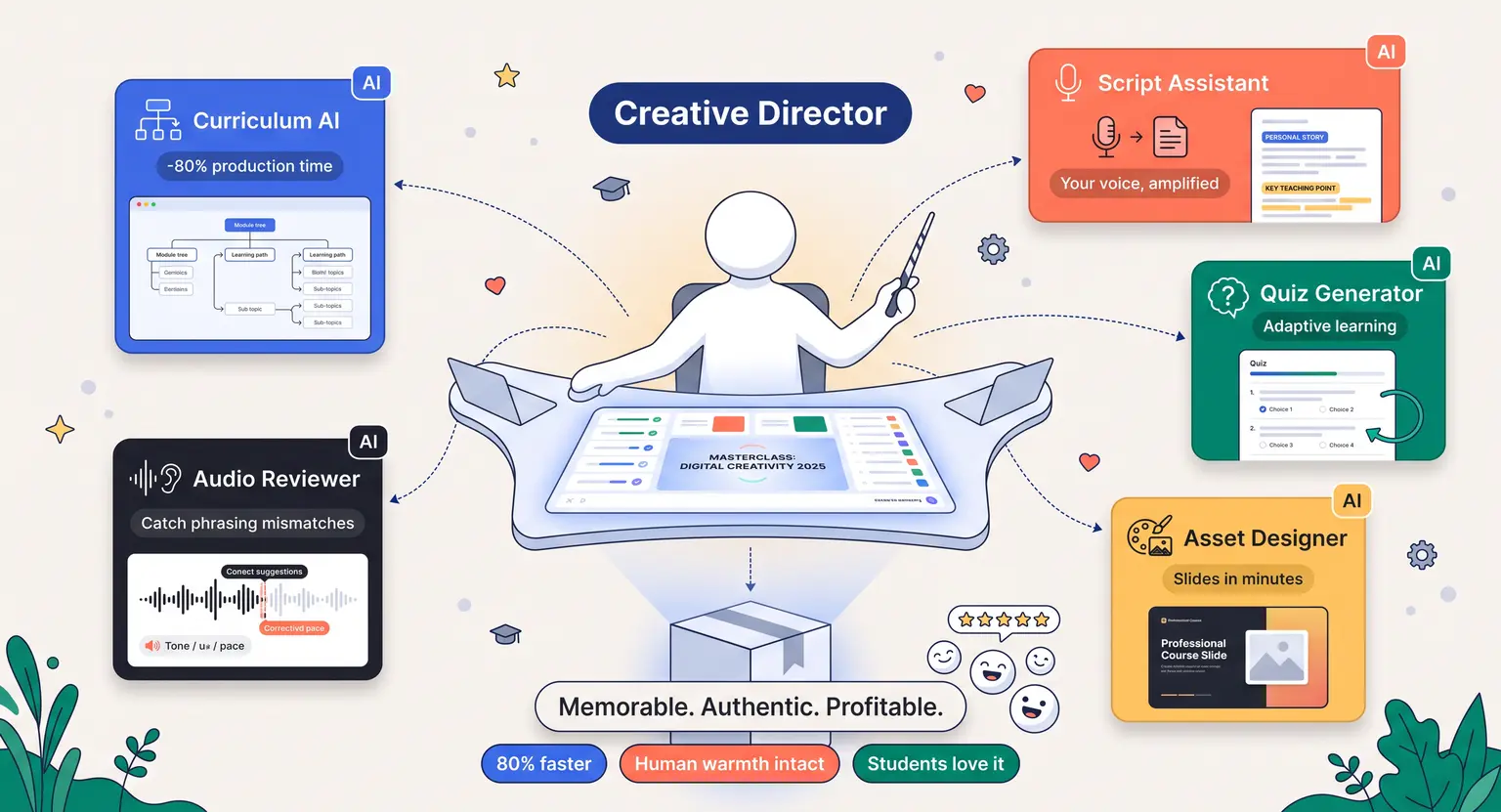
It means your role has shifted from a manual builder to a creative director. By understanding how to pair human warmth with modern tools, you can build incredible experiences in days instead of months.
And that is what we are going to dive into today. We will break down how modern creators design their curriculum, script engaging videos, and launch profitable programs without losing their personal touch. Let's get right into the strategy.
Key Takeaways
-
Human Touch is Essential : never publish raw outputs. Use tools to build structure while you inject personal stories and direct case studies.
-
Efficiency Gains : smart editing and outlining tools shave up to 80% off content production timelines.
-
Structured Strategy : learn how to create an online course with AI the right way to protect your course quality.
-
Modern Workflow : run your draft scripts through audio systems to catch phrasing mismatches before you record.
-
The Ultimate Goal : create something truly memorable for your learning audience rather than doing quick work.
Beyond the Magic Button : The Shift in Creative Strategy
For a long time, the creative technology narrative was all about volume. Creators wanted to churn out dozens of modules overnight, launch quickly, and watch passive income roll in.
But the market adjusted incredibly quickly. Learners became highly sensitive to generic text blocks, repetitive bullet points, and AI-voice scripts that lacked human inflection…
Today, successful training programs use a balanced approach. Think of automated tools as a master sous-chef. They wash vegetables, chop herbs, and set up pans. But you are the head chef who tastes the sauce, adjusts seasoning, and decides on final plating. You don't ask the sous-chef to run everything while you stay home.
When you approach your production with this mindset, everything changes.
Instead of asking a system to write your entire lesson, you ask it to brainstorm interactive exercises. Instead of letting it generate your lecture, you use it to identify holes in your lesson plan.
This keeps your program deeply authentic while saving you weeks of staring at a blank document.
Designing Your Content Ecosystem
Before looking at individual software options, it helps to look at the overall architecture of your program. A common error is applying automation to the wrong parts of the build.
For instance, generating your core philosophy is a mistake because that philosophy is exactly why people buy from you.
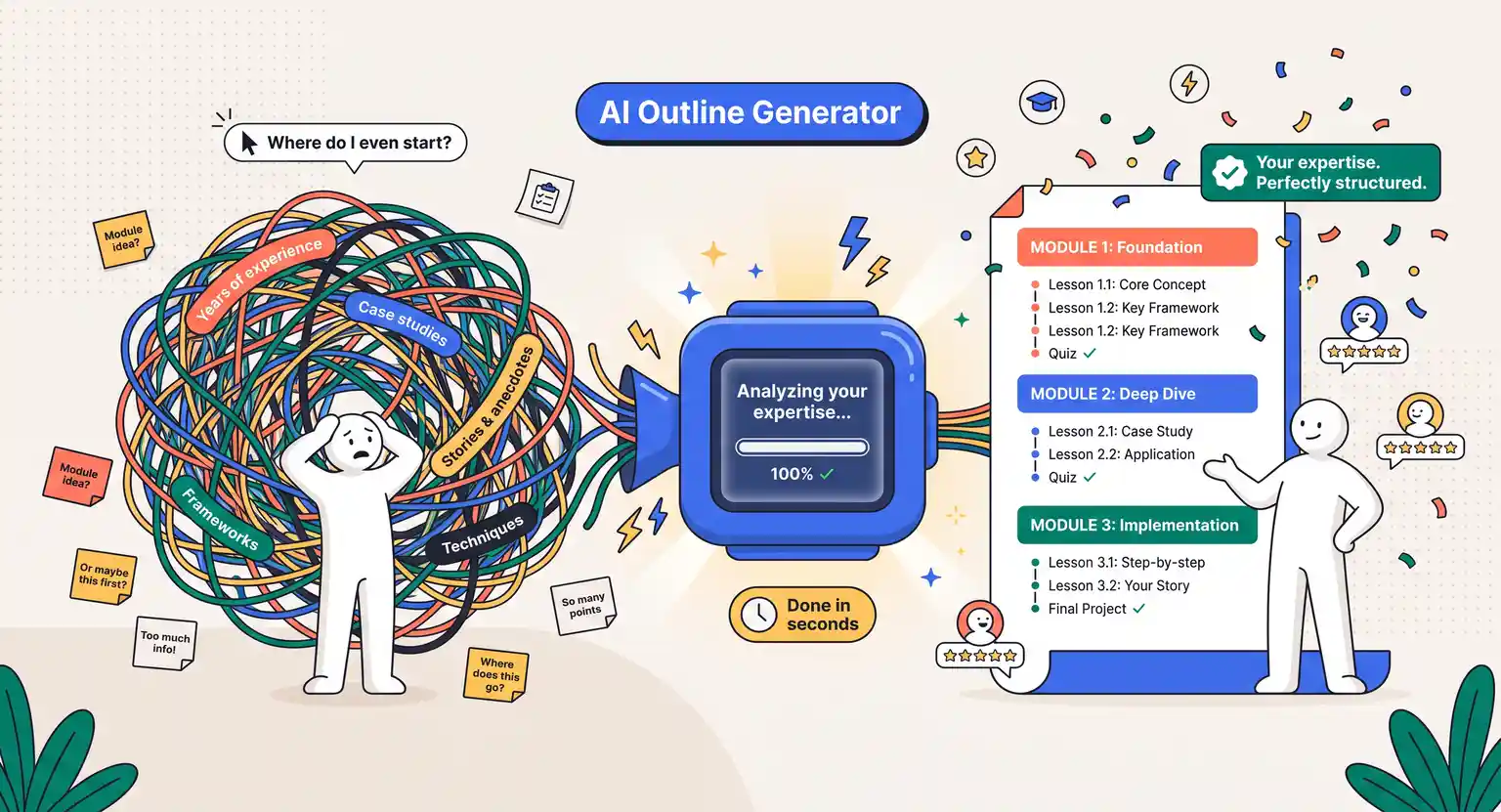
But structuring the actual order of your modules? That is a prime candidate for machine assistance. You can share your messy, stream-of-consciousness thoughts with a system, and it will organize them into a logical, educational hierarchy.
To do this successfully, you need to understand how to structure an online course to keep learners completely locked in. Once you have a strong layout, you can assign different tasks to different tools :
-
High-Automation Areas : lesson formatting, technical sound cleanup, initial outline generation, and formulating quizzes.
-
Collaborative Areas : script drafting, lesson plans, promotional emails, and basic visual slide design.
-
Purely Human Areas : personal anecdotes, live group coaching, proprietary frameworks, and overall tone editing.
By drawing these clear lines, you avoid the trap of generic content while keeping your production speed incredibly high.
Essential Categories to Build Your Stack
Let's look closely at the actual tools that are defining the space in 2026. Rather than getting overwhelmed by the sheer number of options on the market, it is far more productive to divide them into distinct functional blocks.
Let's look at how these blocks work.
First up are the Ideation and Outlining engines. These are the tools that help you get past the cold start problem.
By analyzing public discussions, search patterns, and competitor agendas, these systems can suggest highly relevant subtopics that you might have overlooked. They act as a sophisticated sounding board, challenging your assumptions and reminding you of critical foundational steps.
Second, we have the Scripting and Writing partners. If you've ever struggled to write a script that sounds like natural speech, these helpers are incredibly useful.
You can feed them your raw transcripts from a quick voice recording, and they will polish the speech while retaining your natural vocabulary. They ensure your instructions remain conversational and easy to follow.
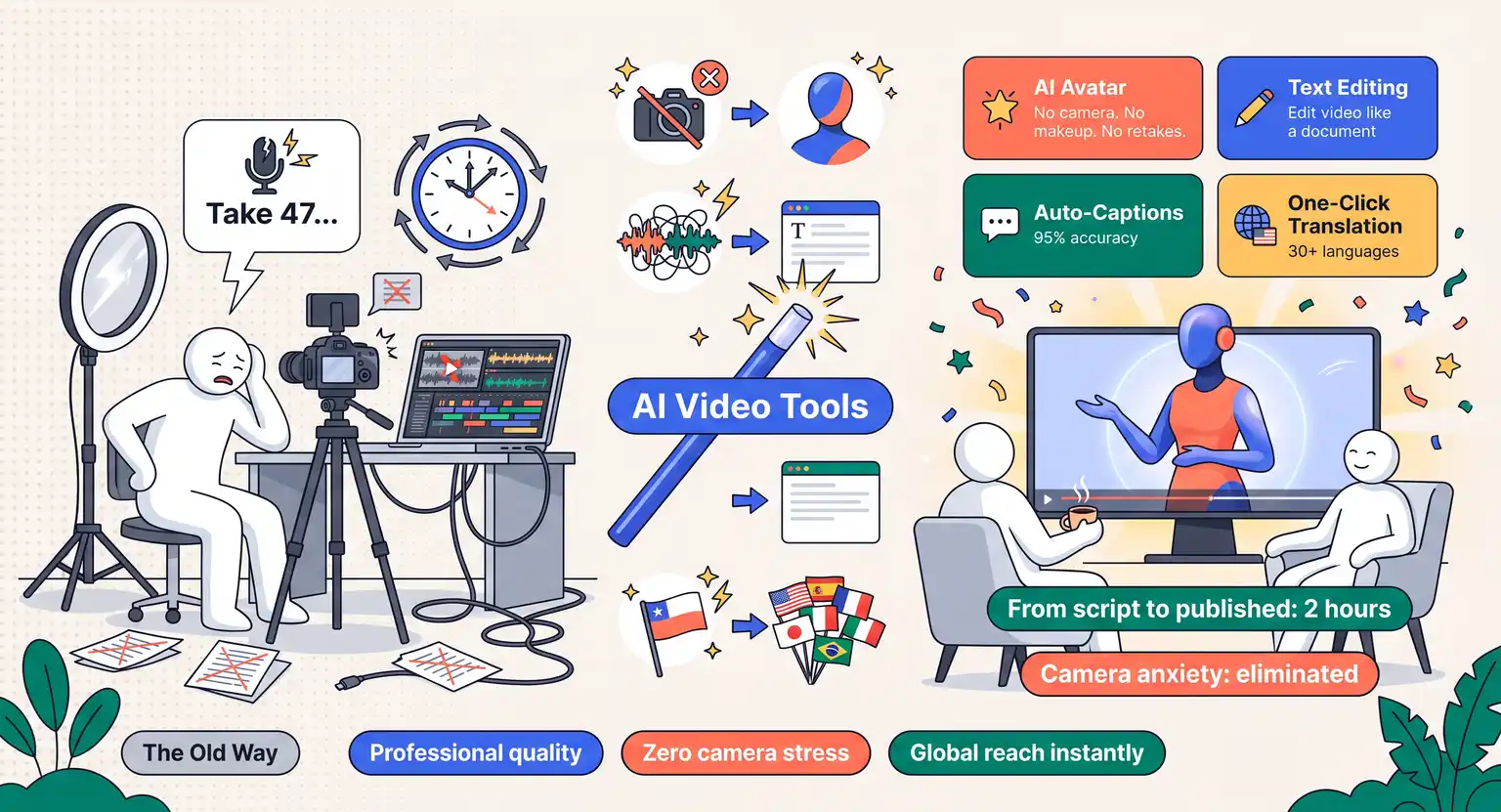
Third, the visual and video production suites are truly revolutionary. Modern video systems allow you to edit your footage by simply editing the text transcript.
If you make a mistake or say 'um' ten times, you can just delete those words from the text, and the video edits itself seamlessly. You can even generate high-quality visual slides or simple animations that match your narration without having to spend hours on design platforms.
Finally, we have the Assessment and Homework assistants. Building great quizzes used to be a tedious manual task. Today, you can upload your completed lesson script and ask a specialized tool to generate five distinct levels of testing to check comprehension.
This ensures your students aren't just watching your videos passively, but are actually absorbing the concepts.
This approach is the backbone of using AI for course creators who want to remain competitive.
The Tool Comparison Matrix
To help you decide where to direct your initial focus, here is a breakdown of the primary tool categories and how they fit into your workflow :
| Tool type | Primary use case | Typical strengths | The ideal human balance |
|---|---|---|---|
|
Outline & curriculum generators |
Drafting course pathways and lesson flows. |
Extremely fast organization of unstructured concepts into logical sequences. |
You must reorder lessons to prioritize practical, quick wins for students. |
|
Scripting collaborators |
Refining transcripts and polishing spoken drafts. |
Removes verbal filler and standardizes lesson pacing. |
Inject your own case studies, personal jokes, and custom business examples. |
|
Text-to-video systems |
Creating visual slide tracks, motion graphics, and background b-roll. |
Speeds up visual editing without needing complex graphic software. |
Use your own talking-head video for key intros to build deep student trust. |
|
Audio enhancers & editors |
Cleaning background noise, fixing verbal stumbles, and level mastering. |
Provides studio-quality sound from a standard USB home office setup. |
Listen carefully to ensure the automated tone sounds warm rather than overly cold. |
|
Interactive quiz builders |
Designing post-lesson checks and customized training assessments. |
Quickly creates multiple-choice or short-answer checkpoints from your scripts. |
Review all technical answers to ensure they match real-world context exactly. |
Production Blueprint Step by Step
Let's walk through taking an idea and turning it into a live, paid program. This isn't theoretical; it's the exact flow that top-tier digital entrepreneurs use to validate, structure, build, and deliver their courses.
Step 1 : Uncover Your High-Value Topic
You cannot build a great course on a shaky foundation that nobody actually wants. Before you write a single word of your outline, spend time finding top online course ideas for 2026 to see where market demand is grouping.
Use AI to analyze student forums, gather common complaints about existing courses, and summarize what people feel is missing from the market.
Step 2 : Rapid Outline Structuring
Once you have your core topic, open your favorite outline helper. Feed it your target audience's pain points and your ultimate program goal. Ask it to generate three distinct variations of a module pathway.
Review these carefully, referencing a solid course creation checklist to make sure you have all your fundamental parts in place before you move forward.
Step 3 : Creating and Polishing Content
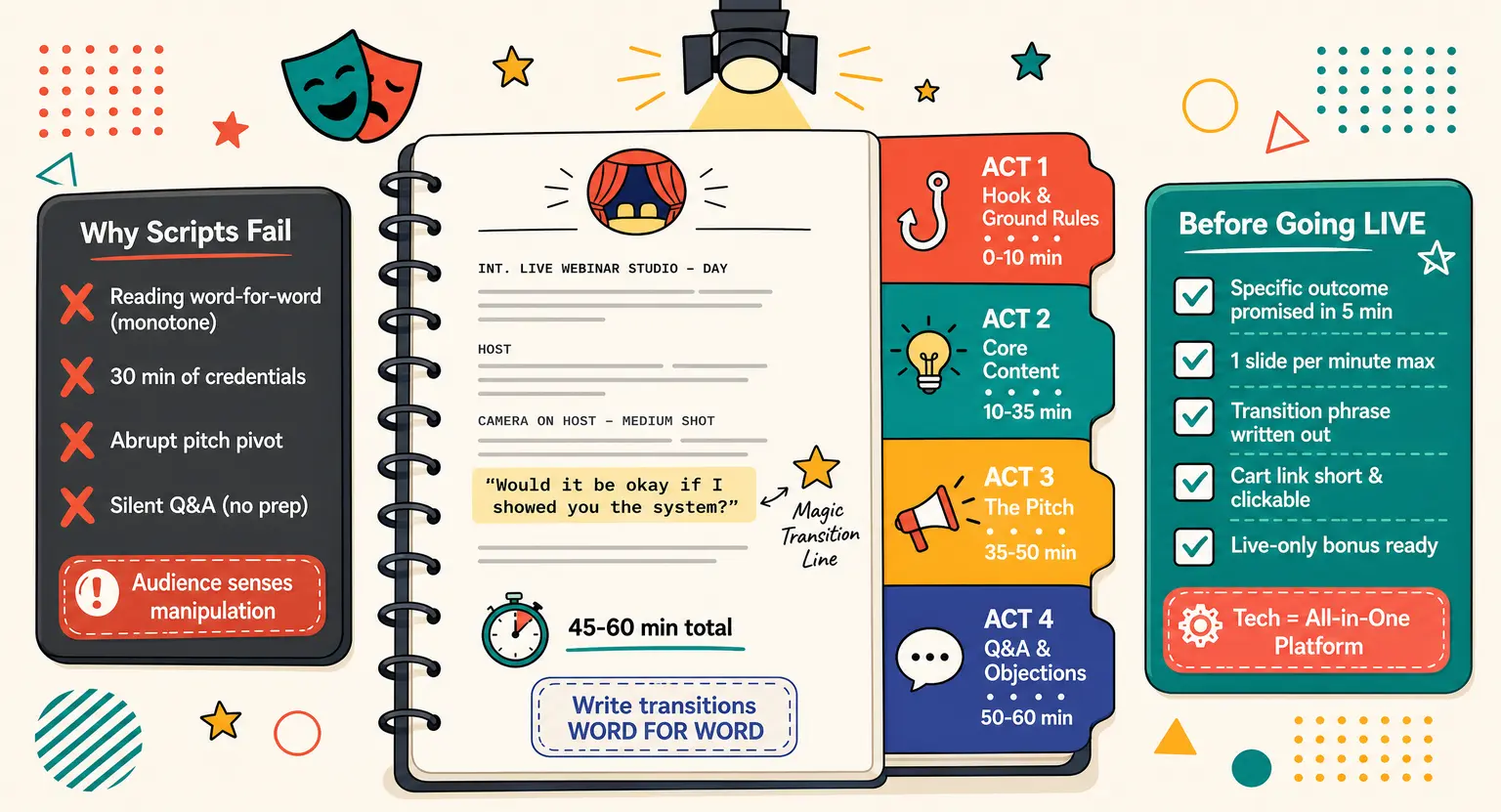
Now comes the actual building phase. When you sit down to create engaging course content, use your scripting tools as a sparring partner. Talk out loud about your lessons, record it, and let the software turn that raw audio into beautifully formatted scripts.
Edit these scripts to inject your own stories, write simple slide bullet points, and prepare your camera setup.
Step 4 : The Big Launch
When your assets are ready, you can easily pull everything together to get your program off the ground. Discovering how to launch an online course doesn't have to feel like climbing a mountain.
You can use copy partners to draft your landing page headlines, design high-converting registration forms, and draft automated welcome emails that make your new students feel immediately cared for.
Keeping the Soul in Your Training
The absolute deadliest mistake that you can make when using AI tools for course creation is letting the machines erase your personality.
Let's think about the courses we've purchased in our lives. We didn't buy them because the text was grammatically flawless or because the slides used perfect geometry.
We bought them because we resonated with the creator's journey. We wanted to know how they overcame failure, how they solved specific client nightmares, and what their personal philosophy represents.
So, look for areas where you can purposely break the rules.
If an outline assistant tells you to write an hour-long lecture on theory, but you know a quick, five-minute video with a practical worksheet works better, go with your gut.
If a script editor attempts to replace your favorite conversational slang with formal business terms, edit it right back.
Your quirks, hard-won battles, and enthusiasm make your course irreplaceable. Generative engines are a bicycle for your mind, not the rider. Keep your hands firmly on the handlebars.
Setting Up Your Technical Ecosystem
Once your content is drafted and polished, you need a robust digital home to host, sell, and handle payments without driving you crazy. This is where an all-in-one suite like LearnyBox shines - you don't need to patch together five different expensive software setups; everything is built to scale smoothly right out of the box.
Instead of wrestling with technical plugins, you can focus on building your business. When you are looking to scale your impact, building your online teaching business becomes a joy when you aren't bogged down in technical bottlenecks.
You can set up beautiful sales funnels, manage high-quality email sequences, and process secure payments instantly.
Explore Further : Highly Recommended Resources
To dive deeper into smart course production, check out these actionable guides from our expert team :
-
Discover the practical, step-by-step roadmap on how to create an online course with AI while keeping your student experience premium.
-
Read our complete operational blueprint to master how to structure an online course for maximum graduation rates.
Frequently Asked Questions
Will using AI tools hurt my brand reputation?
It won't hurt your brand reputation if you maintain strict quality control.
If you use smart editing software to polish your lesson audio, clean up messy spoken scripts, and design better slides, your students will appreciate the professional presentation.
Just ensure you personally review every output.
Can I completely automate course creation with AI?
No, absolute automation usually results in dry, generic content that fails to engage students.
The most effective approach is a hybrid model where tools handle time-consuming administrative tasks, technical formats, and basic outlines while you provide your unique insights, practical real-life examples, and warm student connection.
Do AI video generation tools feel too synthetic?
Some text-to-video platforms definitely produce an overly synthetic vibe.
To prevent this, only use digital generation for abstract slide illustrations, background imagery, or fast motion transitions.
Always record your own face and voice for module introductions to keep a strong human relationship with your audience.
How do I protect my proprietary ideas?
Never upload your highly confidential proprietary methodology, secret tricks, or unpatented business processes into public AI engines.
Instead, use these platforms to format your public lessons, refine your general emails, and organize common course definitions while keeping your private strategies entirely safe.






 How to Create a Course Refund Policy (Templates & Best Practices for 2026)
 How to Run a Beta Version of an Online Course (2026 Guide)
 How to Create a Cohort-Based Online Course (2026 Guide)
 How to Sell an Online Course With a Quiz Funnel (2026 Guide)
 How to Sell an Online Course Through a Sales Call (2026 Guide)