







How to Create a Help Center for Online Course Students (2026 Guide)
How to Create a Help Center for Online Course Students
Key Takeaways
-
Structure logically : organize your documentation into three core tiers (Onboarding, Course Mechanics, and Technical Troubleshooting).
-
Empower self-service : build a comprehensive support gateway to resolve student queries instantly without human intervention.
-
Right-size your setup : choose platforms that scale with your course, moving from simple database setups to full-featured portals.
-
Write for real people : keep explanations punchy, structured, and visually clear to maximize student retention.
-
Connect to community : linking your tickets with student forums improves student engagement.
You spent months pouring your expertise into video lessons, workbooks, and slide decks. Your course is live, the enrollments are rolling in, and you are ready to celebrate. But then the emails start hitting your inbox.
One student cannot log in. Another cannot find the downloadable PDF for module three. A third wonders if they can pay with a different credit card next month.
Suddenly, instead of teaching, you find yourself acting as a student support desk.
It is a classic trap. When students hit friction, they stop learning. And when they stop learning, they drop out, request refunds, or leave bad reviews.
Building a dedicated documentation hub is not just a way to save your sanity; it is an absolute necessity for protecting your revenue.
So, how do you build a student support portal that actually works? Let us look at the exact steps to create a seamless knowledge base that solves problems before they escalate into frustration.
The Hidden Impact of Student Self-Service
Most course creators treat support as an afterthought. They throw up a basic contact form or drop an email address in the footer of their LMS…
But in 2026, modern learners expect immediate answers. Waiting twenty-four hours for an email reply feels like an eternity when they are in the middle of a late-night study session.
A well-organized support hub acts as your tier-one customer service agent, working around the clock.
By designing an intuitive support system for students, you essentially clear out the easy, repetitive questions from your inbox. This frees up your energy to focus on high-impact tutoring and course updates.
But the benefits go way beyond just reducing your workload. A great help portal actually improves student retention.
When a student hits a technical snag and finds an instant solution, their momentum remains unbroken. They stay in the learning flow, which leads to higher completion rates and better testimonials.
It shifts their experience from feeling abandoned to feeling systematically supported at every turn.
Step 1 : Outlining What Your Help Center Actually Needs
Before you write a single support article, you need to know what problems your students are actually facing.
Building a knowledge base without data is like shooting arrows in the dark. You will end up writing massive articles about things no one cares about while ignoring the simple login bugs that plague half your cohort.
Start by auditing your current interactions. Look through your email inbox, social media direct messages, and comments on your lessons. If you are starting completely from scratch, look at competitors or list out the tools you use. If your course requires students to use complex third-party software, you can guarantee they will have setup issues.
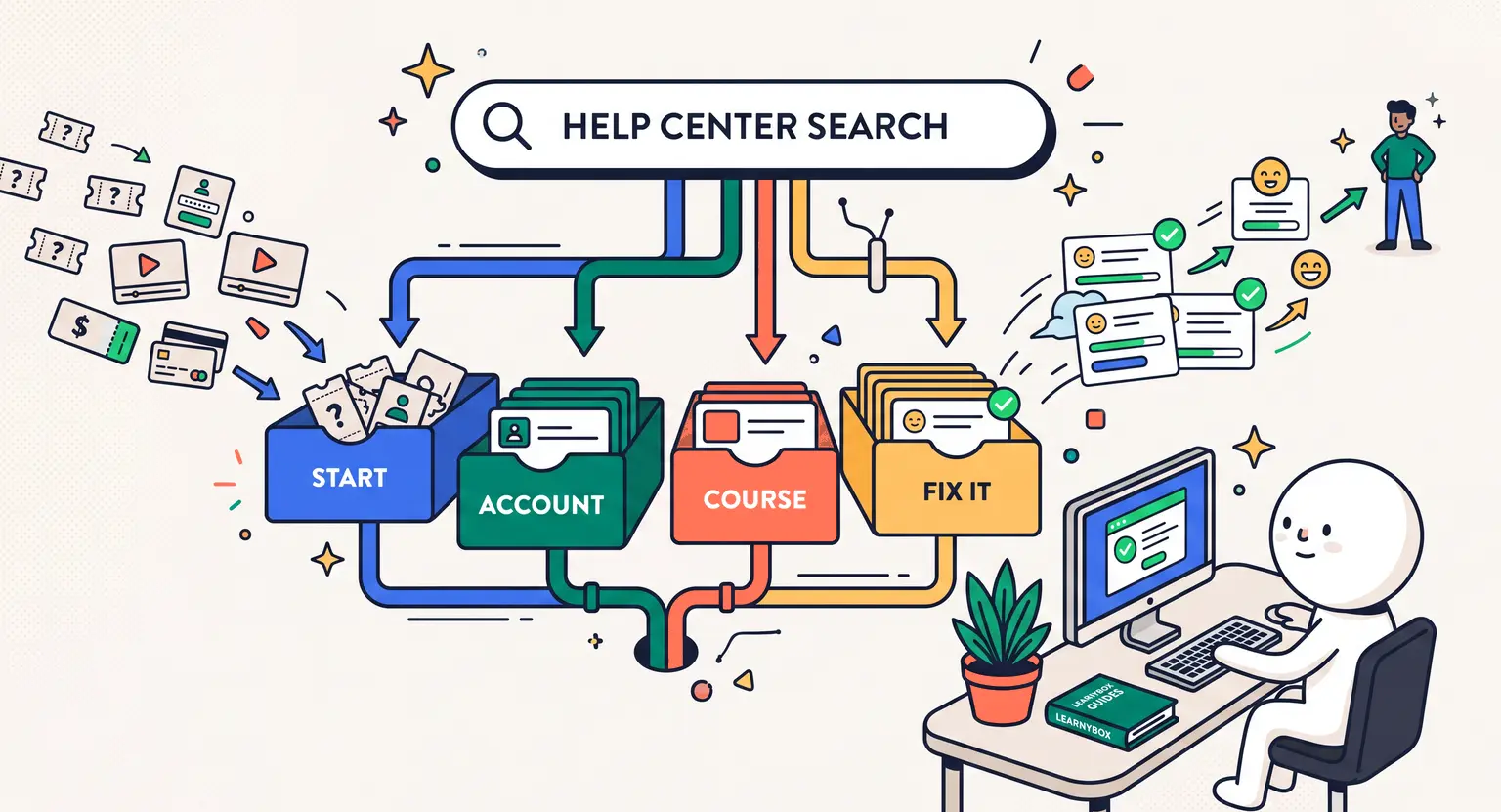
We generally categorize student friction points into four major buckets :
-
Account and billing : login issues, password resets, updating credit card details, subscription cancellations, or refund requests.
-
Course navigation : where to find files, how to track progress, unlocking drip modules, and submitting assignments.
-
Technical troubleshooting : video playback errors, broken links, browser compatibility issues, or app downloads.
-
Community and events : accessing live Zoom sessions, joining group chats, and figuring out community guidelines.
Map out these categories early on. It will form the literal backbone of your help center's navigation taxonomy, making sure students can find answers within two clicks.
Step 2 : Structuring the Directory Hierarchy
No one visits a help center for fun. Your students are there because they are stuck, which means they are likely already a bit frustrated.
If they have to dig through a messy, unorganized list of fifty random articles to solve their issue, they will give up and open a ticket anyway.
Your directory structure must be dead simple. Use a three-tier hierarchy : Broad Category, Sub-Category, and Specific Article. Keep the category names short, simple, and action-oriented.
Use common search terms like "Getting Started," "My Account," or "Troubleshooting" instead of clever, branded jargon.
And do not forget the power of search. A prominent search bar at the very top of your help center page is your most critical feature.
Ensure your article titles match the exact phrases students search for. If they write "cannot play video," make sure your article title is "How to Fix Video Playback Issues" rather than "Media Playback Troubleshooting Guide."
Step 3 : Choosing the Right Help Desk Platform for Your Brand
Where should your documentation actually live? It depends heavily on where your course itself is hosted.
If you use an all-in-one platform like LearnyBox, you have the massive advantage of keeping your educational content, community, and support assets housed under a single, unified roof. This reduces login friction and keeps student experiences clean.
However, as you scale, your support infrastructure might need to expand. Below is an updated evaluation of the popular setup models to help you decide which path fits your size and scale.
| Setup option | Implementation effort | Student user experience | Key pros | Key cons |
|---|---|---|---|---|
|
Built-in LMS systems |
Very low - native features require almost no external technical integration. |
Excellent - students access everything using one single set of credentials. |
Zero setup headache; cost-effective; consistent branding throughout. |
Might lack advanced custom ticketing features for massive external teams. |
|
Shared inbox tools |
Low - simple routing rules to manage incoming support emails. |
Average - students submit tickets via email and wait for direct manual replies. |
Very easy to get started; highly personal interactions; great for small cohorts. |
No self-service database, meaning you answer duplicate questions constantly. |
|
Dedicated helpdesks |
Medium to high - requires DNS configuration and custom design work. |
High - offers robust dedicated search, organized categories, and embedded widgets. |
Incredible ticket routing; deep team collaboration workflows; powerful analytics. |
Requires paying for separate external subscription fees; added administrative overhead. |
|
Public docs platforms |
Low - uses simple shared document databases open to the web. |
Fair - highly readable text layout but lacks interactive support fallback forms. |
Extremely rapid content updates; highly flexible layouts; low direct cost barrier. |
Feels disjointed from the core student course portal; lacks built-in ticketing mechanisms. |
|
AI-first support portals |
High - requires feeding clean learning documentation into automated AI models. |
Variable - gives instant interactive answers but frustrates students if errors occur. |
Resolves immediate basic requests instantly; zero delay for late-night student questions. |
Can hallucinate answers; requires high-quality source materials to function correctly. |
Step 4 : Writing Clear, Actionable Support Articles
Writing support articles is an art form. You are not writing a creative essay or a deep academic paper. You are writing a rescue manual. Your only goal is to solve the reader's problem as quickly and painlessly as possible.
To write articles that actually resolve tickets :
-
Keep sentences short. Actionable guides are not the place for long, flowery commentary.
-
Start with a clear solution statement. State the fix in the very first sentence so students do not have to scroll to find it.
-
Use bold text for user actions. Write "Go to Settings and click Billing Information" to guide their eyes down the page.
-
Use clear lists. Bullet lists and numbered steps are much easier to scan than walls of text.
-
Add visual elements. Insert screenshots highlighting specific buttons, or record quick walkthrough videos for tricky steps.
Most importantly, always end every article with an obvious fallback path. If the article did not solve their problem, there must be a clear link saying "Still stuck? Click here to submit a ticket." This ensures students never hit a dead end.
Step 5 : Bridging Documentation and Community Forums
A help center does not live in a vacuum. Most online courses run alongside active student platforms.
If you understand how to moderate an online course community properly, you know that students will frequently post their technical problems inside your community chat channels instead of searching the designated help desk.
Do not let your forum turn into an unmoderated support desk. Establish a clean workflow between your help docs and your communities.
When someone posts a standard technical question on your community feed, have your moderators respond politely with a direct link to the relevant knowledge base article.
As you learn how to manage a growing online course community, you can also recruit community champions or power users to help guide new members to self-service resources. This keeps discussions focused on learning rather than technical issues.
Frequently Asked Questions
How often should I update my course help center?
Review your help center analytics every month. Update articles immediately when your platform interfaces change or when recurring student support emails highlight new setup issues.
Can I use Notion as my main help center?
Yes. Notion is fantastic for launching quick setups, though it completely lacks interactive contact forms to easily transition students into support ticketing streams.
Should I charge extra for premium student support?
While basic student troubleshooting must remain completely free, selling additional high-tier priority support represents an incredibly profitable upgrade opportunity for your online business.









 How to Run a Beta Version of an Online Course (2026 Guide)
 How to Create a Cohort-Based Online Course (2026 Guide)
 How to Sell an Online Course With a Quiz Funnel (2026 Guide)
 How to Sell an Online Course Through a Sales Call (2026 Guide)