







How to Moderate an Online Course Community for High Engagement
How to Moderate an Online Course Community
You built an incredible online course. Your videos look stunning, the material is excellent, and eager students are signing up daily. But then, you step into your course community.
Instead of inspiring breakthroughs, you discover endless promotion, quiet digital tumbleweeds, or chaotic irrelevant threads that completely disrupt your classroom ecosystem.
This remains a highly common frustration for many course creators… But do not despair.
Building a community is only half the battle. The magic happens when you keep that space safe, focused, and alive - True moderation is about cultivating an ecosystem where students feel safe to share their challenges.
Managing dynamic interactions becomes smoother when you leverage a comprehensive platform.
Let us review the fundamental principles of sustainable moderation success :
-
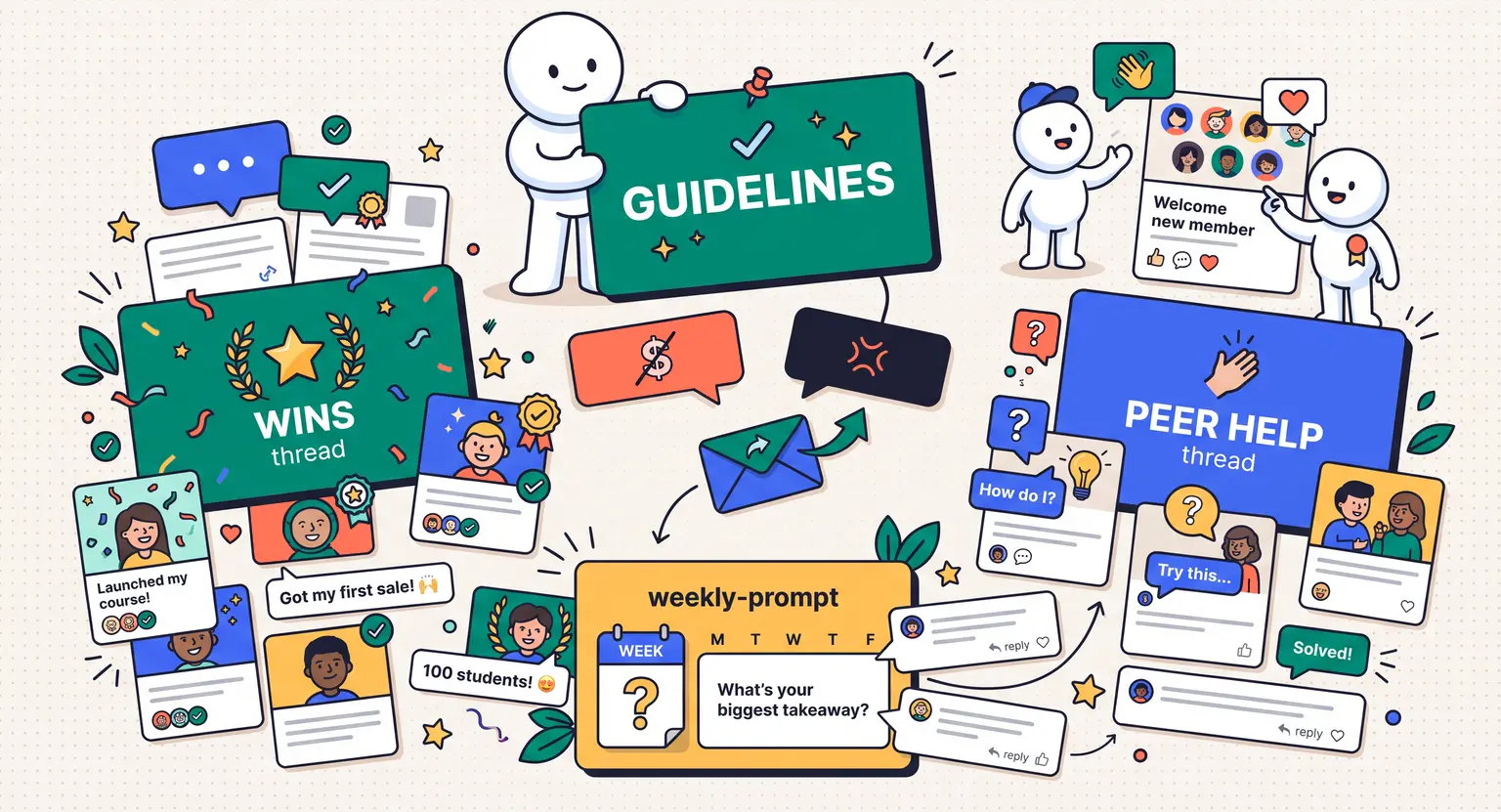
Set explicit, highly ethical rules before launching your student cohort.
-
Foster independence by allowing student discussions to breathe first.
-
Identify and recruit active community leaders to your mod team.
-
Use scheduled, structured weekly prompt themes to maintain consistent engagement.
-
Address policy violations through private, highly empathetic communication channels.
Guidelines That Go Far Beyond "Be Nice"
If your community rules consist of a single sentence saying "please be respectful," you are setting yourself up for immense frustration. Everyone has different ideas of respect.
To a seasoned programmer, blunt critique is helpful clarity. To a beginner, that exact style of critique is deeply discouraging and hurtful.
Draw a clear line in the sand, but do not make your guidelines read like a legal contract. Use a warm voice that sets clear expectations. Explain what kind of cooperative environment you are building together.
Clarify the reasons behind rules. Instead of simply stating "no promotion," explain that your space is a learning sanctuary, not a billboard. Encourage students to share their struggles rather than polished sales pitches.
Place guidelines where they cannot be missed. Sticky-pin them to your forum, include them in your onboarding email, and address them in early modules. When students understand the rules, they will naturally self-moderate.
Finding Your Instructor Voice
How visible should you be in your threads? Many creators fall into the trap of answering every single student query. This hurts your community long-term. If you answer instantly, students stop talking to one another and wait for your authority.
Practice a passive style to let the group bond. When a student posts a question, do not respond immediately. Give it twenty-four hours for others to jump in. When someone offers a partial answer, validate their wonderful contribution.
This pivots your space from a one-way lecture to a multi-directional conversation. Naturally, you cannot disappear entirely.
If a technical support problem arises, you must react fast.
If handling billing issues alongside community threads becomes overwhelming, take the time to create a help center for online course students to keep boards perfectly clean.
Building a Student Mod Team
As your student count scales, you will run out of hours in the day. You cannot monitor global discussions at three in the morning. When this time arrives, you need to think about how to manage a growing online course community without burning yourself out.
The solution is simple : recruit your community leaders who log in daily. They already write thoughtful replies, share helpful resources, and welcome new members. They do the work of a moderator simply because they genuinely love your learning space.
So, reach out to them directly. Send a personal message asking if they would like to become official community ambassadors. You do not need to pay a salary, but you must show appreciation. Offer them free course access, exclusive coaching sessions, or special member badges for their profiles.
This achieves two wonderful results. First, it lightens your workload significantly. Second, it gives your community a democratic sense of organic ownership.
Students respect guidelines much more when they see their fellow peers, rather than just the platform owner, actively protecting the community culture daily.
Structured Weekly Themes
A quiet community eventually dies... But a forum that requires your constant physical presence to generate posts is unsustainable.
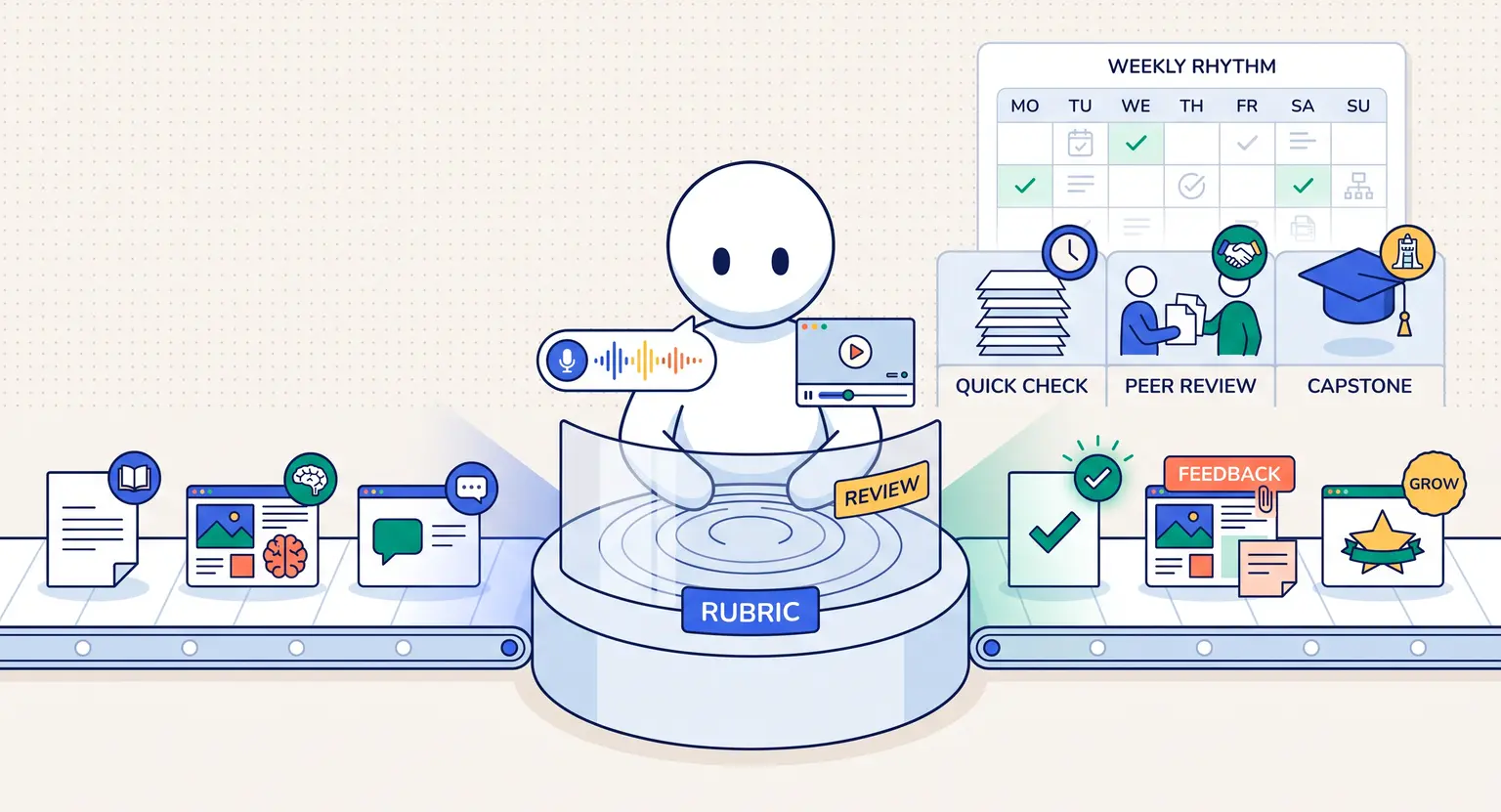
You need to build self-sustaining engagement loops that keep the focus on active learning. This is where structured, recurring weekly themes perform beautifully.
They remove the intimidation of a blank posting box by giving students a clear, easy-to-answer prompt every single week :
-
Mindset Monday : share one micro goal you want to achieve before the busy weekend starts.
-
Wins Wednesday : celebrate a recent victory, like completing a tough module or finishing code.
-
Feedback Friday : post current projects to get constructive peer critiques and reviews.
These simple prompts quickly become your classroom's heartbeat. They give quiet students a predictable way to start contributing, but if academic questions turn too technical, that is your cue to implement a student support framework.
Learning how to build a student support system for an online course ensures your main forum remains focused on personal connection - by separating standard tech triage from community discourse, you save massive intellectual energy.
De-escalating Friction Privately
Sooner or later, someone will break your guidelines. A student might leave an aggressive critique of a peer's project, or start sending unsolicited promotional pitches via private direct messages.
When this happens, do not react defensively.
A measured response is your best strategy.
If the offender is an obvious spam bot or an abusive troll, ban them instantly. Your students need to know you will protect their safe space without reservation.
But if it is simply a frustrated student who crossed a line, address the issue privately. Send a polite message highlighting the specific guideline they violated. Always show empathy first. Explain that while you want to help, the forum must remain productive for everyone.
This private approach preserves their dignity. It turns potential detractors into loyal advocates because they realize you value their progress without publicly shaming them in front of others.
Measuring Key Health Metrics
How do you determine if your moderation strategy is working? Do not rely solely on raw member counts or total numbers of posts. A group with thousands of passive members is quiet and ineffective. Instead, focus your energy on monitoring qualitative indicators that reflect true community health.
Look for these highly encouraging positive signals :
-
The peer-to-peer ratio : are students jumping in to help each other, or constantly waiting for you to reply to every thread?
-
The core emotional tone : do discussions feel supportive, or can you sense subtle underlying hostility and passive-aggressive behavior?
-
Direct retention impact : well-moderated spaces experience far higher ultimate course completion rates and student satisfaction.
Track these signals regularly. A successful virtual classroom is not defined by an absolute lack of disagreement. It is defined by the collaborative, respectful way your students navigate those educational challenges together daily.
Setting Your Long-Term Automation Goals
As your active community thrives, manual monitoring becomes completely impossible without modern digital tools.
Over time, you should aim to automate repetitive administrative actions, like auto-approving trusted members or flagging links.
This ensures your human moderators spend their precious energy on fostering organic human interactions rather than deleting mundane promotional spam.
An Overview of Key Moderation Roles
To help you design the perfect team structure, here is a detailed comparison table of moderation roles and how they function in a healthy online course environment.
| Moderation role | Primary responsibilities | Ideal profiles |
|---|---|---|
|
Course creator |
Formulating core values, sharing authoritative content, and resolving high-level disputes. |
The founder or lead educator. |
|
Community manager |
Planning engagement calendars, monitoring metrics, and managing the moderator team. |
A specialized freelance hire. |
|
Student ambassador |
Welcoming new students, answering basic student questions, and flagging guidelines issues. |
Active graduates or star students. |
|
Support representative |
Resolving complex technical software bugs and managing payment transaction issues. |
Your custom-trained virtual assistant. |
|
Automated keyword bot |
Spotting flagrant spam links, blocking vulgarity, and screening new registrations automatically. |
Native software configurations built in. |
Designing a truly supportive virtual classroom is a lifelong journey of continuous improvement. Keep studying community design, optimize your onboarding touchpoints, and adjust your rules as your active learning community matures over time.
Utilizing a strong foundation ensures you build a dedicated, passionate group of loyal followers.
Frequently Asked Questions
Should I use standard social media groups or a private platform?
Social media groups are free but flooded with distractions.
A private platform integrated with your LMS keeps students focused on learning, provides better search, and respects user data privacy.
Choosing a specialized, focused environment ensures your educational program remains highly authoritative.
How should I handle a student who repeatedly self-promotes?
Do not delete their work without explaining why.
Send a friendly private message explaining the guidelines. Encourage them to reframe their post - for example, if they shared a sales link, ask them to share three lessons they learned while building that product instead.
If they ignore warnings, suspend or permanently remove them.
How many hours does daily moderation actually require?
In the beginning, you can manage everything in two hours a week by setting aside ten minutes twice a day to scan for notifications.
As your group grows, expect to invest five to ten hours, or delegate checking to a trusted student ambassador so you can focus on building new courses.
What is the best way to handle negative reviews in the forum?
Never delete negative reviews unless they are outright abusive. Deleting honest critique immediately destroys student trust and damages your credibility.
Instead, reply publicly with immense professional grace. Thank them, clarify your design perspective, and politely invite them to resolve their specific issue with you directly through a private email exchange.







 How to Run a Beta Version of an Online Course (2026 Guide)
 How to Create a Cohort-Based Online Course (2026 Guide)
 How to Sell an Online Course With a Quiz Funnel (2026 Guide)
 How to Sell an Online Course Through a Sales Call (2026 Guide)