







How to Manage Course Enrollment Deadlines (Expert Guide)
How to Manage Course Enrollment Deadlines
Key Takeaways
-
Clear enrollment cutoffs build genuine buying urgency and keep student cohorts moving at the same pace.
-
Automate cart closes and page redirects using modern platforms like LearnyBox to prevent human scheduling mistakes.
-
A quiet 12 to 24-hour grace period resolves edge cases without damaging your public credibility.
-
Waitlists turn missed deadlines into pre-qualified buyers for your next upcoming intake.
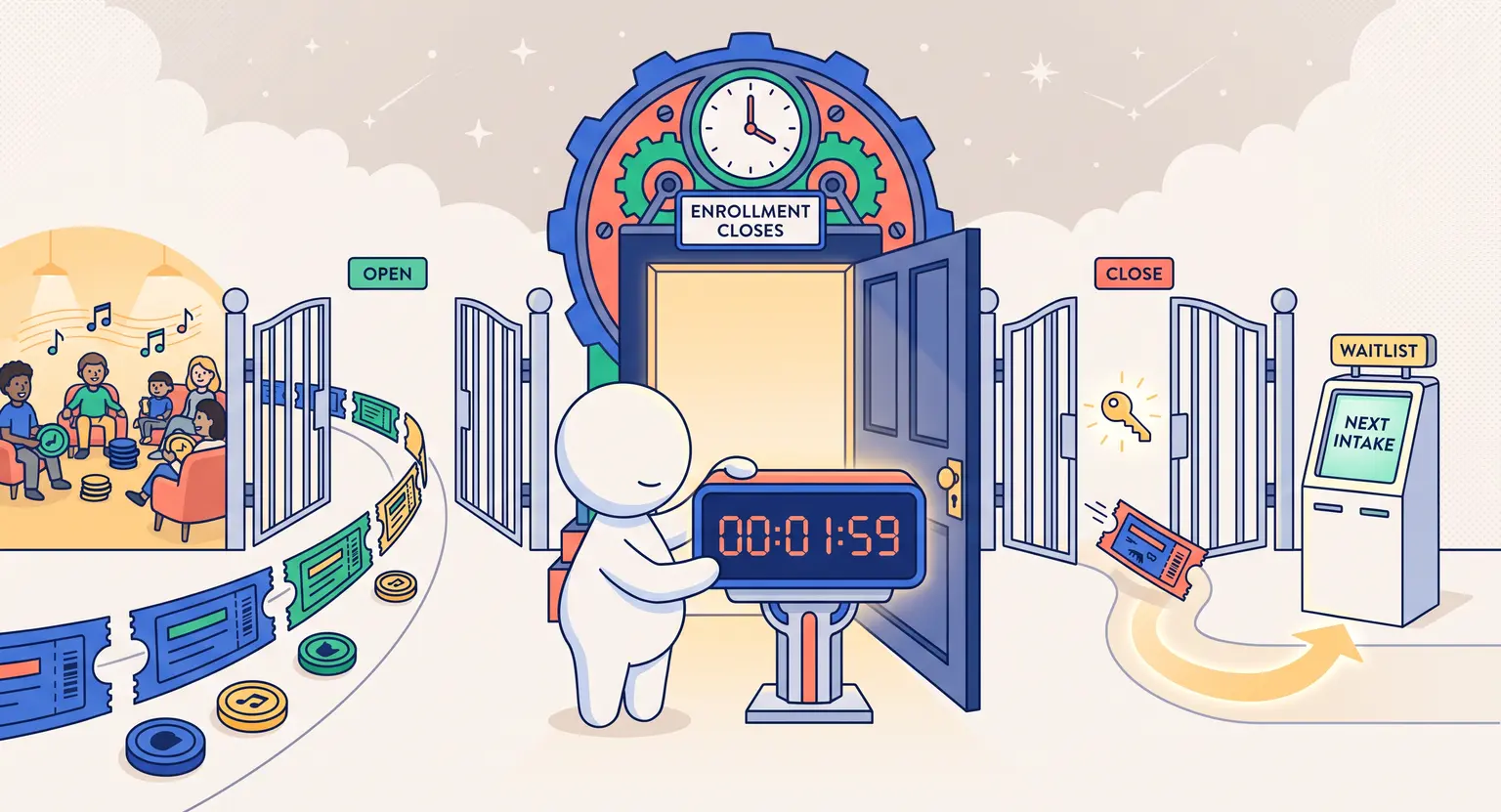
Nothing moves fence-sitters off the sidelines quite like a firm deadline. When people know a door is about to shut, they finally stop overthinking and make a decision.
Yet managing those enrollment cutoffs can quickly turn chaotic. If your links fail to expire on time, your students start at different weeks, or you spend hours manually answering desperate late-night emails, your launch can unravel fast.
Getting your registration windows right is not just about sales figures. It sets the tone for student accountability, cohort culture, and how smoothly you run your academy throughout 2026.
The True Purpose Behind Course Registration Deadlines
Many creators assume enrollment cutoffs exist purely as marketing tricks. While authentic scarcity certainly improves conversion rates, deadlines serve a much deeper operational purpose.
When everyone enters your course simultaneously, you build a shared community rhythm. Students introduce themselves in the same week, tackle exercises together, and show up to live workshops with identical context.
Without strict boundaries, early joiners get bored waiting for newcomers, while late joiners struggle to catch up. That friction ruins completion rates and swamps your support inbox.
Firm dates also let you plan your personal calendar. You know exactly when launch marketing ends, when onboarding kicks off, and when you can switch your mental focus entirely to coaching.
Pick the Enrollment Model That Fits Your Delivery
Before writing promotional emails or setting countdown timers, you need to match your cutoff rules to your curriculum structure :
-
Closed cohort model : doors open for 5 to 7 days, close hard, and all students progress through weekly modules together. Ideal for high-ticket coaching, mastermind groups, and intensive workshops.
-
Rolling monthly intake : doors close on the final Friday of each month. New students start on the first Monday of the following month, creating recurring monthly deadlines without constant launch fatigue.
-
Evergreen with personalized deadlines : the course is technically available year-round, but automated email funnels trigger individual 72-hour enrollment windows for new subscribers.
-
Seasonal semesters : mimics traditional academic schedules with spring, summer, and fall intakes, giving you predictable quarterly revenue cycles.
Once you settle on your model, make sure your course policies align with course access expiration dates so students understand both when they can register and how long their learning materials remain accessible.
Technical Setup : How to Automate Registration Cutoffs
Do not rely on your memory to manually unpublish checkout pages at midnight. Life happens, time zones get mixed up, and human error will eventually leave your cart open past the promised hour.
Modern learning platforms let you configure automated closing rules well in advance. When the clock strikes your cutoff time, the software automatically routes new visitors to a polite "Enrollment Closed" landing page.
Always state your exact time zone in every communication. Instead of writing "Doors close Friday night," write "Doors close Friday, March 20th at 11:59 PM EST." Ambiguity leads to unnecessary friction with international buyers.
Place synchronized visual timers across your sales page, checkout screen, and reminder emails. When all countdowns match the backend server clock, students recognize that the cutoff is real and non-negotiable.
Comparing Enrollment Window Strategies
Choosing the right window duration depends on your course price point and student expectations. Here is how standard models stack up :
| Model | Window length | Best for | Operational demand |
|---|---|---|---|
|
Flash cohort |
3 to 4 days. |
Low-ticket courses, existing warm lists. |
Low (fast, intense bursts). |
|
Standard launch |
7 days. |
Signature programs, cohort bootcamps. |
Moderate (scheduled email cadences). |
|
Rolling monthly |
48-hour month-end close. |
Memberships, community-driven skill tracks. |
Predictable, recurring routine. |
|
Dynamic evergreen |
Individual 3-day timers. |
Self-paced video courses, lead funnels. |
Automated backend maintenance. |
How to Handle Late Inquiries Gracefully
No matter how many reminders you send, someone will inevitably email you twelve minutes after the deadline claiming their card was declined or their power went out.
First, maintain a private 12 to 24-hour buffer before you actually start onboarding the group. If an earnest student encounters an authentic banking glitch, you can send a direct invoice without reopening the public checkout.
Second, if someone reaches out days after the cutoff, politely direct them to your priority waitlist. Thank them for their interest, explain that the current cohort is already deep into orientation, and offer them early bird access to the next intake.
Standing your ground feels difficult at the moment, but it reinforces the value of your course. When prospective students see that your deadlines mean what they say, they will not hesitate next time you launch.
Frequently Asked Questions
What happens if a prospective student misses the deadline by two hours?
Set up an unadvertised 12 to 24-hour grace period behind the scenes. If a student reaches out immediately explaining a payment glitch or time zone confusion, manually grant them access while keeping the public page closed.
How long should an open enrollment window last?
For cohort-based programs, five to seven days is the sweet spot. Anything longer causes prospective buyers to delay their decision, while shorter windows might not give your audience enough time to review curriculum details.
Can I use deadline countdowns for evergreen courses?
Yes. You can implement automated evergreen deadline funnels using cookie tracking and unique email links. Each lead gets an individual countdown window to claim an introductory cohort seat or special tuition bonus.
Does extending a deadline hurt your brand reputation?
Publicly extending a hard cutoff signals artificial scarcity and erodes trust with early enrollees. If you must accept more students, rely on private waitlist invites rather than changing the public deadline.




 How to Create a Course Refund Policy (Templates & Best Practices for 2026)
 How to Run a Beta Version of an Online Course (2026 Guide)
 How to Create a Cohort-Based Online Course (2026 Guide)
 How to Sell an Online Course With a Quiz Funnel (2026 Guide)
 How to Sell an Online Course Through a Sales Call (2026 Guide)