








 French
Instructional Design : How to Create an Effective Online Course
Instructional Design: The Complete Guide to Creating Effective Online Courses
You've spent weeks - maybe even months - recording your videos. You've given it everything you have.
Your expertise is right there, raw, generous, ready to transform your clients' lives. And yet - the launch falls flat.
Or worse: you're making sales, but your learners never finish the program. They drop off after the second module, and the glowing testimonials you were hoping for never come.
It's frustrating. Because you know your subject inside and out. The problem is that teaching a skill isn't just about stacking videos in a members-only area. It's a craft.
Instructional design is the discipline of systematically designing, structuring, and evaluating online courses based on learners' needs and defined learning objectives.
That's the engine behind training programs that sell and genuinely transform lives.
Whether you're an infopreneur launching your first program, a corporate L&D manager, or a training organization aiming for quality certification - this guide will show you how to build a learning journey that actually delivers.
What is instructional design?
You'll often hear this term in university settings or the HR departments of large corporations. But make no mistake - this isn't a concept reserved for academics or enterprise teams. It's the backbone of any successful knowledge transfer.
Instructional design is the art of building a solid bridge between what you know and what your learner needs to learn.
Without this bridge, they drown in a sea of information. With it, they move forward step by step, confidently, toward their goal.
Instructional design, training engineering, and learning experience design: what are the differences?
These terms are often used interchangeably - but they point to distinct functions. Understanding the differences matters, especially if you're navigating institutional funding, quality audits, or corporate L&D structures.
| Term | Short definition | Context of use |
|---|---|---|
| Training engineering | Macro-level analysis of organizational, financial, and strategic training needs. | HR departments, company management, skills development planning. |
| Instructional design | Design, structuring, and evaluation of the learning program itself. | Creating the learning pathway, selecting methods, and designing modules for learners. |
| Learning experience design (LXD) | A learner-centered approach focused on designing the full experience, not just the content. | Widely used in e-learning, with a strong emphasis on interactivity, engagement, and multimedia. |
In practice, if you're an independent trainer or infopreneur, you're probably wearing all three hats at once.
Why instructional design is essential for online courses
The online courses market has matured. Learners have become demanding. They no longer pay for information - Google and AI handle that for free.
They pay for transformation. And that's precisely where instructional design makes all the difference.
-
It drastically reduces dropout rates. The average completion rate for MOOCs hovers around 15%. Good design holds attention and guides learners all the way to the finish line.
-
It structures content coherently from start to finish. No more writer's block or course outlines that sprawl in every direction. Every module has a clear, defensible purpose.
-
It justifies your instructional choices. For training organizations seeking quality certification (such as Qualiopi in France), documented instructional design is the foundation of the audit process.
-
It dramatically improves learner results. A successful learner recommends you. That's the foundation of social proof that actually converts.
-
It saves time in production. Scripting everything upfront means fewer costly revisions. You get it right the first time.
The 5 key steps of instructional design
Designing a solid online course isn't about improvising - it's about following a clear, repeatable process. Here are the five steps every good instructional designer works through.
Step 1 - Analyze the needs and the target audience
This is the non-negotiable starting point - and the step that 90% of first-time creators skip entirely.
The classic mistake: building a course based on what you know how to do, rather than what the learner actually needs to learn.
It's the surest way to create a product that impresses your peers and goes nowhere in the market.
Before writing a single line of script, get clear on who you're speaking to: what are their current challenges? What do they already know?
This is what's called a gap analysis - measuring the distance between your audience's current skills and the skills they'll have at the end of the course.
Don't assume - go straight to the source. Launch a quick survey, conduct a few interviews with potential learners, and build a detailed learner persona.
The more precisely you understand their pain points, the sharper your online course will be.
Step 2 - Define the learning objectives
Once you know where your learner is starting from and where they need to arrive, you map out the path - marked by learning objectives.
These aren't marketing promises. A learning objective is actionable, specific, and measurable.
The golden rule: every objective must include an observable action verb, a condition for completion, and a success criterion.
"Understand how Facebook Ads work" is a weak objective - it's vague. How do you verify that someone has "understood"?
"Be able to launch a retargeting ad campaign on Facebook, with a €10/day budget, in under 15 minutes" is a strong objective - clear, observable, and measurable.
To calibrate the right level of difficulty, instructional designers rely on Bloom's taxonomy - a powerful tool for choosing the right action verbs at the right level of cognitive complexity.
Step 3 - Design the learning path and script the content
With your objectives in place, it's time to build the architecture of your course.
This means separating the course outline (macro structure, major modules) from the scripting (the micro-sequencing of each individual lesson).
Scripting is the art of breaking learning down into digestible chunks.
A well-structured lesson follows a clear rhythm: an attention-grabbing hook, a concise theoretical introduction, immediate hands-on practice, a summary of key points, and an assessment to validate what's been learned.
Step 4 - Produce the instructional content
This is the fourth step - and because you've done all the preparatory work, production becomes execution rather than improvisation. The key is matching the right format to each objective:
-
Demonstrating software? A screencast is the obvious choice.
-
Building vocabulary or memorization? An interactive quiz outperforms a lecture every time.
-
Applying a complex concept to real situations? Nothing beats a structured exercise built around a genuine case study.
Step 5 - Evaluate and continuously improve
Instructional design is a cycle, not a straight line. Evaluation isn't an endpoint - it's the feedback loop that drives continuous improvement.
Two types of evaluation to build into your course:
-
Formative assessment runs throughout the training - it serves the learner, helping them track their own progress (mid-module quizzes, self-correcting exercises).
-
Summative evaluation comes at the end - it serves the trainer, confirming whether the program's overall promise has been delivered.
Don't stop at quiz scores. Collect module-level feedback, measure your 30-day NPS, and track completion rates lesson by lesson to identify exactly where learners are dropping off. That's the data that takes a course from good to genuinely excellent.
The main instructional design models
Decades of research and practice have produced three models that stand out as the most widely used frameworks for structuring the instructional design process. Think of them as your architectural blueprints.
The ADDIE model: the universal standard
ADDIE is the best-known, most widely taught, and most widely used instructional design model in the world.
The acronym stands for its five sequential phases:
Analysis,
Design,
Development,
Implementation,
Evaluation.
Its main strength is rigor and traceability. It's the standard model required in most corporate training tenders and quality certification frameworks.
The downside: ADDIE is linear and waterfall by design. You finish Analysis before starting Design, Design before Development, and so on.
If you spot a fundamental problem during Evaluation, you may need to backtrack significantly.
For an independent creator who needs to move fast, ADDIE can become a real bottleneck.
The SAM model: the agile approach to instructional design
Michael Allen developed the SAM (Successive Approximation Model) as a direct response to ADDIE's rigidity. It's the agile development methodology applied to training design.
Instead of one long sequential path, SAM runs on short iterative cycles across three phases: rapid preparation, an iterative design phase (prototype, test, refine), and iterative development (build, test, refine again).
The core advantage is speed - you create a draft version of your online course, an educational MVP, test it with real learners immediately, and fix issues as you go.
It's the natural fit for independent creators, rapid product launches, and shorter course formats.
Wiggins and McTighe's Backward Design
What if you started the design process from the end? That's the core insight behind Grant Wiggins and Jay McTighe's Backward Design.
Most subject-matter experts start with their content and build outward. Backward Design flips that entirely, working through three steps in strict sequence:
-
Start with the desired outcome: what should learners be able to do by the end?
-
Define the evidence of learning: how will you verify they can actually do it?
-
Then design the activities and content: what do learners need in order to succeed at that assessment?
This outcome-first approach ruthlessly eliminates "expert bias" - the tendency to pack a course with theoretical depth just to demonstrate mastery. You keep only what genuinely serves the learner's goal.
Which model should you choose?
| Model | One-sentence description | Main advantage | Main limitation | Ideal context |
|---|---|---|---|---|
| ADDIE | A linear, comprehensive 5-phase approach. | Rigorous and fully traceable. | Slow and inflexible when direction changes. | Large-scale corporate training, Qualiopi certification. |
| SAM | Agile, iterative cycles based on rapid prototypes. | Fast deployment and continuous improvement. | Requires discipline to avoid scope creep. | Infopreneurs, rapid launches, short formats. |
| Backward Design | Reverse engineering from the desired end result. | Eliminates the unnecessary; keeps focus on outcomes. | Can feel counterintuitive for content experts. | Subject-matter experts prone to overloading their courses. |
Our practical recommendation: if you're building your very first online course, use a simplified ADDIE framework to internalize the mechanics.
As soon as you want to move faster, switch to SAM.
How to write effective learning objectives
A poorly written learning objective is like entering the wrong address into your GPS. You can drive the best-designed course in the world and still never arrive at the right destination.
So how do you get it right?
Bloom's taxonomy: the 6 levels of learning
In 1956, Benjamin Bloom created a framework that changed how educators think about learning.
Revised in 2001 by Anderson and Krathwohl, Bloom's taxonomy classifies learning objectives into 6 levels of increasing cognitive complexity - from recalling basic facts all the way to creating original work.
The practical value : it forces you to pick the right action verb. You don't design training for someone who needs to "recall" a date the same way you design for someone who needs to "create" a marketing strategy.
| Cognitive level | Recommended action verbs | Example learning objective |
|---|---|---|
| 1. Remember | List, name, define, identify | "Be able to list the 5 phases of the ADDIE model." |
| 2. Understand | Explain, summarize, rephrase, illustrate | "Be able to explain the difference between SEO and paid search in your own words." |
| 3. Apply | Use, demonstrate, calculate, solve | "Be able to use the VLOOKUP function on a provided Excel dataset." |
| 4. Analyze | Compare, categorize, examine, deduce | "Be able to compare two landing pages and identify which will convert better." |
| 5. Evaluate | Judge, critique, justify, recommend | "Be able to critique a communication plan by identifying its key weaknesses." |
| 6. Create | Design, build, plan, invent | "Be able to design an automated sales funnel from start to finish." |
The SMART method applied to learning objectives
The SMART framework you know from goal-setting translates directly into instructional design.
A strong learning objective must be:
-
Specific: a precise, unambiguous action.
-
Measurable: success can be objectively assessed.
-
Achievable: the difficulty level is appropriate for the audience.
-
Relevant: it connects directly to the learner's real-world needs.
-
Time-bound: tied to a specific point in the course (by the end of Module 3, in under 10 minutes).
Weak: "Understand Excel." Vague, broad, impossible to evaluate.
Strong: "Be able to build a pivot table from a raw dataset, without outside help, in under 10 minutes, by the end of Module 3." Now you know exactly what to teach and exactly how to assess it.
The most common mistakes when writing learning objectives
-
The trainer-centered objective: "I'm going to teach you how to code in Python." The objective should always describe what the learner will do, not what you'll cover.
-
The overly broad objective: "Become an expert in digital marketing." Break large goals down into specific, achievable sub-objectives.
-
No observable verb: "Know how a car engine works." You can't observe "knowing" - you observe an action.
-
Confusing an objective with an activity: "Read the chapter on content strategy." Reading is an activity, not a learning outcome.
-
Wrong order of difficulty: asking a beginner to "create" before they can "understand." Always follow the progression of Bloom's taxonomy.
How to structure your online training: from learning path to storyboard
Having solid objectives is half the work. Turning them into a smooth, engaging learning journey is the other half - and that's where instructional design really comes into its own. You shift from architect (drawing the blueprints) to director (staging the experience).
Understanding the three levels of course structure
Think of your online course as a set of nested levels, each serving the one above it:
-
The macro level (the full program): the overarching promise - the transformation from start to finish.
-
The meso level (the module): a major chapter grouping related concepts around a single theme.
-
The micro level (the lesson or sequence): the basic unit - one video, one exercise, one quiz. It should cover exactly one concept at a time.
Good online course design operates across all three levels simultaneously - ensuring that Lesson 3 properly prepares learners for Lesson 4, that Module 1 lays the foundation for Module 2, and that the whole program delivers on its core promise.
The instructional storyboard: what it is and how to build one
You wouldn't shoot a film without a script. Same principle applies here.
The instructional storyboard maps out every beat of your lesson before you turn on the camera - which means no wasted takes, no reshoot decisions at 11pm.
A simple five-column table is all you need:
-
Screen/slide number - to keep your bearings.
-
Narration - what you'll say (word for word, or key bullet points).
-
Visual - what appears on screen (text, image, diagram, on-camera).
-
Interaction - what the learner needs to do (click, answer a quiz, download a file).
-
Estimated duration - to manage overall pacing.
E-learning formats and when to use each one
One of the most common e-learning mistakes is delivering everything in talking-head video format for hours on end.
Varying your formats isn't just about aesthetics - it's about matching the medium to the learning objective.
-
Screencast tutorial: ideal for demonstrating software - learners see exactly where to click. (Sweet spot: 3-7 minutes.)
-
Face-to-camera video: builds rapport, conveys emotion, and reassures learners. Use it to open modules or deliver high-stakes messages. (Sweet spot: 2-5 minutes.)
-
Interactive quiz: the go-to format for validating memorization and comprehension.
-
Case study exercise: essential for Bloom's "Apply" level. Learners engage with real or realistic scenarios rather than abstract concepts.
-
Summary PDF or cheat sheet: great for consolidating key information in a format learners can print and reference later.
-
Live webinar: effective for answering complex questions, resolving specific issues, and building a sense of community around the course.
Keeping learners engaged : the science of attention and motivation
You have a solid structure. Your objectives are clear. Your videos are recorded. But here's what no one tells you: none of that matters if your learner stops showing up after Module 2.
Engagement isn't a nice bonus - it's the engine of learning itself. Without attention, there is no retention. Without retention, there is no skill.
Cognitive load: why learners tune out - and how to prevent it
That "brain fog" feeling when a concept is too much to absorb at once? Researcher John Sweller called it cognitive overload.
Our working memory has a hard capacity limit - push past it and learning grinds to a halt.
Sweller identifies three types of cognitive load:
-
Intrinsic load - the inherent difficulty of the subject matter.
-
Extrinsic load - unnecessary difficulty introduced by poor design. This is your enemy.
-
Germane load - the productive mental effort that builds new knowledge and skills. This is what you want to maximize.
Five rules that make an immediate difference:
-
Keep videos under 7 minutes. Break complex concepts into smaller self-contained units.
-
One concept per slide. Three ideas? Make three slides.
-
Never read your slides aloud word for word. It creates redundancy and exhausts working memory.
-
Space out learning. Give the brain time to consolidate before moving to the next module.
-
Vary formats. Monotony kills attention. Mix media types to keep learners present and engaged.
Gamification to fuel intrinsic motivation
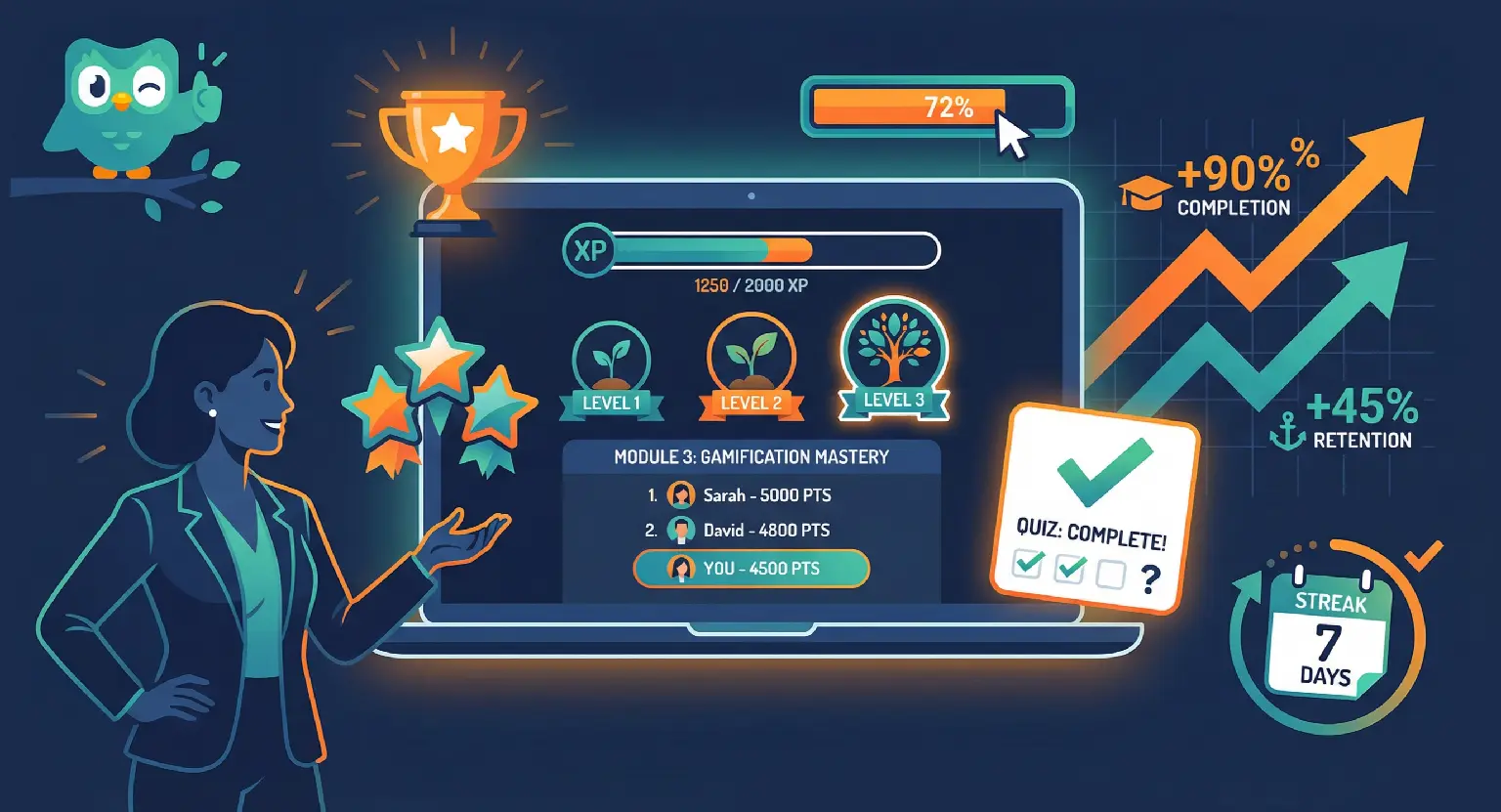
Gamification isn't just about handing out digital badges. Effective gamification taps into what drives human motivation at a deeper level.
According to Deci and Ryan's self-determination theory, intrinsic motivation rests on three pillars:
-
Autonomy: the learner feels in control of their journey. (Let them choose the order of certain secondary modules.)
-
Competence: they can see themselves progressing. (Set challenges that gradually increase in difficulty - neither too easy nor discouraging.)
-
Relatedness: they feel connected to others on the same path. (A community, a forum, or group projects accomplish this.)
On a platform like LearnyBox, you can implement all three directly: unlock secret modules on successful completion, display a visual progress bar, or run quizzes with a points system. Simple to set up - significant motivational impact.
Feedback as a core learning tool
If there's one takeaway from decades of educational research, it's this: immediate, corrective feedback is the single most powerful lever for learning.
Practicing without feedback is like throwing darts in the dark. But not all feedback is equal:
-
Weak: "Wrong. The correct answer is B." The learner knows they failed; they don't know why.
-
Strong: "Wrong. You confused revenue with profit. Remember: profit is revenue minus expenses. The correct answer was B." The mistake becomes a genuine learning moment.
Good feedback is corrective, explanatory, and encouraging - it tells learners what they got wrong, why, and how to think about it differently.
Measuring the effectiveness of your online course
Your online course is live. Sales are coming in. But how do you know if it's actually working?
Sales measure the effectiveness of your marketing - not your teaching. Evaluating the quality of the learning experience itself requires a different set of metrics.
The Kirkpatrick model: 4 levels of training evaluation
Developed in the 1950s by Donald Kirkpatrick, this model remains the benchmark for measuring training impact. It operates at four levels, from the most accessible to the most meaningful.
Most creators stop at Level 1. If you want to build a high-impact program, aim for Levels 3 and 4.
| Level | Key question | Measurement method | Concrete indicator |
|---|---|---|---|
| 1. Reaction | Did the learner enjoy the experience? | Immediate satisfaction survey (right after the course). | NPS, satisfaction score out of 5. |
| 2. Learning | Did they actually acquire the skills? | Pre-training and post-training assessments. | Score improvement between start and end. |
| 3. Behavior | Are they applying what they learned? | 30- or 90-day follow-up interviews. | Testimonials, observable changes in habits or practice. |
| 4. Results | Has it had a measurable impact on their work or life? | Business KPI analysis. | ROI, revenue growth, productivity gains. |
KPIs to track in your LMS
Your LMS platform gives you access to data most creators never look at. The 6 metrics worth monitoring consistently:
-
Overall completion rate: what percentage of enrolled learners finish the course? (A solid rate for asynchronous e-learning is 30-40%+.)
-
Completion rate per module: pinpoints exactly where the drop-off is occurring.
-
Average quiz score: if everyone scores 100%, the quiz is too easy. If the average is 30%, the content isn't landing.
-
Average time spent: if learners are spending 5 minutes on a module designed to take 30, something is off - in either direction.
-
Dropout rate per lesson: the harshest metric, but the most useful. If 50% of learners abandon a video after two minutes, that video needs a rebuild.
-
30-day NPS: "On a scale of 0 to 10, how likely are you to recommend this course to someone in a similar situation?"
Instructional design tailored to your context
Instructional design is a toolkit, not a single formula. You don't use the same tools to build a garden shed as you do to construct a skyscraper - and the right approach depends entirely on your situation.
For infopreneurs: designing your first profitable course
If you're building solo, you don't have a teaching team, an unlimited budget, or six months of runway. Your top priority: validate the concept before investing heavily in production.
Skip the full ADDIE process for now.
Go agile with SAM. Build an educational MVP - a focused online course built around a single, high-value promise - launch it in beta with a small group of founding customers, gather their feedback, observe where they get stuck, and improve from there.
Only then invest in polishing the production.
For companies : internal training and skills development, client academy
In a corporate context, the challenge isn't selling a course - it's aligning employee capabilities with strategic business objectives.
Instructional design must feed into the skills development plan, with clear evidence of impact for management and, where applicable, for OPCO funding bodies.
Kirkpatrick Levels 3 and 4 become your primary tools. You'll need a robust LMS that can manage learner cohorts, automate follow-up sequences, and generate meaningful dashboards for managers.
For training organizations : instructional design and compliance
If you run a training organization, instructional design is usually no longer optional - it's a legal requirement.
Some national quality standards demands a documented, traceable design process. An auditor won't take your word for it.
Depending on your country of residence, you may need to produce:
-
A formalized needs analysis for each client engagement,
-
SMART learning objectives that are assessable,
-
An initial skills assessment to verify prerequisites,
-
Tracked formative and summative evaluations throughout the program,
-
or other documents.
Yes, it's a significant administrative lift. It's also a genuine opportunity to raise your standards and differentiate from competitors who are still winging it.
Instructional design isn't magic. It's a method.
From the initial needs analysis to continuous evaluation, via SMART objectives and deliberate course design, each step has a clear purpose : ensuring your learner finishes the program and walks away with the result you promised.
That's the foundation of long-term profitability - not a clever marketing funnel.
Ready to turn your expertise into a course that actually delivers? LearnyBox supports you through every step - from module design to automated sales.
✨ Start building your online course for free with LearnyBox ✨
FAQ - Frequently asked questions about instructional design
What is the difference between instructional design and training engineering?
Training engineering covers the macro-level analysis of organizational training needs - why train, who to train, with what budget and what overall approach.
Instructional design takes over to actually design the content and structure of the program.
In practice, both are often handled by the same person, particularly in online training contexts.
Do you need a degree or certification to practice instructional design?
No. Formal programs and certifications exist, but many infopreneurs and independent trainers are entirely self-taught.
What matters most is applying a rigorous method, starting from your learners' actual needs, and measuring results consistently.
What are the best tools for online instructional design?
For scripting and storyboarding, Google Docs or Notion work perfectly. For content production: Canva and Loom for video, Descript for editing.
For hosting, selling, and tracking learner progress, an all-in-one LMS like LearnyBox centralizes course delivery, quizzes & evaluations, funnels, email sequences, and payments in a single place.
How long does it take to design an online course?
The standard rule: budget 40 to 100 hours of design and production time for every hour of finished e-learning, depending on interactivity level.
In practice, an experienced creator working with a structured method can produce a 4-hour course in 3 to 6 weeks on a part-time basis.
What does an instructional designer actually do?
An instructional designer manages the full training development cycle: needs analysis, objective setting, course structure and scripting, format selection, production coordination, and evaluation of results.
They work as freelancers for companies or training organizations, or in-house within HR or L&D departments.




 How to Create a Course Refund Policy (Templates & Best Practices for 2026)
 How to Run a Beta Version of an Online Course (2026 Guide)
 How to Create a Cohort-Based Online Course (2026 Guide)
 How to Sell an Online Course With a Quiz Funnel (2026 Guide)
 How to Sell an Online Course Through a Sales Call (2026 Guide)