







How to Handle Failed Payments for Online Courses Gracefully (2026)
How to Handle Failed Payments for Online Courses
It is a Tuesday morning. You open your dashboard, ready to see a neat row of green payment notifications. Instead, you spot a pair of red flags : payment failed.
Your heart drops a bit. If you run a digital teaching business, this is not an unusual scenario. It is a natural part of doing business online, but it is undeniably annoying.
The first instinct is often panic or irritation. But here is the truth : a failed payment is rarely an act of malice. Most times, it is just life getting in the way - an expired card, a temporary bank freeze, or a simple oversight.
If you handle these moments with grace, structure, and the right automated tools, you can recover most of your lost revenue while actually strengthening student trust.
Let's look at how to build an elegant recovery system that protects your bottom line without ruining student relationships.
Quick Guide for Smart Course Creators
-
Automate your dunning : use automated email sequences to notify students before cutting off their access.
-
Offer flexible routes : provide options like switching from a payment plan vs one-time payment route to match their budget.
-
Prevent regional blocks : be prepared with a strategy on how to sell online courses internationally to avoid bank declines.
-
Secure your checkout : relying on robust billing engines like Learnypay secure payments can automatically capture failing transactions.
-
Address chargebacks : read our guide on how to handle chargebacks for online courses to distinguish between accidental failures and disputes.
The Anatomy of Failed Payments
You cannot solve a problem without understanding its root. When a transaction fails, your payment gateway generates a specific decline code. These errors aren't just dry data; they tell a story about why money didn't move.
Card expiry remains an incredibly common culprit. Cards typically expire every three to five years, meaning a notable percentage of your student base will experience an automated expiration monthly.
Then come insufficient funds, particularly on recurring subscription dates or installment plans. There are also transient issues like server timeouts or strict security filters triggered by banks when money crosses borders.
If you do not proactively address these failures, you face passive churn.
This happens when a student wants to keep learning but their payment silently drops off, eventually causing the system to revoke their access. You lose the lifetime value of that customer, and they lose the transformation your program promised to deliver.
So, let us map out the common reasons so you can recognize them inside your dashboard immediately. Understanding these triggers shifts your perspective from being defensive to being helpful.
The Actionable Blueprint : Automatic Recovery
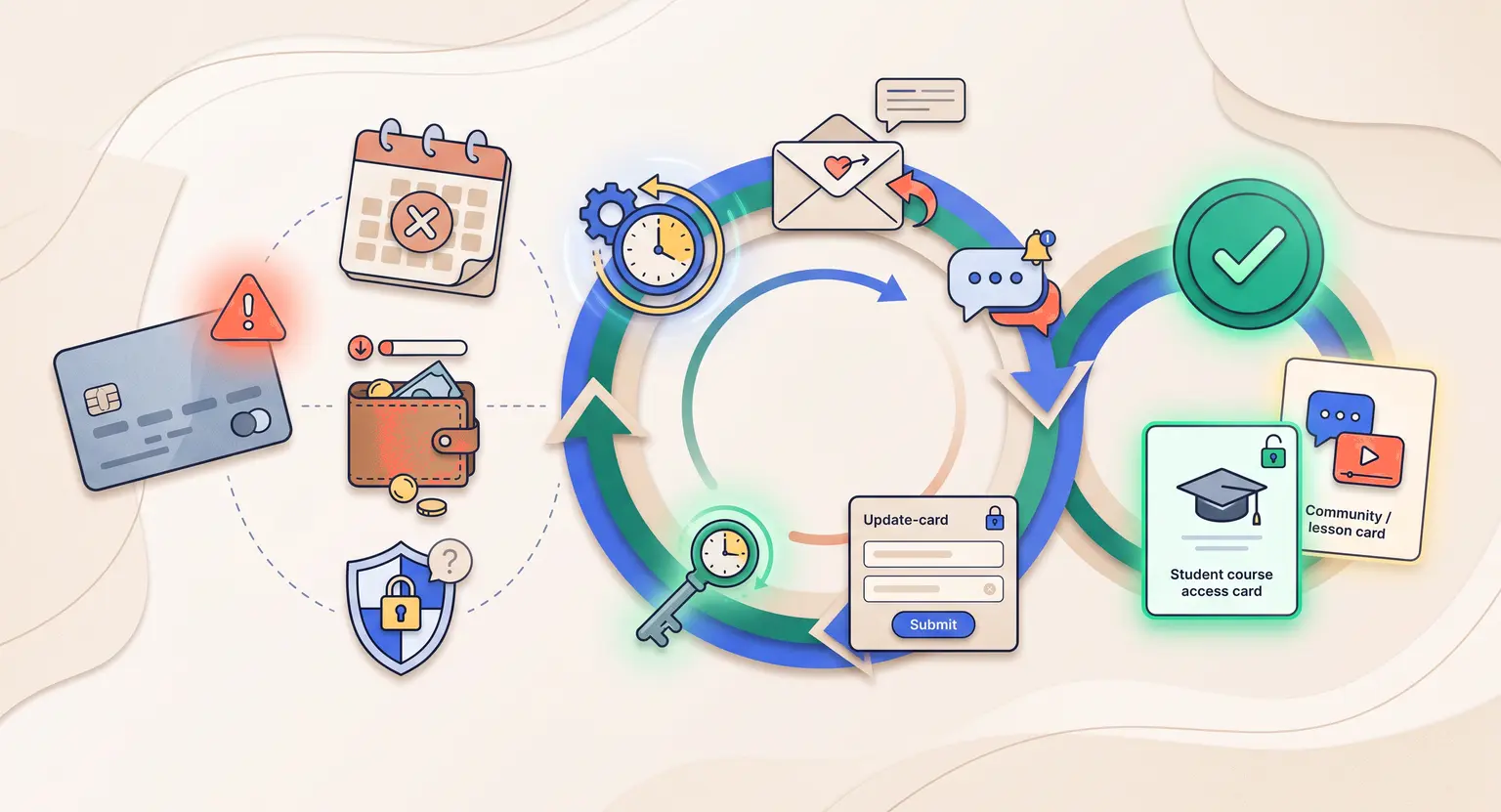
Dunning is the technical term for communicating with customers to recover unpaid fees. In 2026, manual tracking is obsolete. You cannot spend your weekends writing individual emails to thirty different students whose cards bounced.
Instead, set up smart retries. Most payment systems can retry a failed card dynamically over a period of two weeks.
For example, if a payment fails on Monday, Stripe or PayPal might retry on Thursday, then the following Monday, and once more five days later. This catches cases where the user simply had to wait for their payday to hit.
Alongside card retries, build a friendly email sequence using email automation for creators. Keep the tone light and supportive. Do not accuse them of trying to steal your material.
A simple message saying, "We had trouble processing your latest tuition payment. No stress, your access is active for now, and you can update your details here," does wonders.
But what if the retries fail completely? You must establish a grace period. Keeping the course open for three to five days shows immense goodwill.
If they still haven't resolved the issue after that period, pause their access automatically. Let them know they are welcome back the moment their billing info is refreshed.
Failed Payment Matrix
| Decline code or issue | Likely root cause | Immediate action plan | Long-term prevention strategy |
|---|---|---|---|
|
Insufficient funds |
Temporary cash flow issue; student awaits next payday cycle. |
Retry transaction in 3 to 5 days; send a gentle email update. |
Consider using a flexible online course pricing strategy. |
|
Expired card details |
The card reached its expiration date and was replaced. |
Email user a direct link to update billing info easily. |
Enable auto card update features within your gateway processor. |
|
International block |
Bank flags transactions as suspicious due to crossing borders. |
Instruct students to call the bank to approve your charge. |
Configure payment systems to accept multiple currencies for online courses natively. |
|
Suspected fraud block |
General trigger by strict automated risk engines. |
Review the purchase details for suspicious patterns manually. |
Use secure checkout frameworks like terms of sale compliance protocols. |
Crafting the Perfect Notification Sequence
How you speak to customers during a payment failure reveals everything about your brand values. A harsh, transactional demand for money destroys goodwill instantly.
Your first communication should be a soft notification, sent within minutes of the failure. Frame it as a technical glitch rather than a personal failing.
You might write something like : "Hey, we tried to process your latest payment, but your bank gave us a brief thumbs-down. Your progress is completely safe, but could you take a moment to update your details?"
And if that doesn't yield a response, send a second email after three days. This email should emphasize value. Share what is happening in the course right now - new lessons, group coaching calls, or community discussions.
Remind them of what they will miss if their access drops. You can link them directly to a safe billing portal to update their card without logging in.
The third email, sent on day seven, should be highly direct. Explain that your automated program will unfortunately have to pause their access in forty-eight hours if the card fails again. Keep this highly polite but firm.
You run a legitimate business, and your intellectual property has value. By automating this, you keep emotion out of the process entirely.
Why Your Course Platform Choice Matters
Your ability to recover failing transactions depends entirely on your technical infrastructure. If you use a patchwork of different software platforms, you will find yourself drowning in manual work.
This is exactly why serious creators move away from basic software. We recommend checking out a complete best all-in-one course platform that integrates checkout, email, and course access out of the box.
When checkout systems talk directly to course management tools, payment failures trigger automatic, instant actions. If a card fails, the system immediately locks access without requiring you to manually change student permission settings. It protects your work while sending customized dunning sequences in the background.
It is also about retention. Once a customer is inside your portal, keeping them engaged prevents cancellations. For instance, maintaining high student satisfaction is crucial, and knowing how to retain membership members helps you keep payment flows consistent month after month.
Strategic Steps to Implement Immediately
Here is an action plan to secure your revenue streams starting right now :
-
Implement card updater features : major payment processors have automatic networks with card brands to update expired card credentials without customer intervention. Ensure this is toggled on inside your merchant account.
-
Utilize SMS alerts : sometimes emails land in spam. A quick, friendly SMS notification can recapture up to 25% of failing payments instantly.
-
Offer PayPal and regional wallets : some students experience credit card blocks, but can easily pay via alternative methods if your system supports them. Ensure you offer variety at checkout.
-
Regularly review failed payment reports : dedicate 15 minutes every Friday to look at your payment analytics. Look for patterns, such as a high rate of international payment declines, which suggest you may need local payment setups.
With these guardrails in place, you protect your academy and keep operations clean.
Explore Further on the LearnyBox Blog
-
Read our updated blog for more insights on building your knowledge business.
-
Discover how to grow your school using the main LearnyBox platform tools.
Frequently Asked Questions
How long should I wait before pausing a student's course access?
Give them a five-day grace period. This allows time for simple bank communication before locking content.
It prevents awkward situations with good customers who simply need to transfer funds.
What are the top reasons student payments get declined?
Expired credit cards and insufficient account funds are the primary reasons creators suffer billing interruptions.
Sometimes, strict foreign bank restrictions block international cards automatically.
Should I offer alternative payment processors to reduce failures?
Yes, absolutely. Providing various gateways like PayPal alongside credit cards drops transaction failure rates significantly.
It gives international buyers alternative routes when local processors reject billing attempts. This easy setup creates a robust customer experience.
Can sending dunning emails damage my brand reputation?
No, not if you write them with empathy. Think of them as supportive customer success reminders rather than standard transactional demands.
Most students feel incredibly grateful for a gentle nudge when daily life gets busy. When you automate these emails politely, you preserve a highly professional student relationship while saving your recurring course revenues.





 How to Create a Course Refund Policy (Templates & Best Practices for 2026)
 How to Run a Beta Version of an Online Course (2026 Guide)
 How to Create a Cohort-Based Online Course (2026 Guide)
 How to Sell an Online Course With a Quiz Funnel (2026 Guide)
 How to Sell an Online Course Through a Sales Call (2026 Guide)