







How to Design an Online Course Student Onboarding Experience
How to Design an Online Course Student Onboarding Experience
They just bought your course. The confirmation page loaded, the transaction cleared, and their excitement is at an all-time high. But here is the brutal truth : this is also the exact moment buyer's remorse kicks in.
If your new students feel immediately lost, overwhelmed, or ignored, they will abandon your lessons before they even finish the first module.
That is why a seamless, intentional student onboarding experience is not a nice-to-have bonus feature. It is the defining line between a highly rated, high-completion course and one plagued by refund requests.
So, how do we fix this? Designing an exceptional onboarding flow means bridging the massive gap between a customer's payment and their actual engagement. We must make the transition feel effortless, reassuring, and active.
Key Takeaways
-
Great onboarding should reduce initial friction by streamlining account setup and first-step navigation.
-
Additionally, integrate a welcoming welcome email sequence to drive immediate momentum and prevent learner drop-off.
-
Understanding how to structure an online course for student success ensures your learners find their way effortlessly.
-
Finally, using the best all-in-one course platform keeps all resources, emails, and community portals unified.
1. The Anatomy of a Friction-Free First 24 Hours
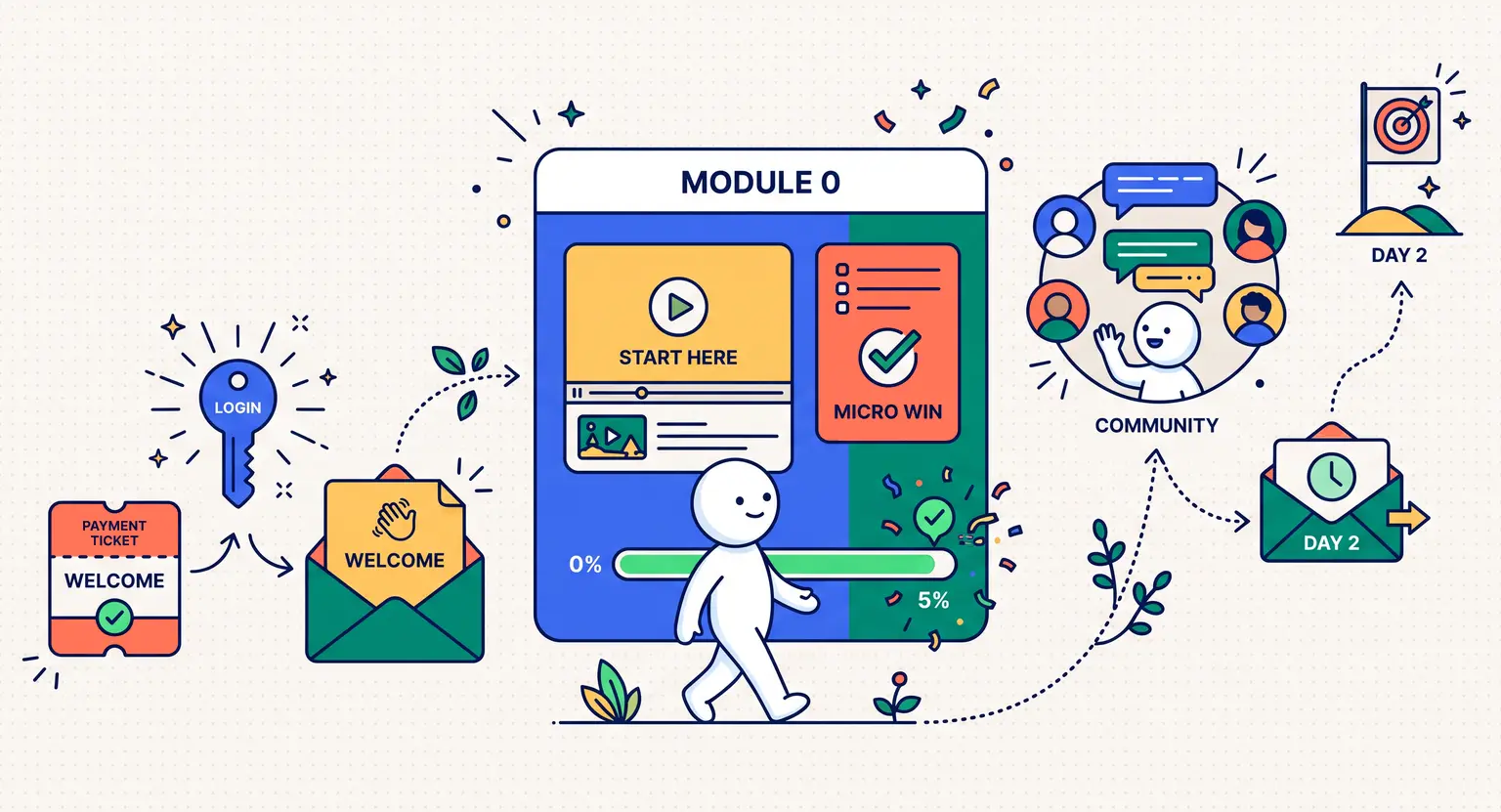
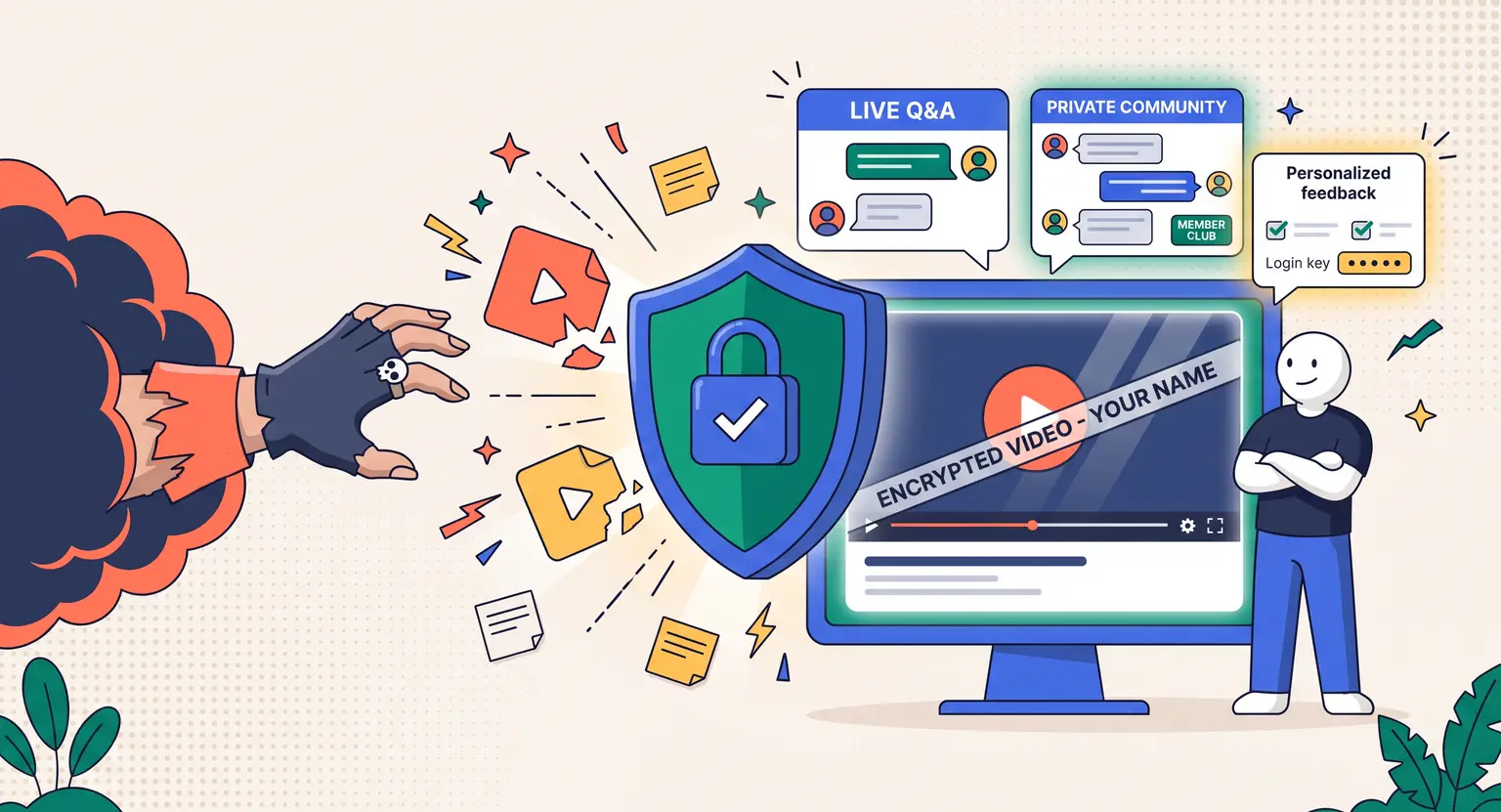
The first 24 hours determine whether students feel empowered or regretful. Treat this as a structured hand-holding process. Provide automated login credentials immediately so they bypass spam folders and jump straight into your portal.
Once inside, they need a highly personalized, warm greeting. Avoid dry, overwhelming dashboards filled with dozens of unlocked modules.
Instead, quickly serve up an engaging three-minute, high-energy "Start Here" video stating exactly what they must do first and what they will achieve today.
And do not forget to ask them who they are. Setting up a brief, three-question onboarding survey right inside the system does two things. It makes the student feel deeply understood, and it gives you invaluable feedback.
Ask about their current skill level, their primary goal, and their biggest fear. This lets you tailor your follow-ups. In fact, if you are planning to find out how to create engaging course content, this direct student feedback serves as your ultimate guide.
2. Structuring Milestones and the Crucial First Win
Adult learners need to feel incredibly smart quickly. If they spend their first study session watching theoretical introductions without performing a single action, their drive dips.
You must design what I call a "micro win" into the first sixty minutes of their onboarding. A micro win is a tiny, highly achievable task that takes less than five minutes but provides instant personal satisfaction.
For instance, you can have them print out a one-page roadmap, submit a quick introduction in your portal, or complete an incredibly simple one-question quiz.
These interactive prompts are absolutely essential. The dynamic of moving a progress bar from zero percent to five percent acts as a powerful psychological trigger. It signals to their brain that progress is officially underway.
But you must keep this journey highly structured. When you plan your course layout, make sure the onboarding section is clearly labeled as "Module 0." Do not mix it up with your core academic materials.
By cleanly separating the logistics (how to use the community, when live calls happen, how to ask for help) from the actual work, you keep the learner's brain organized. If you want to review typical pitfalls, checking out standard mistakes to avoid when creating online courses can save you months of headaches.
Let us look at a few highly effective micro milestones you can build :
-
Download the course master roadmap and print it out.
-
Join the interactive student database and introduce yourself.
-
Mark the "Start Here" introductory video as completed.
3. Activating Community and Ongoing Connection
Isolation is the ultimate silent killer of online education. When students study behind a glowing screen alone, they quit easily. But when they feel part of an active cohort, they push through difficult modules.
That is why onboarding must double as a social invitation. Do not wait until the final week to tell them where the discussion boards are. Introduce them to the community on day one. Better yet, give them a specific, templated icebreaker prompt to share.
For example : "Tell us your name, your location, and the single project you want to build by the end of this program." This structured guidance keeps them from feeling awkward.
Over time, these daily human connections cultivate a buzzing hive of support. If you want to do this right, studying how to build an online community will provide the specific tools needed to maintain long-term student retention.
But what if they do not log in after the first day? This is where your automated email system steps in to save the day. You should set up a multi-step sequence designed specifically to nudge inactive users back right away. Send a follow-up email on day two with a direct link to their next step. Send another friendly email on day five highlighting a cool, motivating win from another active student. Keep these interactive touchpoints extremely friendly, supportive, and incredibly easy to act on at any time.
4. Analyzing and Optimizing Your Onboarding Funnel
Your onboarding design is never truly finished. It is a living, breathing component of your online business that requires regular monthly tuning.
To optimize it properly, you must track metrics beyond just simple sales numbers. Look closely at your login frequency data. See where people drop off. If eighty percent of your new sign-ups complete the welcome video but only ten percent ever complete the first assignment, you know you have a massive barrier right there.
And do not hesitate to make quick adjustments based on these analytics. Shorten long paragraphs, simplify difficult tasks, or create shorter video step-by-step guides.
A highly optimized onboarding setup pays massive compounds over the years. It helps turn cold buyers into warm, loyal ambassadors who recommend your work to everyone they know.
Onboarding Strategy Comparison Grid
| Onboarding phase | Core objective | Critical action | Next steps |
|---|---|---|---|
|
The warm welcome |
Establish trust and immediate portal access. |
Send automated credential email immediately. |
Build it on LearnyBox. |
|
The micro win |
Deliver rapid, satisfying psychological momentum. |
Complete a 2-minute introductory questionnaire. |
Keep actions direct and brief. |
|
The social loop |
Connect student with peers immediately. |
Publish a templated icebreaker message. |
Fosters deep collaborative community growth. |
|
The recovery nudge |
Re-engage cold or inactive buyers. |
Trigger day two support email nudges. |
Automate within your email builder. |
Frequently Asked Questions About Course Onboarding
How long should an online course onboarding sequence take?
Ideally, your core onboarding experience should be completed within the first twenty-four to forty-eight hours. The goal is to get your student integrated, logged in, and finished with their first micro win during their very first session. This momentum carries them smoothly into your weekly content blocks without feeling bogged down by logistics. And once you know how to get students for an online course, keeping them engaged becomes the next logical task.
What is the absolute most common mistake in student onboarding?
The absolute biggest blunder is overwhelming learners. Dumping fifteen unlocked modules, community invitations, and bonus worksheets onto a checkout page triggers panic. Keep the portal clean and single-focused. Guide them one action at a time to keep them confident, rather than buried under resources.
Do I need separate software to set up my student onboarding?
No, especially if you use an all-in-one system. Connecting several disconnected systems together creates frustrating and time-consuming technical hurdles. A unified tool effortlessly manages checkout, automated welcome sequences, and course portals without any headaches.
Should onboarding be automated or manual?
Onboarding must be entirely automated for standard courses. Automated sequences ensure that whether someone signs up at two in the afternoon or three in the morning, their instant access keys arrive immediately. However, if you run a high-ticket mastermind, adding a manual human touch like a personal video greeting from you can dramatically boost customer retention rates.


 How to Create a Course Refund Policy (Templates & Best Practices for 2026)
 How to Run a Beta Version of an Online Course (2026 Guide)
 How to Create a Cohort-Based Online Course (2026 Guide)
 How to Sell an Online Course With a Quiz Funnel (2026 Guide)
 How to Sell an Online Course Through a Sales Call (2026 Guide)