







LearnyBox for Course Creators: The All-in-One 2026 Platform Guide
LearnyBox for Course Creators Guide
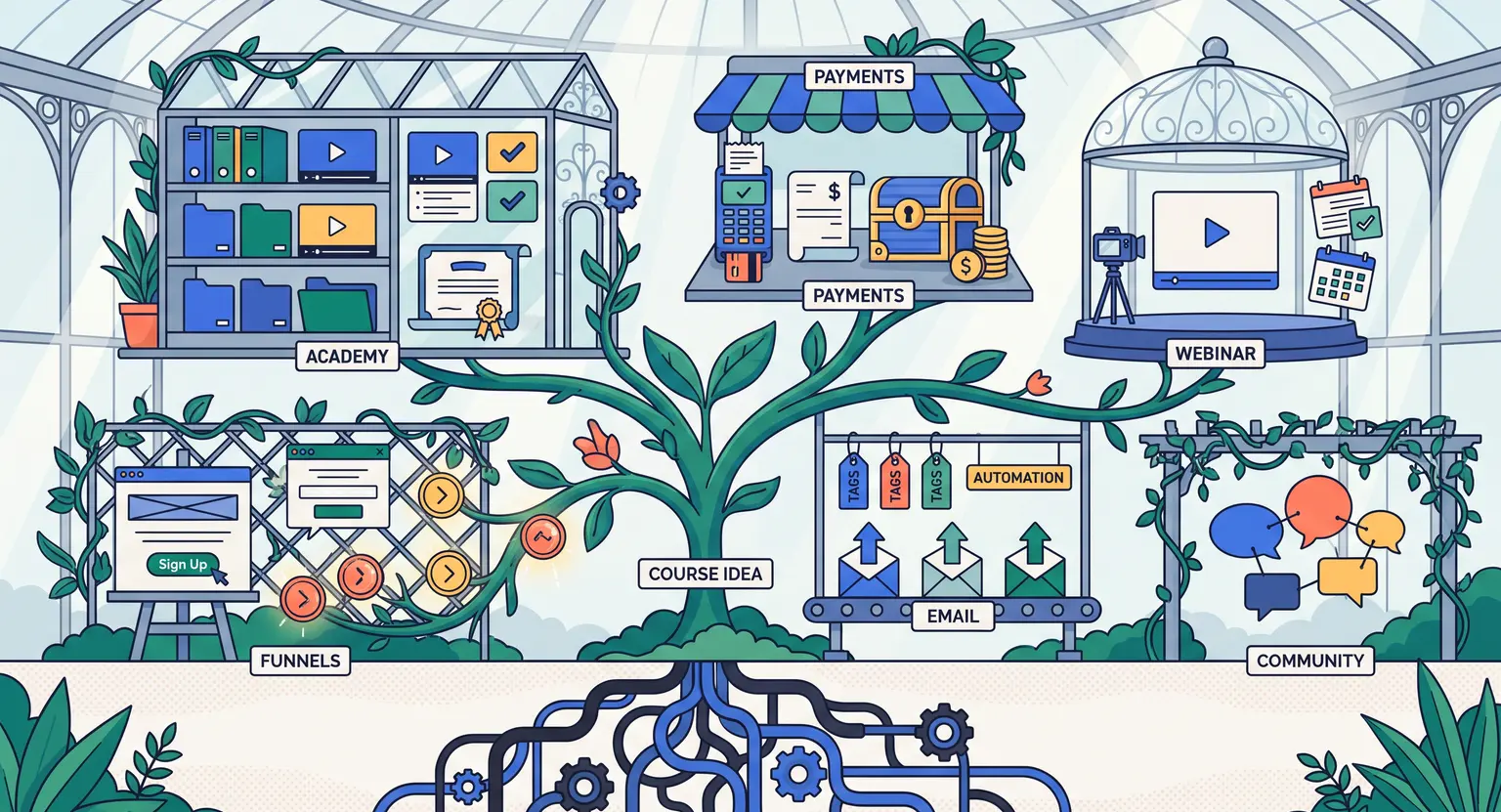
Remember : the old way of building a digital school was a messy, disjointed puzzle.
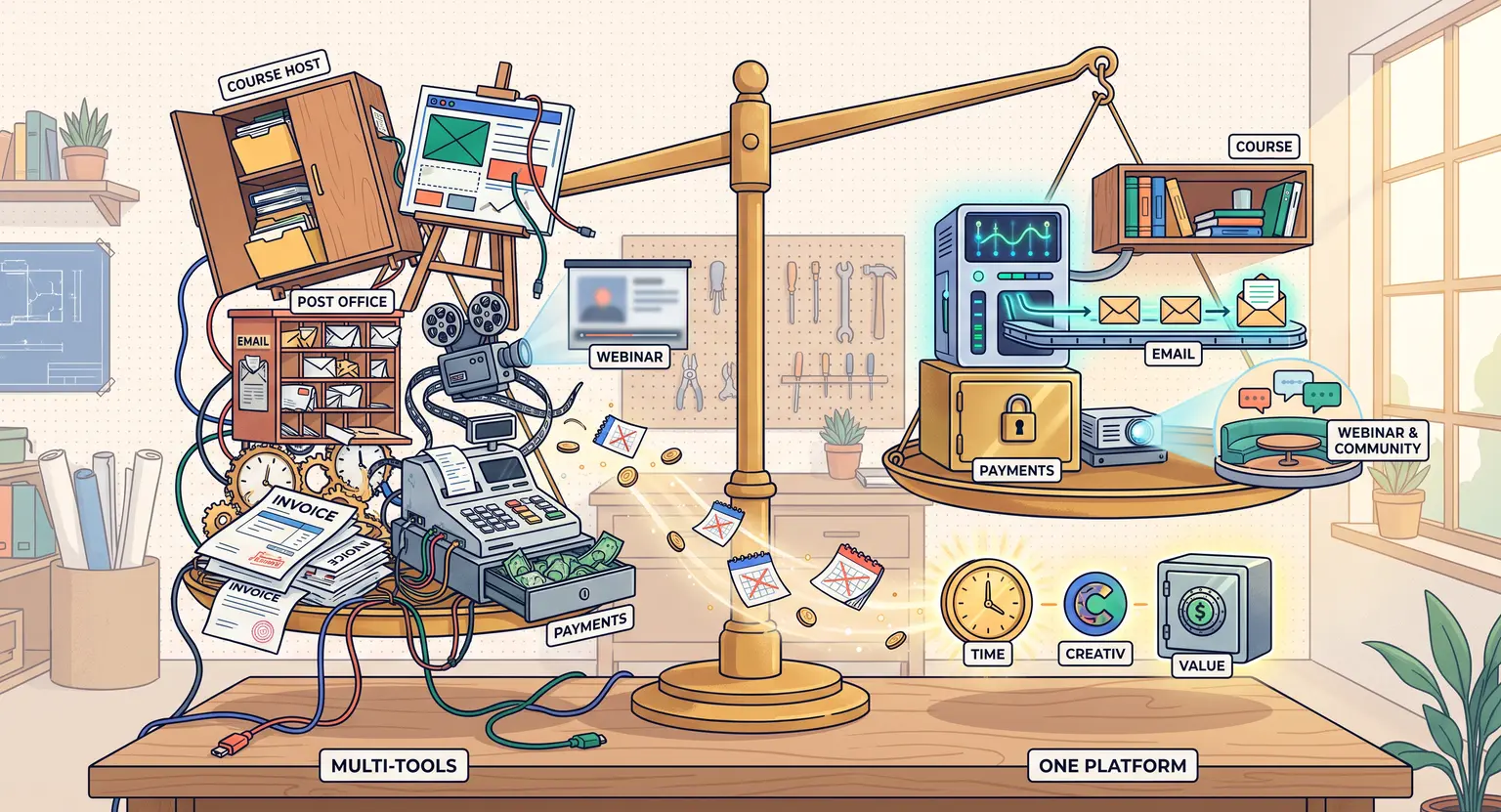
You had one tool for your emails, another for your landing pages, a third for Stripe payments, and a separate platform entirely to host your actual videos. It was exhausting.
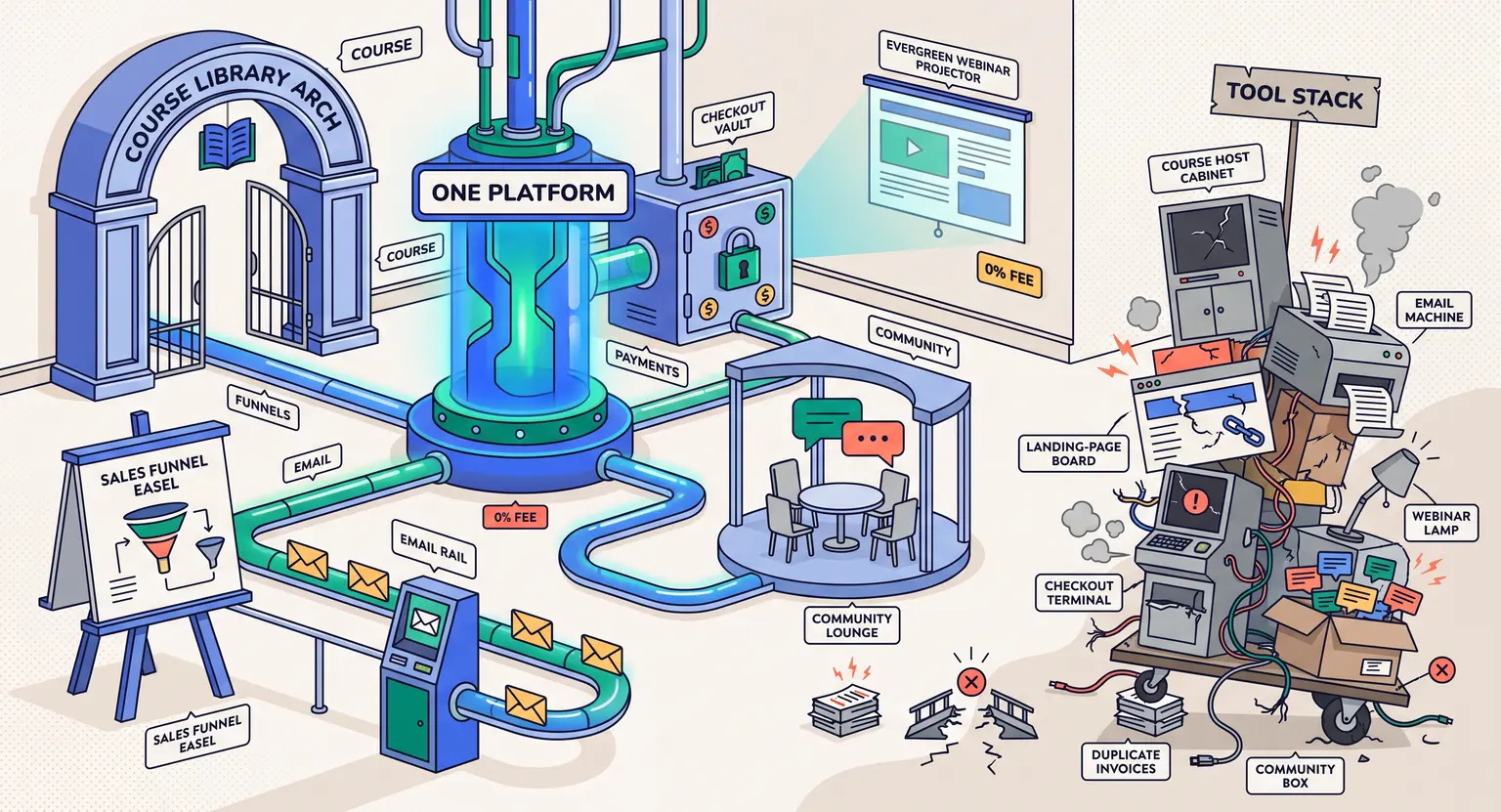
If you are reading this in 2026, you already know that the "Franken-stack" model is completely dead. Smart creators want everything under one roof.
Today, we are looking at how to transition into a simplified setup. In this post, we will explore why setting up your knowledge base on LearnyBox is the smartest move you can make this year.
We will examine what makes this platform a major powerhouse, check out some hands-on features, and lay out how to make your transition totally seamless.
Make sure to check our detailed review of LearnyBox, which details everything.
Key Takeaways : Quick Highlights
-
The unified ecosystem happily saves you from paying for dozens of separate email marketing and video hosting premium tools.
-
You can explore the system risk-free using the flexible LearnyBox pricing tier built specifically for growing businesses.
-
Everything from private student forums to high-converting automated sales webinars is natively integrated without requiring any complex technical setups.
-
This custom workspace simplifies your life when selling online courses directly to international students and automating your billing processes instantly today.
What is LearnyBox and Why Does it Matter in 2026?
But what is LearnyBox exactly? If you have been looking for an elite digital software option, you have probably run into this powerhouse before.
It is a fully unified, no-code engine created to help you design, market, and run your coaching business. Instead of spending days sticking integrations together with virtual tape, you get a clean workspace where everything communicates natively.
So when someone signs up for your free lead magnet, they are instantly added to your CRM list. When they purchase a digital program, they receive their classroom login details automatically within seconds.
This absolute simplicity is what makes the setup highly impressive. You can build customized sales pipelines, design landing pages, and run your email newsletters from one single dashboard.
This saves independent creators over a thousand dollars every single year in redundant subscription fees.
Read about the built-in platform features to see how this system handles your daily operations seamlessly.
And you also get full access to advanced tracking tools that display real-time user progress. Instead of wondering which lessons are too difficult, you can view exact metrics showing where students drop off.
This allows you to update your curriculum dynamically and improve completion rates today fast.
Designing an Interactive Digital Academy
Once you get inside, the actual learning management system (LMS) is highly structured and clean.
Creating a syllabus doesn't require a degree in computer science. You can drag, drop, and organize your chapters in minutes.
If you want a deep walkthrough on this click-by-click process, utilize our comprehensive tutorial guides designed specifically for beginners.
But presenting materials is only half the battle. To keep students engaged, you need interaction.
The platform shines here by offering tools that go beyond basic video streaming :
-
Integrated social communities : say goodbye to distracting Facebook groups. Host discussion boards right inside your course portal where members trade thoughts safely.
-
Dynamic live and automated webinars : deliver lessons live or set them on autopilot. Trigger promotional pop-ups during your presentations to boost sign-ups.
-
Flexible progression paths : choose between giving immediate, open access or setting up drip-fed module unlocking schedules to guide students.
-
Interactive quizzes and certifications : check student progress with custom questionnaires and automatically issue completion certificates as they pass.
This combination of social community options and structured lesson parameters means your students stay motivated.
Rather than dropping off after page two, they participate in discussions, earn completion badges, and actively complete their homework assignments.
It turns a boring classroom into an active digital hub, so you get better reviews, word-of-mouth growth, and ultimately more sales for your educational enterprise without spending an extra penny on expensive community plugins or external software services today.
Sales Funnels and Automated Email Delivery
And what about marketing? You can have the most beautiful syllabus in the world, but if nobody knows it exists, your academy will gather digital dust.
The built-in marketing suite eliminates this danger.
You can spin up conversion-focused landing pages, capture leads with pop-ups, and run automated marketing campaigns using the native email processor.
This integrated setup keeps your communication clean. It also ensures you don't face syncing errors between your student database and your mailing lists.
To learn more about setting up these flows, read our guide on dedicated email systems for educators.
And how does it handle payments? Natively.
With LearnyPay, Stripe, GoCardless, and PayPal directly supported, you can easily offer flexible payment tiers. You can set up recurring subscriptions, one-time fees, or split payments.
This means you can easily schedule custom reminder campaigns for cart abandonment, trigger immediate coupon offers, and generate PDF invoices without paying for an external accounting app.
Everything syncs smoothly, leaving you with absolutely zero technical struggles to puzzle over.
So how does the platform compare to other options? We suggest comparing features. Look over how LearnyBox stacks up against competitors to find the best fit for your budget.
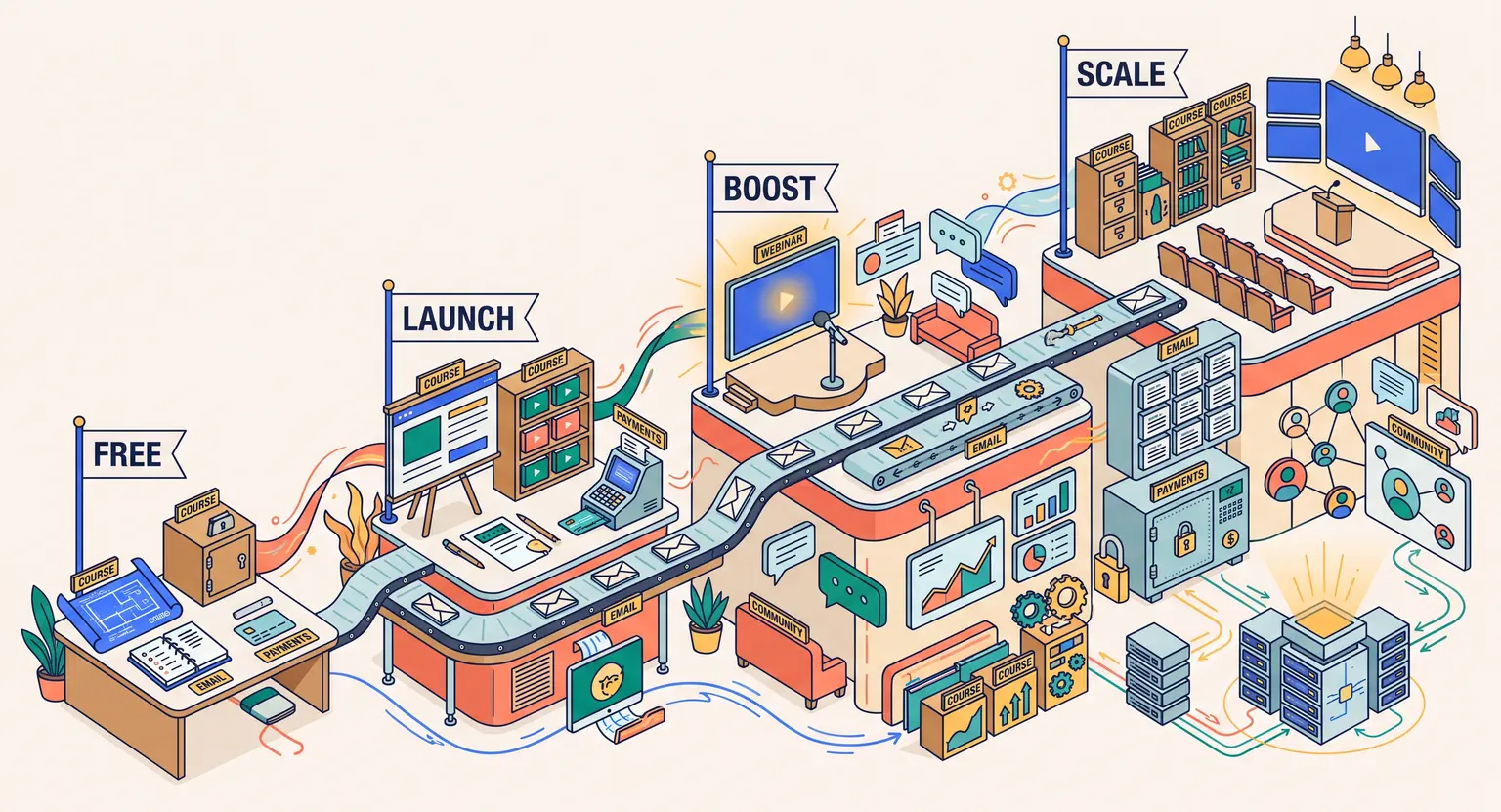
Let us look at a quick comparative grid of the starter pricing pathways.
| Plan pricing tier | Price HT per month | Key features included | Ideal customer target group |
|---|---|---|---|
|
0 € |
1 premium course, 20 active students, 2,000 contacts, 4,000 monthly emails. |
Testing your new course ideas and validating your target educational markets risk-free. |
|
|
Launch Plan |
39 € |
10 courses, 100 students, 7,500 CRM contacts, 75,000 monthly emails. |
Launching your first official digital education program and classroom online. |
|
Boost Plan |
89 € |
Unlimited courses, 15,000 CRM contacts, 180,000 monthly emails. |
Scaling up digital programs and operations with automated sales funnels efficiently. |
Is LearnyBox Worth It for Your Course Empire?
But is LearnyBox actually worth it for your business? In our opinion, the short answer is yes, especially if you want to avoid subscription fatigue.
When you start calculating the real-world cost of separate tools, the financial case becomes very clear.
Using a fragmented setup typically costs several hundreds of dollars a month. But by centralizing everything, you can drop your tech costs significantly while freeing up dozens of active hours each week.
So who should skip this option?
If you are an absolute beginner on a very tight budget with no immediate plans to run webinars or automate your marketing, a basic standalone LMS might suffice…
But if you want a system that scales as you grow without hitting structural glass ceilings, there is simply no better integrated solution.
You don't have to take our word for it either. Active educators have built successful digital communities here. It's a reliable partner for creators.
Find out if the investment makes sense by exploring if LearnyBox is worth it in our comprehensive evaluation today, as you map out your upcoming digital programs to launch successfully and scale your business without any technical limits.
Frequently Asked Questions
Is the LearnyBox academy builder easy to learn?
Yes, absolutely. The drag-and-drop course designer requires no coding background. You can quickly layout modules, upload various media files, and organize lessons.
Learn more and learn how to use the builder with our detailed, step-by-step guide explaining every single option you will find inside your dashboard.
Does LearnyBox offer a mobile experience for students?
Yes, indeed. Your students can easily access all your courses, worksheets, and discussion forums on their mobile devices.
The platform offers a dedicated native mobile application enabling seamless progress tracking, instant coach messages, and push notification alerts on the go, wherever they are in the world.
Can I replace separate software options with LearnyBox?
Absolutely. You can manage your landing pages, email lists, sales funnels, community forums, live webinars, and student contacts in one place.
By centralizing these operations, you eliminate technical issues. For details, read our guide explaining what is LearnyBox and how this system boosts your daily learning business today safely.




 How to Create a Course Refund Policy (Templates & Best Practices for 2026)
 How to Run a Beta Version of an Online Course (2026 Guide)
 How to Create a Cohort-Based Online Course (2026 Guide)
 How to Sell an Online Course With a Quiz Funnel (2026 Guide)
 How to Sell an Online Course Through a Sales Call (2026 Guide)