







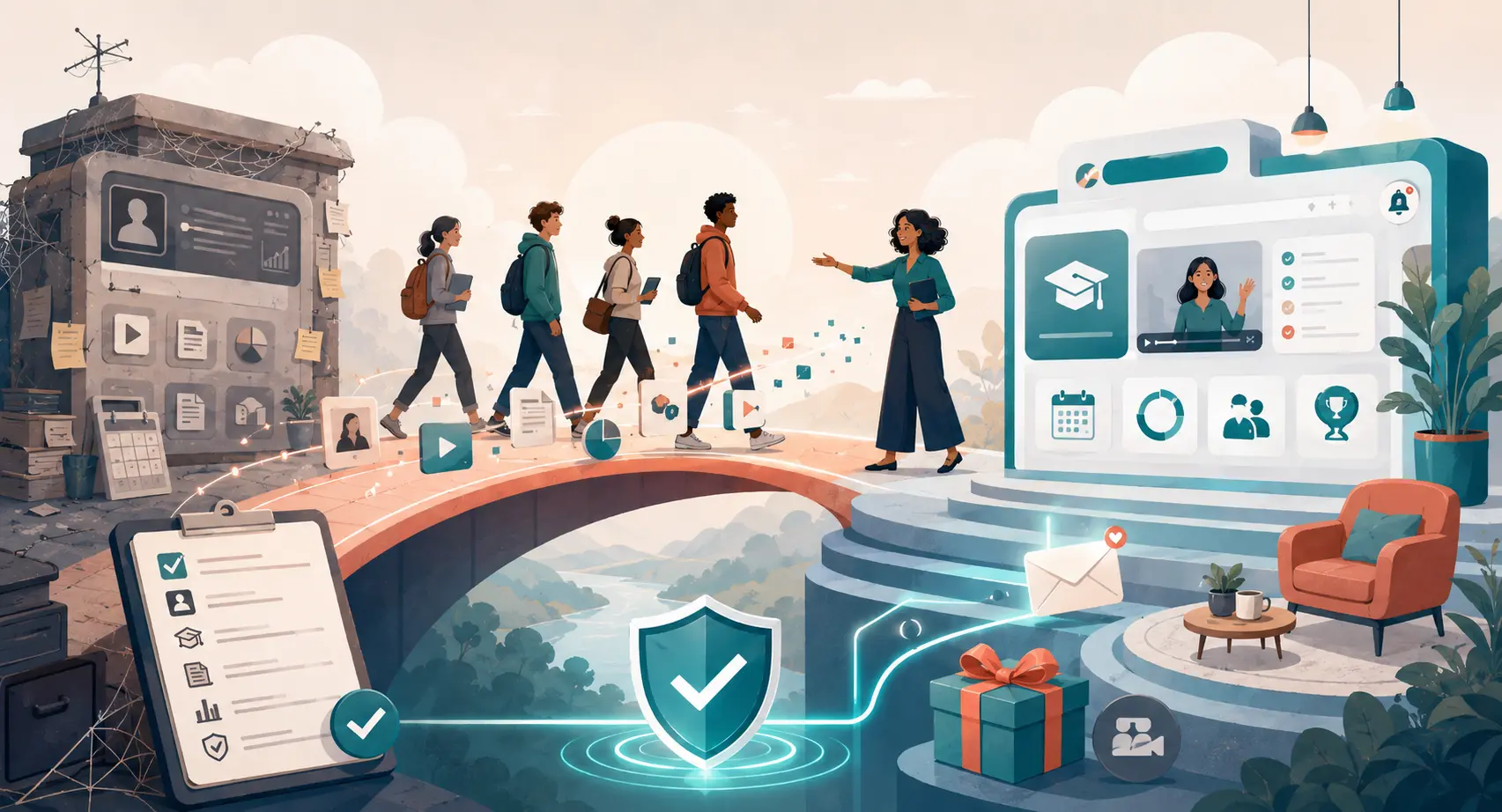
How to Move Your Students to a New Course Platform Safely
How to Move Your Students to a New Course Platform
So, you've decided to move. Maybe your old system started glitching, or those transaction fees began eating your profits… Whatever pushed you to make the leap, leaving your current setup feels like moving houses.
It is exciting, but the fear of losing students along the way can keep you awake at night.
But here is the good news : transitioning your learners doesn't have to be a mess. With a little strategy, you can shift your students to a fresh learning environment without losing their trust.
Key Takeaways
-
Audit first : never move outdated files; use this migration to clean the house.
-
Zero downtime : run both platforms concurrently for at least 14 days to prevent frantic support emails.
-
Over-communicate : send a warm, well-planned welcome email sequence to explain the value of the new platform.
-
Choose wisely : transitioning is easier if you opt for the best all-in-one course platform right off the bat to avoid doing this ever again.
Why Moving is Hard (And How to Soften the Blow)
Most creators delay migrating because they fear a wave of angry emails. "I can't log in!" "Where is my progress?" "Why did the layout change?"
These are real worries… But staying on a platform that limits your business growth is a slow death for your brand.
If you are struggling with outdated features, it might be time to figure out when you should move to a more advanced online course platform before your student base gets even larger.
The trick to softening the blow is positioning the move as an upgrade, not an inconvenience. You are not migrating because of administrative headaches; you are doing it to give them a faster, cleaner, more interactive experience.
Your Step-by-Step Migration Blueprint
Let's break down the actual logistics.
You cannot just flip a switch on a Tuesday morning and hope for the best. You need a structured, phased approach to keep the disruption near zero.
1. Map Out, Audit, and Clean Your Course Content
Do not just blindly download everything and upload it to the new space. Take a long, hard look at your curricula. Are there outdated videos? Are there worksheets that nobody actually downloads?
This is your chance to spruce things up. Make sure you understand how your new tool manages files. If you want to review options first, study our online course platform vs learning management system article.
Once the audit is done, export your clean video files, PDFs, and student lists (CSV format is your absolute best friend).
2. Set Up Your Shiny New Course Home
Rebuild your complete course structure on the warm, welcoming new platform. If you chose a robust email marketing platform built right into your course builder, this phase goes much faster.
You can design matching student dashboards, update branding colors, and build your new lessons. Configure custom certificates and drip settings to map identically to your old curriculum.
Before you import a single student, test the flow yourself. Create a dummy student account. Go through the lesson modules, check if files download properly, and make sure quizzes submit smoothly. Nothing kills momentum like a broken button on day one.
3. Plan the Great Student Migration Transfer
Now comes the human element. How do you actually move the souls? This step is highly sensitive because you want to make every student feel valued, not like a number on a spreadsheet.
You have two main choices :
-
The manual batch import : you upload your CSV roster to the new platform and send them auto-generated passwords.
-
The phased rollover : you keep new sign-ups going directly to the new platform, while legacy members are systematically invited over course-by-course.
And remember, user passwords almost never migrate. You will need to prompt your students to set up a new password.
Keep these key elements in mind for the transfer :
-
Give them a two-week grace period where both platforms remain live.
-
Offer a bonus - like a mini-course or a live Q&A session - exclusively on the new platform to incentivize them to login.
-
Set a firm hard-cutoff date for the old system so they don't linger forever.
Managing the Transition Safely
Here is a comparison of common migration tasks to help you plan.
| Migration phase | The old platform checklist | The new platform setup | Pro tip for creators |
|---|---|---|---|
|
Student data |
Export clean CSV files with names, emails, and purchase tags. |
Import contacts and apply matching custom tags. |
Use LearnyBox to run imports easily without extra tool costs. |
|
Course material |
Download raw videos, high-res graphics, and PDF files. |
Upload structure, create modules, and verify links. |
Set up your course on an online course platform for your business with unlimited video hosting. |
|
Email systems |
Pause existing automated triggers and welcome campaigns. |
Deploy a fresh, targeted email automation for creators flow. |
Test the first broadcast message using a personal email tag. |
Engaging and Re-Engaging Your Students in Their New Home
Once your students land on the new platform, don't leave them standing in the lobby. Give them a quick guided video showing where to click - this breaks down anxiety instantly. People are naturally resistant to change, even when it is for the better.
One brilliant way to make them feel comfortable is to focus heavily on setting up a social, interactive space straight away.
If you have been wondering how to build an online community that keeps people coming back, this migration is the absolute perfect catalyst. Bring your forum or discussion threads inside the new dashboard.
But how do you handle the transition communications? Let's write the actual emails. Start talking to your tribe at least a week before the migration starts.
-
Email 1 - The Heads Up : explain what is changing, why it is amazing for them, and when to expect their invite.
-
Email 2 - The Golden Ticket : send their access link and login instructions.
-
Email 3 - How is it going? : a follow-up three days later asking for feedback and solving any tech bottlenecks.
Moving forward, remember that migration is just a temporary bridge. Once you make the solid jump, confidently look ahead to your brand's future growth and enjoy the amazing freedom of a clean, robust engine.
Frequently Asked Questions
Will students lose their course progress during the move?
Yes, in most cases, progress tracking does not automatically port over between different platforms.
To keep your learners happy, instruct them to self-report where they were, or simply suggest they start fresh with your newly updated materials.
You can also offer a small reward or a digital badge for those who transition early.
Do I have to keep paying for my old platform during the migration?
Yes, you should expect a short period of overlapping billing. Running both systems for 14 to 30 days is standard practice.
It ensures a buffer for slow-moving users who ignore your initial emails, preventing disruption to their learning flows.
How do I handle recurring payments during a platform switch?
This is the trickiest part. Payment gateways like Stripe can sometimes migrate subscription tokens, but it requires coordinated help from both platforms.
If integration is tough, you might need to ask students to authorize their subscriptions on the new payment portal when their next billing cycle arrives.



 How to Create a Course Refund Policy (Templates & Best Practices for 2026)
 How to Run a Beta Version of an Online Course (2026 Guide)
 How to Create a Cohort-Based Online Course (2026 Guide)
 How to Sell an Online Course With a Quiz Funnel (2026 Guide)
 How to Sell an Online Course Through a Sales Call (2026 Guide)