







How to Turn an Online Course Into a Mobile App (2026 Guide)
How to Turn an Online Course Into a Mobile App
Most course creators reach a familiar plateau. You build an insightful curriculum, design sleek presentation decks, and launch your member portal. But when you check analytics two months later, your completion rates linger around 12%.
Your students did not lose interest in your subject matter. Life simply intervened. Sitting down at a desk, opening a laptop, and logging into a browser dashboard requires intentional effort.
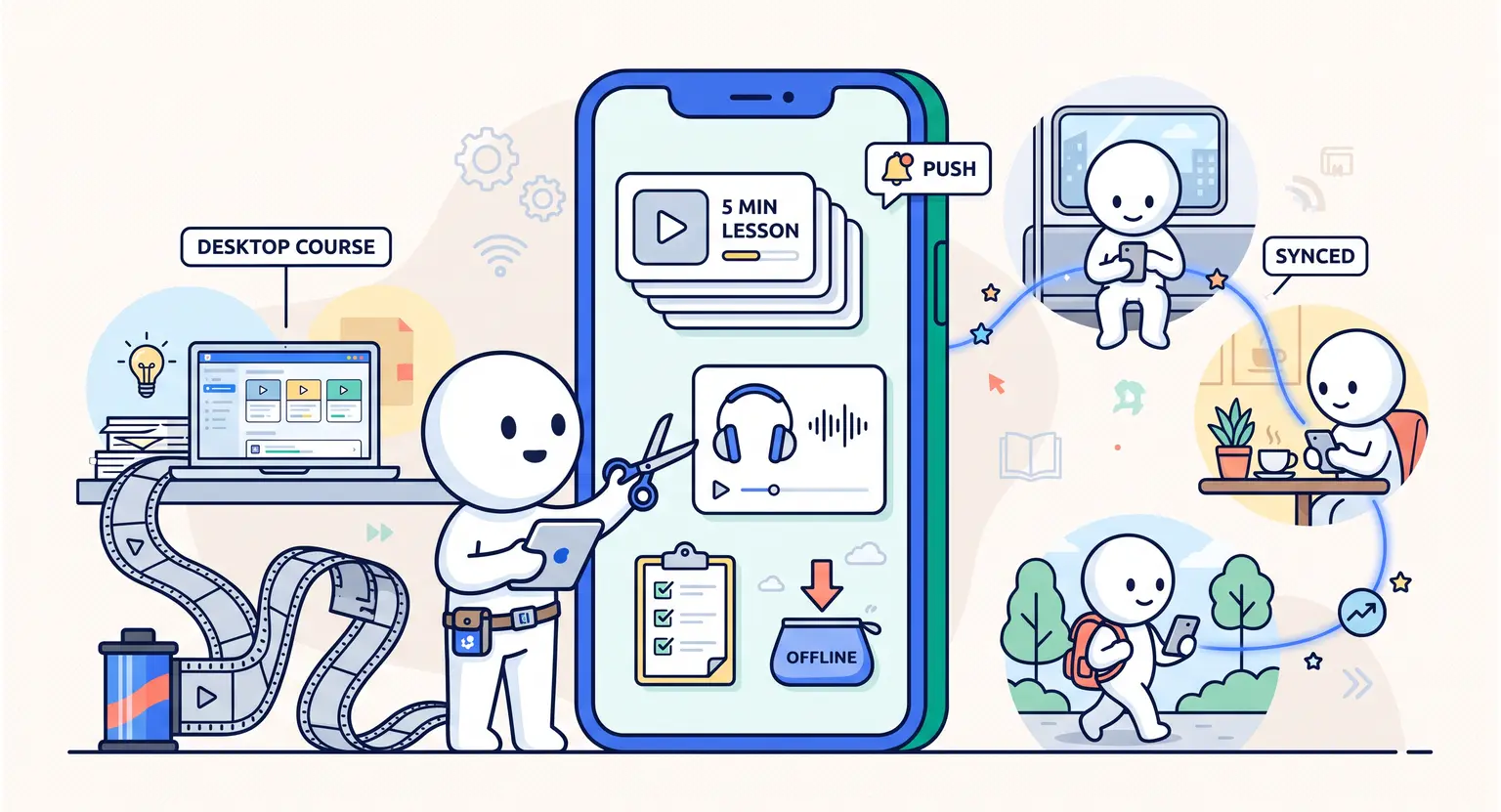
Smartphones change that friction equation completely. When your lessons sit on the same home screen as WhatsApp and Spotify, learning slips effortlessly into daily transit, gym sessions, and coffee breaks.
Key Takeaways
-
Mobile learners finish modules up to 40% faster than desktop-only users.
-
Native custom coding is rarely practical; turnkey setups via a native mobile app offer rapid speed-to-market.
-
Microlearning formats and bite-sized audio tracks prevent student drop-off.
-
Push notifications provide the strongest organic boost when working on how to retain membership members over time.
Why Mobile-First Learning Wins in 2026
Online training habits have transformed dramatically. Desktop computers remain great for deep creative work, but daily knowledge consumption belongs to handheld devices.
Push alerts outperform email open rates by a landslide. When an automated ping reminds a user that module three is ready, they open the app with a single thumb tap.
Mobile portals also enable offline access - commuters on subways or flights can download audio lessons and review PDF worksheets without hunting for spotty Wi-Fi networks.
Community interactions thrive on mobile. Leaving a quick voice note or replying to an instructor prompt takes seconds, making students feel connected rather than isolated.
When you transform desktop files into mobile formats, you naturally refine how to create engaging course content into high-impact micro-lessons.
Three Paths to Building Your Course App
You do not need an engineering degree to launch your course app. Depending on your financial resources and launch timeline, three distinct routes exist today :
| Approach | Estimated setup time | Typical cost | Best match |
|---|---|---|---|
|
Custom native build (Swift / Kotlin) |
4 to 9 months. |
$25,000 - $80,000+ |
Enterprises needing proprietary architecture when they sell online courses globally. |
|
No-code app wrappers (FlutterFlow, Adalo) |
4 to 8 weeks. |
$1,500 - $6,000 |
Tech-savvy creators building customized UI logic from scratch. |
|
Integrated LMS ecosystem |
Instant / 24 hours. |
Included in platform tier. |
Educators seeking a turnkey solution on the best all-in-one course platform. |
1. Custom Native Development
Hiring developers to write Swift for iOS and Kotlin for Android gives you absolute design freedom. But maintaining custom codebases creates continuous overhead.
Every time Apple or Google releases an operating system update, your developer must fix deprecated libraries. For independent creators, this path quickly turns into a financial sinkhole.
2. No-Code Wrappers and PWA Tools
No-code visual builders let you design interfaces without writing lines of code. You can connect your database using webhooks and REST APIs.
This middle ground offers good design flexibility. Still, you must manage security certificates, video stream permissions, and app store compliance checklists yourself.
3. Turnkey LMS Mobile Apps
For most educators, an integrated mobile learning environment is the most efficient choice.
Your course videos, member permissions, discussions, and quiz records sync automatically. Students download the application, enter their existing login credentials, and immediately resume watching right where they stopped on their laptop.
Step-by-Step : Converting Desktop Content to Mobile
Shifting from desktop monitors to vertical mobile displays requires deliberate structural edits.
You cannot simply drop sixty-minute screen recordings onto a phone screen and expect great results :
-
Trim video duration : split 45-minute lectures into concise 5 to 8 minute modules. Mobile attention spans require clear, single-concept videos.
-
Emphasize clean audio : many mobile learners listen while walking or driving. Verify audio levels are crisp and consistent across every module.
-
Enlarge visual typography : small annotations and complex software menus become illegible on pocket screens. Zoom in close on critical demonstration details.
-
Format resources as single-page PDFs : replace sprawling multi-page spreadsheets with streamlined cheat sheets designed for vertical scrolling.
Check your video bitrate settings before publishing. Massive 4K files chew through mobile data plans and lead to stuttering playback on slower cellular connections - Stick to optimized 1080p rendering.
Retention Drivers : Push Notifications, Offline Mode & Community
A mobile application changes your operational relationship with your student base. Instead of waiting for users to remember your URL, you remain connected directly on their personal devices.
Push notifications require balanced moderation. Sending daily promotional messages will prompt users to disable system notifications. But timely, value-packed reminders create steady weekly study habits.
Consider sending automated alerts for milestone achievements, like completing a module or earning a badge. You can also trigger reminders when peer discussions receive fresh answers.
Community feeds build collective momentum. Mobile forums feel approachable and casual. Students post questions, snap photos of their completed homework, and swap feedback just as they would on modern social apps.
Overcoming App Store Policies and Revenue Splits
Publishing your own standalone app in the Apple App Store and Google Play Store brings compliance challenges that surprise many first-time creators.
Both major app stores enforce transaction fees between 15% and 30% for in-app purchases of digital educational products. If you sell a course inside an app checkout screen, the marketplace claims a sizable cut.
To protect your margins, process your primary sales transactions on your external web checkout pages.
Once customers complete a purchase on your site, email them their login credentials to access the mobile application.
This web-first funnel ensures you keep your full customer revenue while still delivering a smooth, premium mobile app environment for actual course consumption.
Explore Further
-
Discover the foundational architecture in our how to structure online course 2026 blueprint for student success.
-
Cultivate peer collaboration using our guide on how to build an online community.
-
Scale corporate training pathways by exploring how to build a customer education program with online courses.
Frequently Asked Questions
How much does it cost to convert a course into a mobile app?
Building a native app from scratch costs upwards of $25,000 in development fees.
In contrast, using a dedicated LMS mobile framework costs next to nothing extra, allowing you to focus your budget on mastering video lessons best practices and creating content.
Do I have to pay Apple and Google app store fees?
If you process digital sales inside the app, stores take a 15% to 30% cut.
Selling memberships on your web funnels first lets you retain your profits as you scale how to monetize your knowledge without third-party marketplace penalties.
Will my students' progress sync automatically between web and mobile?
Yes. Integrated learning management systems synchronize user progress, quiz scores, and discussion replies between desktop browsers and mobile devices in real time without manual data exports.






 How to Create a Course Refund Policy (Templates & Best Practices for 2026)
 How to Create a Cohort-Based Online Course (2026 Guide)
 How to Sell an Online Course With a Quiz Funnel (2026 Guide)
 How to Sell an Online Course Through a Sales Call (2026 Guide)