







How to Connect an Online Course Platform to Other Business Tools (2026 Guide)
How to Connect an Online Course Platform to Other Business Tools
Key Takeaways
-
Simple setup : picking the best course platform for beginners simplifies tech connections.
-
Direct options : native tool integrations reduce system errors significantly.
-
Smart flow : automating user tags protects your marketing sequences.
-
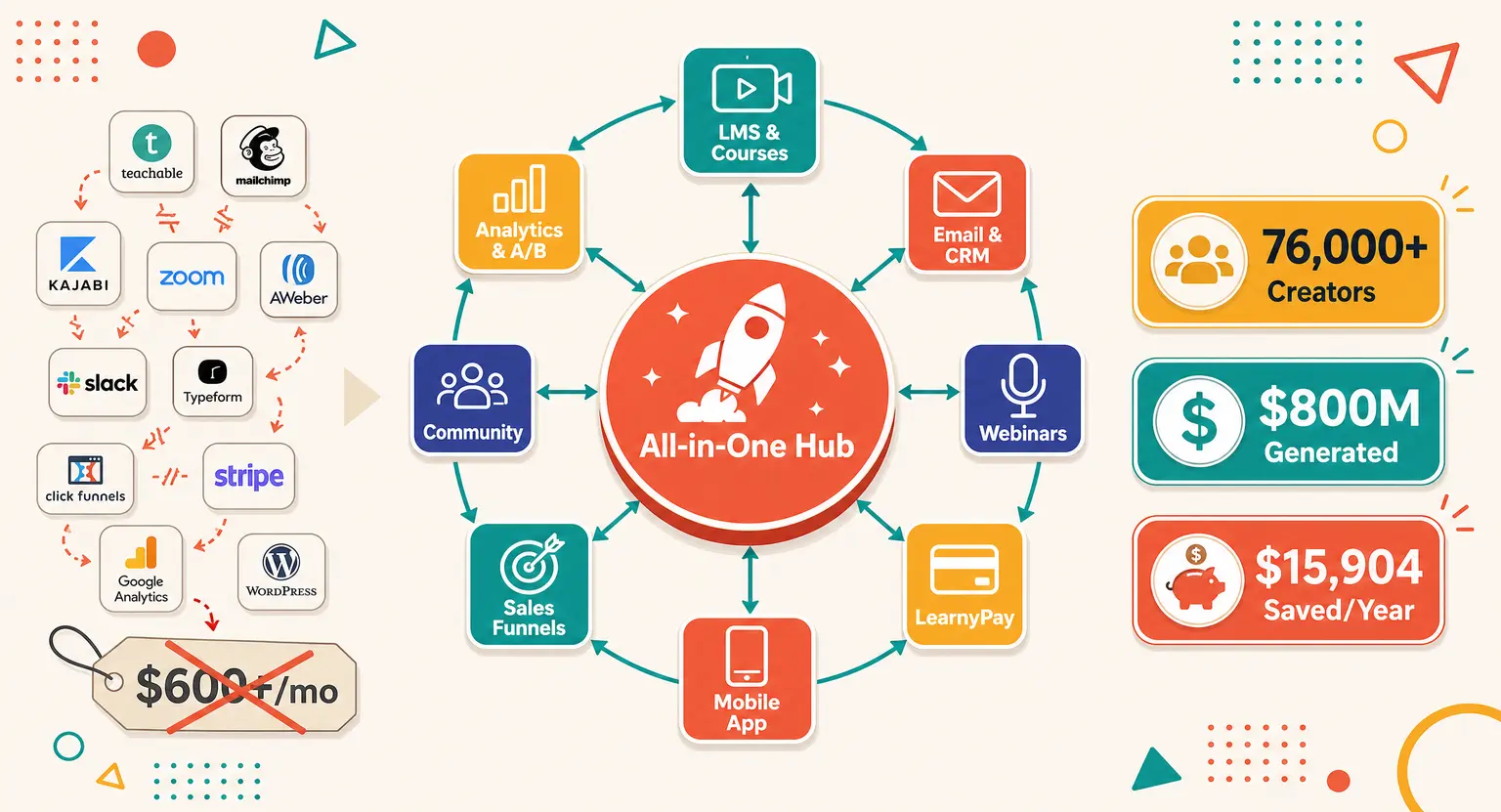
All-in-one workspace : choosing the best all-in-one course platform avoids separate tool integrations.
Running an online education business can make you feel like an accidental IT director. One moment you are writing lessons, and the next, you are figuring out why your checkout cart is not talking to your mailing list. It is a massive headache.
You have got a course platform, a separate email service, and a third-party checkout assistant.
It feels like spinning plates… But if your tools do not speak the same language, students do not get their login details, receipts get lost, and you spend hours manually copying email addresses.
In 2026, we do not have time for slow admin. We need data to flow instantly.
Let us break down how to connect your online teaching ecosystem to your wider business stack without losing your mind, your budget, or your weekends. It all starts with understanding your technical options.
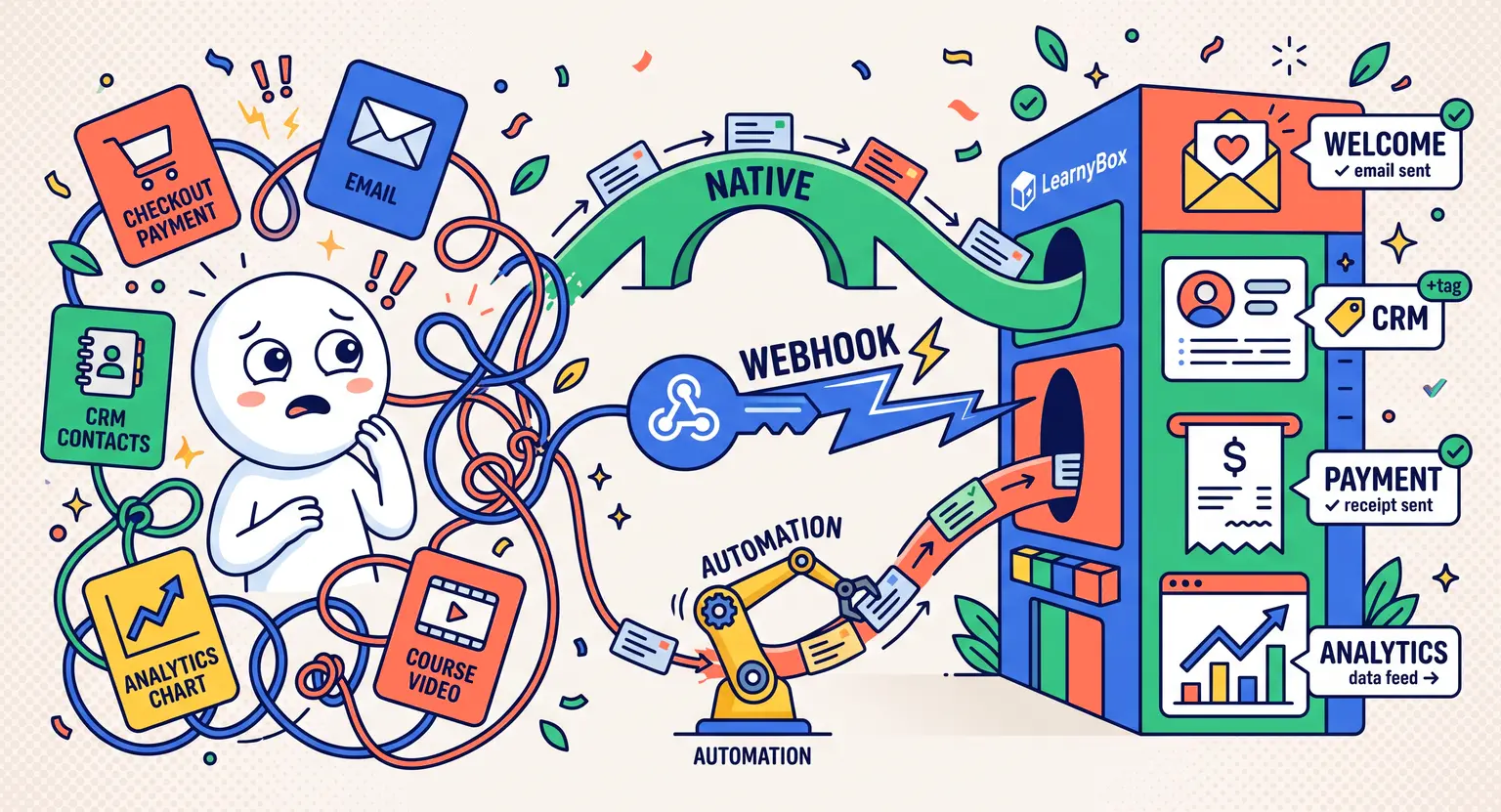
The Three Ways Your Digital Tools Talk to Each Other
Before mapping your tools, understand how systems talk. You do not need a computer science degree, but you must know the three primary communication methods.
First, we have native integrations. This is the gold standard. The developers of your course platform and your favorite CRM built a direct bridge.
You just click a few buttons, log in, authorize the link, and you are done. The software handles the rest. It is incredibly stable because the software companies maintain the connection.
Second, we have API keys and webhooks. An API key is a digital passport that lets one software securely access another. Webhooks act like instant notifications.
When a student completes a lesson, a webhook immediately sends that information to your other tools. They are fast but require a little more care when setting up.
Third, we have middleware like Zapier or Make. These are the digital construction workers of the internet. If your platform does not natively talk to your tracking software, you write a simple rule : "When this happens in Tool A, do that in Tool B."
They are highly flexible but come with extra subscription costs.
Relying on too many middleware bridges can get expensive and creates multiple points of failure. This is why many smart creators now look to how to automate the administration of an online course business using platform-native systems that handle everything under one roof.
The Core Connections Your Business Crucially Needs
You do not need to link every single piece of software on your computer. Focus on the core pipelines that directly affect your student experience and your revenue numbers. There are three essential connections that every professional setup must possess.
The absolute first priority is your email system. When someone purchases your course, they need their welcome email within thirty seconds. If they have to wait an hour, they get anxious and immediately email your support desk.
Connecting your course registry to your email engine allows you to tag users based on their progress. If a student stalls on Module 2, you can trigger an automated encouraging message to bring them back.
Next, look at your payment processor. Whether you use Stripe, PayPal, or custom checkout setups, payment data must reach your customer database smoothly.
If a payment fails on an ongoing subscription plan, your platform needs to immediately revoke access and send a gentle reminder. Doing this manually is a recipe for lost revenue and massive administrative headaches.
Finally, do not forget tracking and analytics tools. You need to know where your buyers came from. By linking your platform checkout to tools like Google Analytics or Meta Pixel, you can see exactly which blog post or social media update sparked the purchase. Without this data, you are basically flying blind and wasting marketing spend.
Comparing Connection Methods : Which Path Should You Choose?
Let us look closely at how these setup methods stack up against each other. Each path has unique pros, cons, and cost implications that you must evaluate before building your workflow architecture.
| Connection type | Setup difficulty | Stability | Cost level | Best for |
|---|---|---|---|---|
|
Native integrations |
Very low - plugins or settings toggles. |
Very high - maintained by software vendors. |
Usually free - included in plan. |
Creators wanting a fast, reliable, zero-code connection. |
|
Middleware (Zapier or Make) |
Medium - requires setting up triggers and actions. |
Medium - can break if tool APIs change. |
Variable - can get pricey with high lead volume. |
Connecting highly specific niche software together. |
|
Custom webhooks and APIs |
High - often requires developer support. |
Extremely high - tuned to your specific needs. |
Free to run, but expensive developer setup upfront. |
High-volume enterprise businesses with bespoke requirements. |
|
All-in-one platforms |
None - everything is pre-connected natively. |
Maximum - no external links to break. |
Free - included in the core software cost. |
Smart creators choosing an all-in-one platform to sell online courses to eliminate tech issues. |
A Step-by-Step Integration Blueprint
Ready to connect your tools? Let us outline a simple workflow to get your system singing in harmony. Follow these practical steps to avoid the common configuration traps.
First, audit your existing business tools. Write down everything you use to run your daily operations. You might be surprised by how many redundant subscriptions you are paying for.
-
Identify your core educational platform hub where students watch lessons.
-
List your payment processors, checkout carts, and active subscription managers.
-
Note your newsletter software, email sequencers, and affiliate programs.
Second, map out the student journey visually before touching any settings. Ask yourself how information should flow at each stage.
-
A visitor lands on your page and purchases your course.
-
The central platform automatically creates their profile and issues login credentials.
-
Your main CRM tagging system registers a successful acquisition tag.
-
Your mailing list pauses sales emails and starts the onboard sequence.
Third, build your connections from the inside out. Always check your platform's native integration options first. If a direct sync exists for your CRM, use it.
Do not introduce a middleware app like Zapier unless you have a highly customized requirement that cannot be handled natively.
When you must use middleware, always build a test scenario first. Run a transaction using a test email and a discount coupon to ensure all tags, passwords, and tracking events fire accurately before launching.
If you are struggling with email setup, look closely at our recommendations for the best email marketing for online courses to find a smoother fit.
Curated Learning Resources for Growing Your School
To ensure your digital school operates smoothly from day one, here are some highly relevant guides to guide your development :
-
Maximize your outreach : perfect your pipeline by learning how to build a sales funnel that connects seamlessly.
-
Delight your students : boost engagement immediately by mastering how to design an online course student onboarding experience that keeps them coming back.
-
Build your community : nurture student relationships using specialized email marketing for course creators.
-
Scale your revenue : discover how to market an online course successfully without overspending on advertising.
Frequently Asked Questions
Will using middleware like Zapier slow down my course platform's page load speeds?
No, it will not impact your educational site's front-end page load speeds at all. Middleware tools handle processes entirely on external background servers.
Your student portal will remain lighting fast, though database tag updates inside your secondary mailing tools might sometimes take a few minutes to process and sync completely.
What should I do if a system integration suddenly stops working?
First, check your API access keys or secure tokens; these frequently expire and simply need an easy manual refresh.
Next, inspect your error history logs to find the exact failed database point. Always test your connections directly after modifying any offers or before you attempt how to launch an online course to the public to prevent unexpected customer checkout payment failures.
Can I track student progress and quiz results in my external CRM?
Yes, though standard direct sync integrations often pass only simple completion tags.
If you require deep progress updates like precise test scores, you must set up custom webhooks. Learning how to create quizzes for online courses teaches you exactly how to capture high-value customer analytics that sync with your automation tools.
Is it really better to use an all-in-one platform instead of separate specialized tools?
For ninety percent of course creators, a consolidated setup is far better because it removes point of failure worries entirely.
When your payment gateway, email automation templates, student forums, and course videos live natively in one space, API changes can never crash your student experience.
While high-volume enterprises might need customized multi-tool systems, choosing an elegant all-in-one path saves massive technical stress and hours of debugging.







 How to Create a Course Refund Policy (Templates & Best Practices for 2026)
 How to Run a Beta Version of an Online Course (2026 Guide)
 How to Create a Cohort-Based Online Course (2026 Guide)
 How to Sell an Online Course With a Quiz Funnel (2026 Guide)
 How to Sell an Online Course Through a Sales Call (2026 Guide)