







A High-Converting Webinar Script Template with Checklist
Webinar Script Template
Key Takeaways : Crafting a High-Converting Webinar
-
Perfect Timing : structure your live event strictly around a 45-minute content window followed by a highly organized pitch and natural Q&A.
-
Hook Fast : never spend the first ten minutes on fluff. Hook your audience by addressing their pain points immediately.
-
Teach, Don't Just Tease : give genuine value before presenting the offer to establish real trust. Check our guide on how to organize a successful webinar for more strategy.
-
Automate Wisely : use robust systems like the best webinar software options to keep technical friction close to zero.
We have all been there. You spend weeks preparing a slide deck, crafting an invite, and agonizing over mic settings. You hit "Go Live" with butterflies… Fifty minutes later, you are staring at a silent chat window, sweat dripping down, and zero sales.
What went wrong?
It was not your product. It probably was not your voice. It was your script.
Too many brilliant creators attempt to wing their live presentations, or worse, they read word-for-word from a dry academic outline.
Neither approach works.
To capture attention and convert passive listeners into actual paying customers, you need a highly strategic, psychologically proven framework.
Let's dissect the ultimate webinar script template that sells naturally, keeps people glued to their screens, and saves you from the horror of awkward dead air.
Why Most Webinar Scripts Crash and Burn
Most people assume a webinar is a digitized lecture. They load slides with text and spend thirty minutes listing credentials… By the time they deliver actual information, half the room has tabbed away to check social media.
But the absolute worst offense? The transition to the pitch. It usually feels like an icy bucket of water dumped over the audience's head.
One minute you are friendly and educational; the subsequent minute you are aggressively pushing a limited-time bonus like a high-pressure used car salesperson…
The vibe shifts instantly.
The audience senses the manipulation, gets defensive, and leaves.
So, how do we avoid this disaster? We structure our presentation as a seamless journey !
Rather than viewing the presentation and the sales pitch as two separate islands, we construct a logical bridge where the offer feels like the natural, inevitable next step for the viewer.
And that journey starts way before you hit the live button, beginning with your strategy for building a targeted email subscriber list.
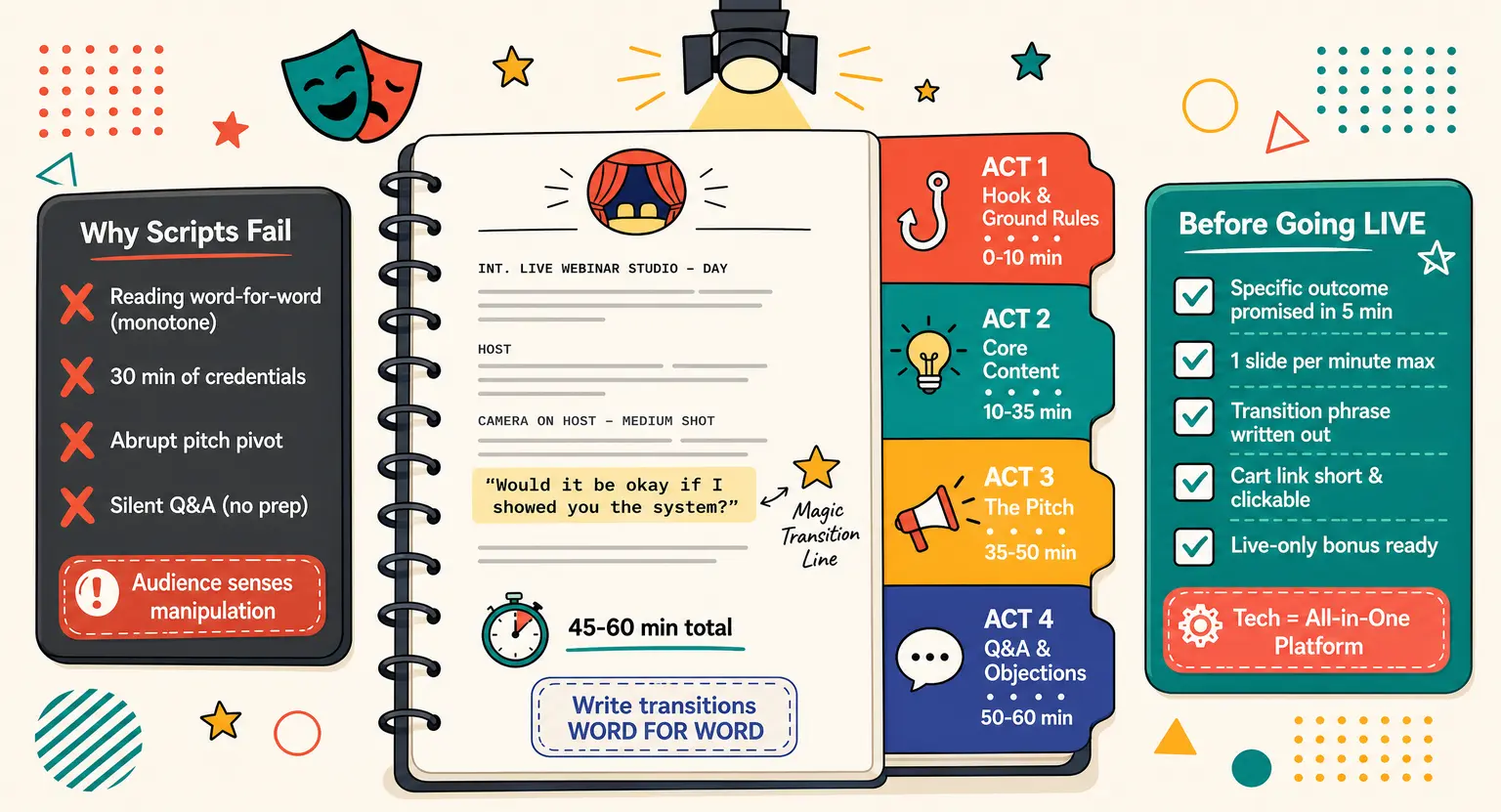
Phase 1 : The First 10 Minutes – Quick Hook & Ground Rules
The opening moments of your live broadcast are critical. Do not waste momentum asking if people can hear you. Clean up tech housekeeping fast and with high energy.
First, drop a compelling hook. State exactly what you are going to cover and, more importantly, what the audience will be able to achieve by the end of the hour.
Frame this as a specific promise. For instance : "Today, we are looking at the exact blueprint to double your digital product sales without spending a dime on paid ads."
Once the promise is clear, set the ground rules. Let people know how long you will be live.
Tell them to close their distracting browser tabs,
put their phones on silent,
and grab a handy notepad.
To make this stick, offer a tiny carrot : a free downloadable worksheet, guide, or workbook at the very end of the call for those who stay live with you until the end.
Next, quickly establish your authority. This is where most presenters fail by rambling about their lives. Keep it down to two minutes. Focus less on your biography and more on why you understand their struggles.
Share a brief "before and after" story. Frame yourself as a guide who has already trodden the path they are currently walking.
Phase 2 : The Core Content – Strategic Education
Here, deliver on your promise. Do not teach everything. Giving away your entire framework in forty-five minutes overwhelms the audience, inducing analysis paralysis.
Instead, teach what to do and why to do it, but leave the detailed how for your paid offer. Structure this section around three core secrets or core pillars.
Let us break down those three pillars :
-
Pillar One : debunk a major myth. Shatter a common misconception that is holding them back. Show them why their current approach is fundamentally broken.
-
Pillar Two : reveal the hidden mechanism. Introduce a new, counter-intuitive way of looking at the problem. Give them an "aha" moment that changes their perspective.
-
Pillar Three : provide a quick win. Hand over a simple, actionable strategy they can implement today to see immediate progress.
By organizing your core teaching this way, you prove your expertise while simultaneously paving the way for your offer - They will see that your methodology works, and they will naturally crave the tools, templates, and deep support that only your paid package can provide.
If you are also structuring your course curriculum for the back end, this educational phase should mirror your course's core value proposition.
Phase 3 : The Pitch – Moving Elegantly into Your Offer
Now we arrive at the fork in the road. Most creators get incredibly nervous here, but you do not need to. If you have delivered true value in the educational phase, your audience is ready to hear how they can go further with you.
Make the transition smooth by asking a simple question : "Would it be okay if I spent a few minutes showing you a system I designed to help you implement everything we just talked about?"
This simple, respectful question shifts the dynamic - You are not pushing; you are asking for permission.
Once you get a flood of "yes" responses in the chat, introduce your offer. Clearly state who it is for, what is included, and the transformations they can expect.
Avoid just listing random features. Do not say, "You get twelve PDF modules." Say, "You get twelve downloadable workbooks that take the guesswork out of writing your copy, saving you forty hours of staring at a blank page."
To drive action, introduce stacked bonuses. Provide a core bonus that solves their next immediate bottleneck.
For example, if your product is a course on baking, a logical bonus is a kitchen equipment checklist. Combine this with real, ethical urgency - a special discount or a fast-action bonus reserved only for those who purchase while the live event is active.
If you are launching an online training program, this live-incentive window is where you will win a significant portion of your launch revenue.
Phase 4 : Q&A and Overcoming Objections
Do not just say "Goodbye" after detailing your offer. The Q&A segment is where a massive chunk of your sales will happen, because you are directly addressing the friction keeping people from clicking that checkout link.
Open the floor to questions, but do not wait around in silence. Have three or four common objections pre-prepared.
You can kick things off by saying, "While you type your questions in, let me address a query I get asked all the time : 'Do I need a huge budget to make this work?'"
This technique keeps the momentum going. It allows you to dismantle objections like time constraints, budget worries, or self-doubt in a warm, conversational way.
Keep your shopping cart link pinned clearly in the chat throughout this entire section so people can easily make their purchases.
Remember, some of your attendees will not buy on the spot. They need to think it over, discuss it with their business partner, or they might have had to drop off the call early due to other commitments.
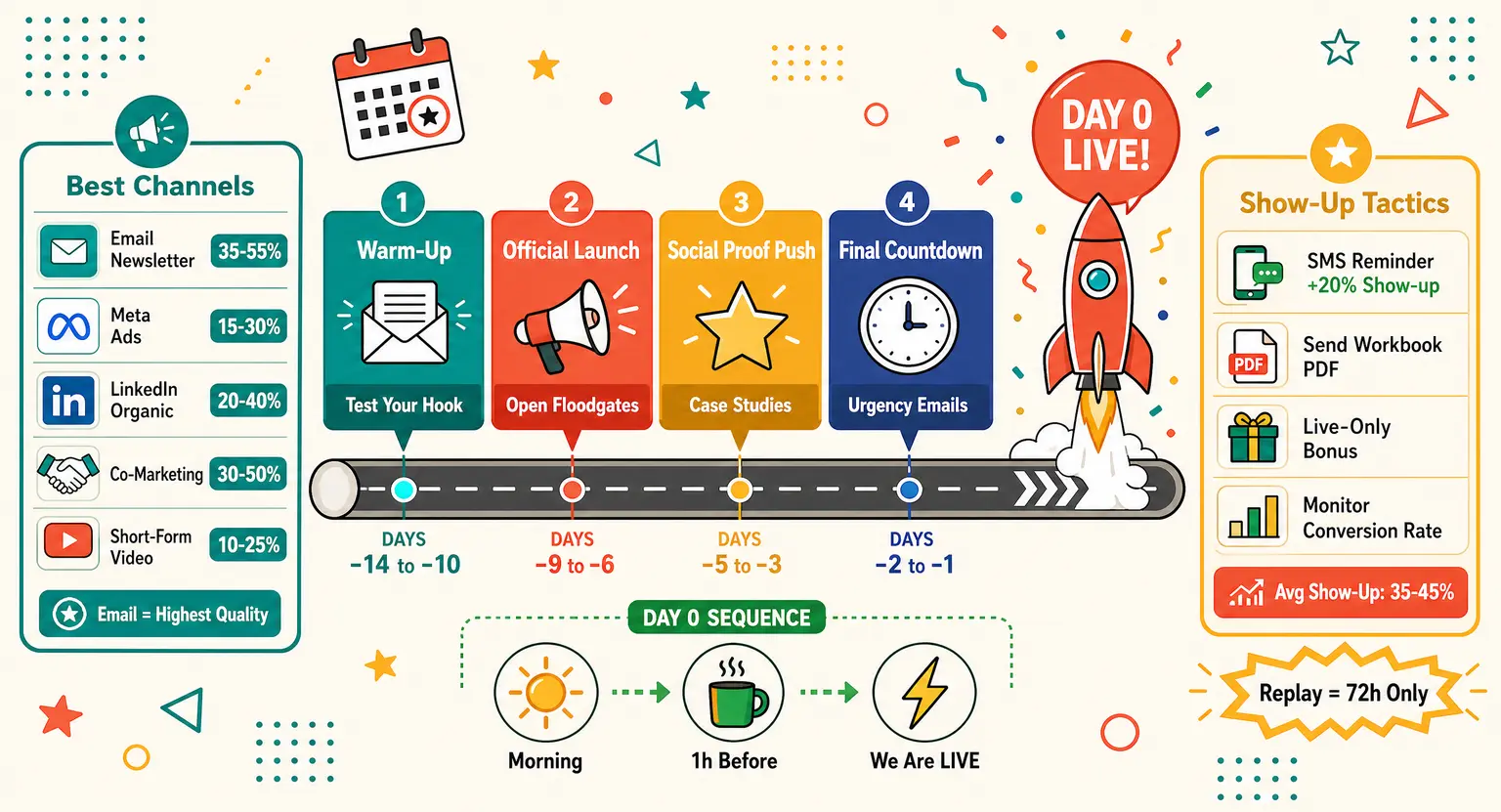
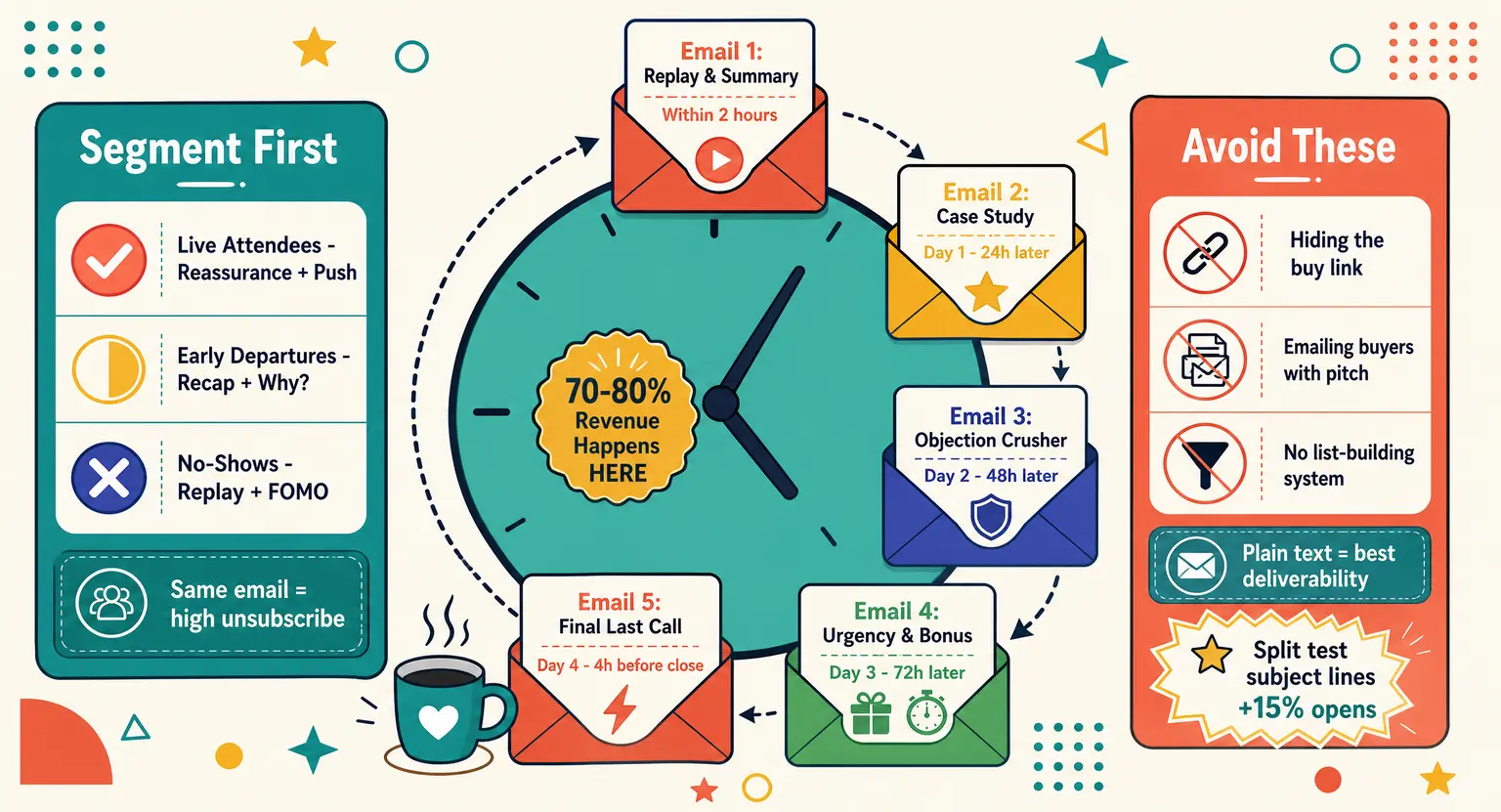
To catch these highly qualified warm leads, you must carry the conversation beyond the live room. Setting up an automated webinar follow up email sequence is essential to scoop up those lingering sales over the next forty-eight hours and answer remaining concerns.
Matching Your Script to Your Webinar Format
To help you match your content to your target audience, here is an outline of how different webinar structures require specific script adjustments :
| Webinar type | Main script focus | Primary call to action | Pacing strategy |
|---|---|---|---|
|
Lead generation |
Shattering outdated myths and showing the true roadmap to success. |
Opting in for a checklist or low-ticket tripwire. |
Fast-paced, high energy, under 30 minutes total. |
|
Mid-ticket course sales |
Balancing high-value educational content with a natural product launch pitch. |
Enrolling in your signature online academy. |
Classic 60-minute structure with dedicated Q&A. |
|
Software & tool demo |
Live walkthrough showcasing specific time-saving features and UI ease. |
Signing up for a free trial or annual discounted license. |
Highly interactive, responding to feature requests live. |
|
High-ticket program pitch |
Deep perspective shifting, identifying major strategic blind spots. |
Booking a discovery call for personalized closing. |
Deliberate, high-empathy, focusing closely on risk reversal. |
|
Case study & interview |
Narrative spotlighting a client's transformation journey from struggle to success. |
Applying for an exclusive mastermind or coaching cohort. |
Conversational talk-show style with co-hosts. |
The Ultimate Script Optimization Checklist
Before going live, walk through this quick checklist to ensure every piece is perfectly optimized :
-
Value Check : did you promise a specific, tangible outcome within the first five minutes? If your hook is vague, people will wander off.
-
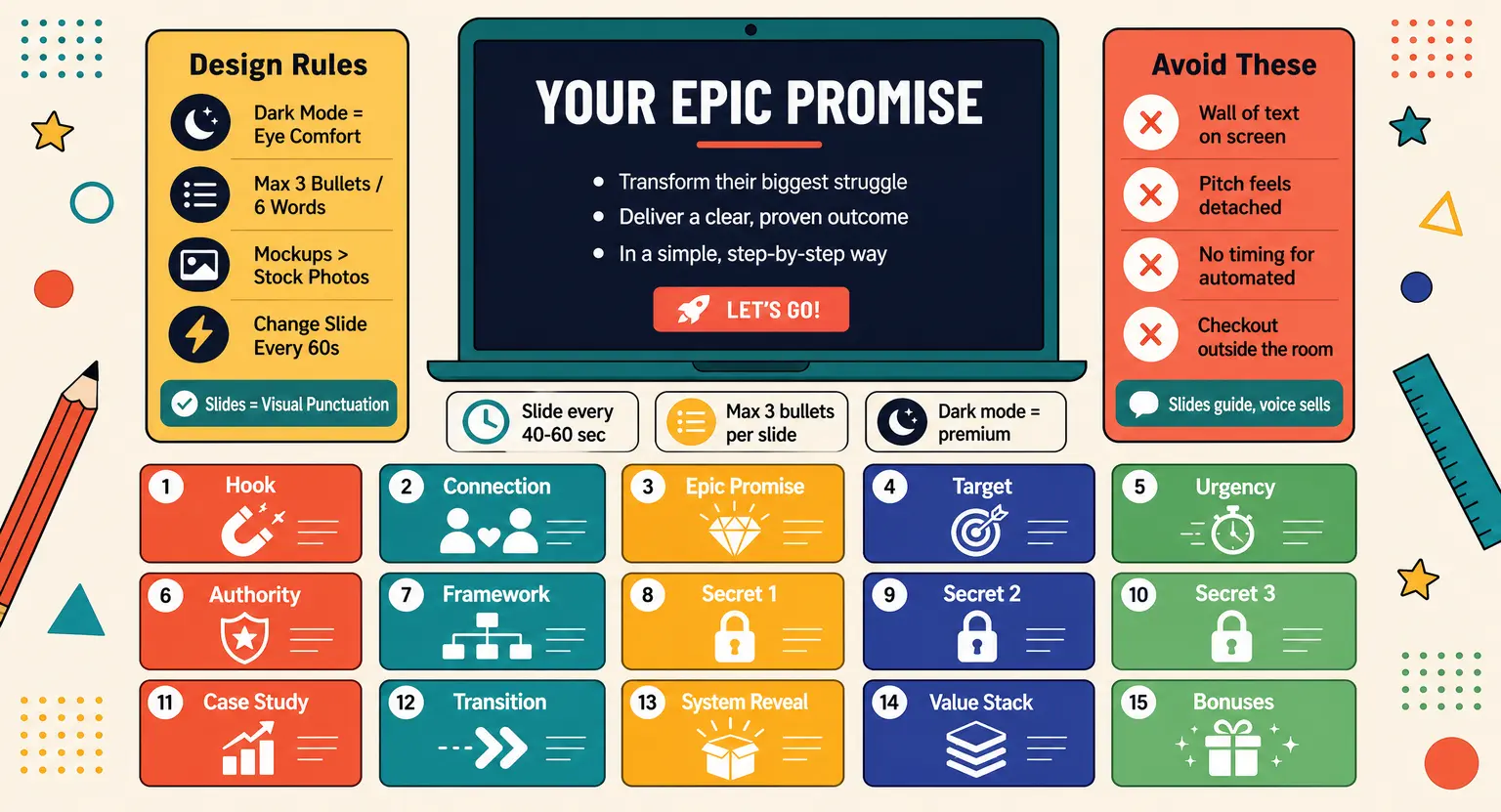
Slide Count : do you have too many slides? Aim for roughly one slide per minute to prevent frantic visual changes from distracting viewers.
-
Transition Path : write down your exact transition phrase. Do not wing this line. It should sound completely smooth and inviting.
-
Cart Simplification : is your checkout link short and clear? Using all-in-one platforms for creators makes pushing clickable buttons onto screens simple.
-
Fast Action : is your live-only bonus genuinely exciting? It must solve the next immediate hurdle they face.
Speak Naturally : Easy Rules for Live Delivery
Having a template is only half the battle. If you read your presentation word-for-word in a flat, monotone voice, your audience will turn off within five minutes. They want to connect with a genuine human, not an automated recording.
Use clear bullet points instead of full, structured paragraphs on your personal presenter notes. Write down your transitions and core selling phrases exactly as you want to say them, but let the live explanations flow naturally and conversationally.
This technique prevents you from sounding stiff while ensuring you hit all your critical psychological triggers.
Do not worry about being absolutely flawless. If you stumble over a word, laugh it off. This humanizes you and builds trust.
Combining your live script with cohesive email marketing campaigns for educational content keeps your audience warm before and after the event.
Supporting Your Script with the Right Tech
Your script is only as good as the technical system running it behind the scenes. When you drop your call to action, your tools must perform flawlessly without any lag or sluggish load times.
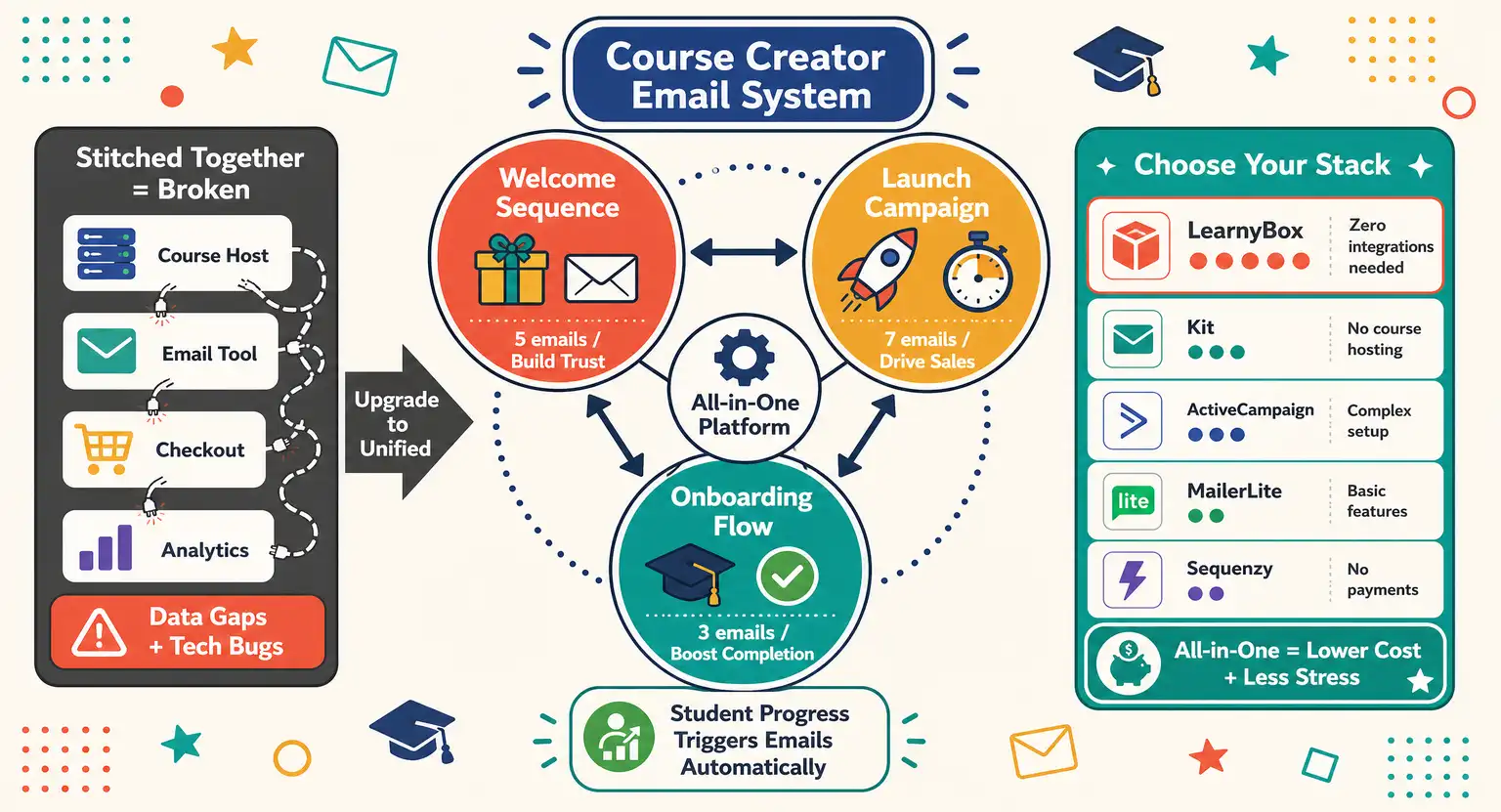
Using reliable all-in-one marketing hubs keeps your landing pages, stream, checkout, and membership area synced beautifully, allowing you to focus completely on your presentation delivery instead of managing technical errors.
Ready to Launch Your Live Event?
Writing a reliable live broadcast template does not have to be a stressful, confusing chore.
By using our structured four-step phases and focusing closely on authentic connection over high-pressure sales tactics, you will naturally convert interested listeners into happy, loyal students.
Set up your outline, configure your technical platform, and hit that broadcast button with absolute confidence today. Your incredible message deserves to be heard by the world without any fear.
Let's make this happen right now.
Frequently Asked Questions About Webinar Scripts
How long should a webinar script be?
An effective live presentation should run between 45 and 60 minutes. Keep your hook to 10 minutes, educational content to 25 minutes, pitch to 15 minutes, and leave the rest for a thorough Q&A session.
Can I use this script format for evergreen webinars?
Yes, this framework translates beautifully. Just adjust interactive prompts slightly. Instead of live chat feedback, suggest viewers write notes. Setting up automated webinar tools will easily handle the transition from live events to evergreen systems.
How do I transition to the pitch without feeling fake?
Transition elegantly by asking for permission. Pause after your educational phase and ask your audience if they want to see a workflow designed to implement what they just learned. This simple question respects their intelligence and feels highly authentic.
What if nobody asks questions during the Q&A?
Never leave the room silent. Keep three standard objections or common questions ready on a notepad before you start. If your audience goes quiet, simply address these prepared questions first to break the ice and encourage typing.
Are slide decks mandatory for a successful presentation?
While slides help keep your presentation structured and give visual cues to your audience, they are not strictly mandatory.
Some of the most highly converting webinars are delivered as direct-to-camera conversations, especially during high-ticket pitches.
If you choose to use slides, focus on clean layouts with minimal text so they support your spoken script rather than distracting from it. This keeps the spotlight on your expert advice and personal authority.




 How to Create a Course Refund Policy (Templates & Best Practices for 2026)
 How to Run a Beta Version of an Online Course (2026 Guide)
 How to Create a Cohort-Based Online Course (2026 Guide)
 How to Sell an Online Course With a Quiz Funnel (2026 Guide)
 How to Sell an Online Course Through a Sales Call (2026 Guide)