







How to Create a Personalized Learning Experience for Online Students (2026)
How to Create a Personalized Learning Experience for Online Students
Key Takeaways for 2026 Course Creators
-
Replace static linear outlines by learning how to design learning paths for different types of students based on starting skill levels.
-
Use automated diagnostic surveys immediately after checkout to tag students and adapt their lesson dashboard.
-
Provide multi-format resources (audio briefs, video walkthroughs, and practical workbooks) for diverse learning habits.
-
Integrate event-triggered micro-nudges to rescue disengaged learners before they drop out.
Let's be completely candid : the era of dumping fifty pre-recorded video files behind a paywall and calling it a masterclass is dead. In 2026, students are busier, more selective, and have zero patience for content that does not address their exact needs.
When someone enrolls in your program, they arrive with unique prior knowledge, distinct end goals, and a personal schedule. Forcing a complete novice and a seasoned professional through the exact same four-week sequence frustrates both. The beginner gets overwhelmed, while the advanced student gets bored and vanishes.
Personalization solves this exact dilemma. It turns a static course into a responsive educational journey. And you do not need to spend forty hours a week holding private Zoom calls to make it happen. Here is how you can build an automated, deeply personalized learning ecosystem that scales gracefully.
1. Start with Diagnostic Onboarding
Personalization cannot happen without intake data. Your first step takes place the very moment a student completes payment. Instead of sending them straight into Module 1, route them through an interactive onboarding assessment.
Keep this onboarding quiz quick - five to seven targeted questions are plenty. You want to identify three core parameters :
-
Current competence baseline : are they complete beginners, intermediate practitioners, or advanced pros looking for fine-tuning?
-
Primary transformation target : what single outcome made them pull out their credit card today?
-
Available weekly commitment : can they dedicate ten hours per week, or are they squeezing in ninety minutes on Sunday mornings?
Once you gather these answers, apply automatic tags within your system. These tags will determine which modules unlock first, what bonus materials appear in their feed, and how your automated emails communicate with them over the coming weeks.
2. Build Dynamic Branching Learning Paths
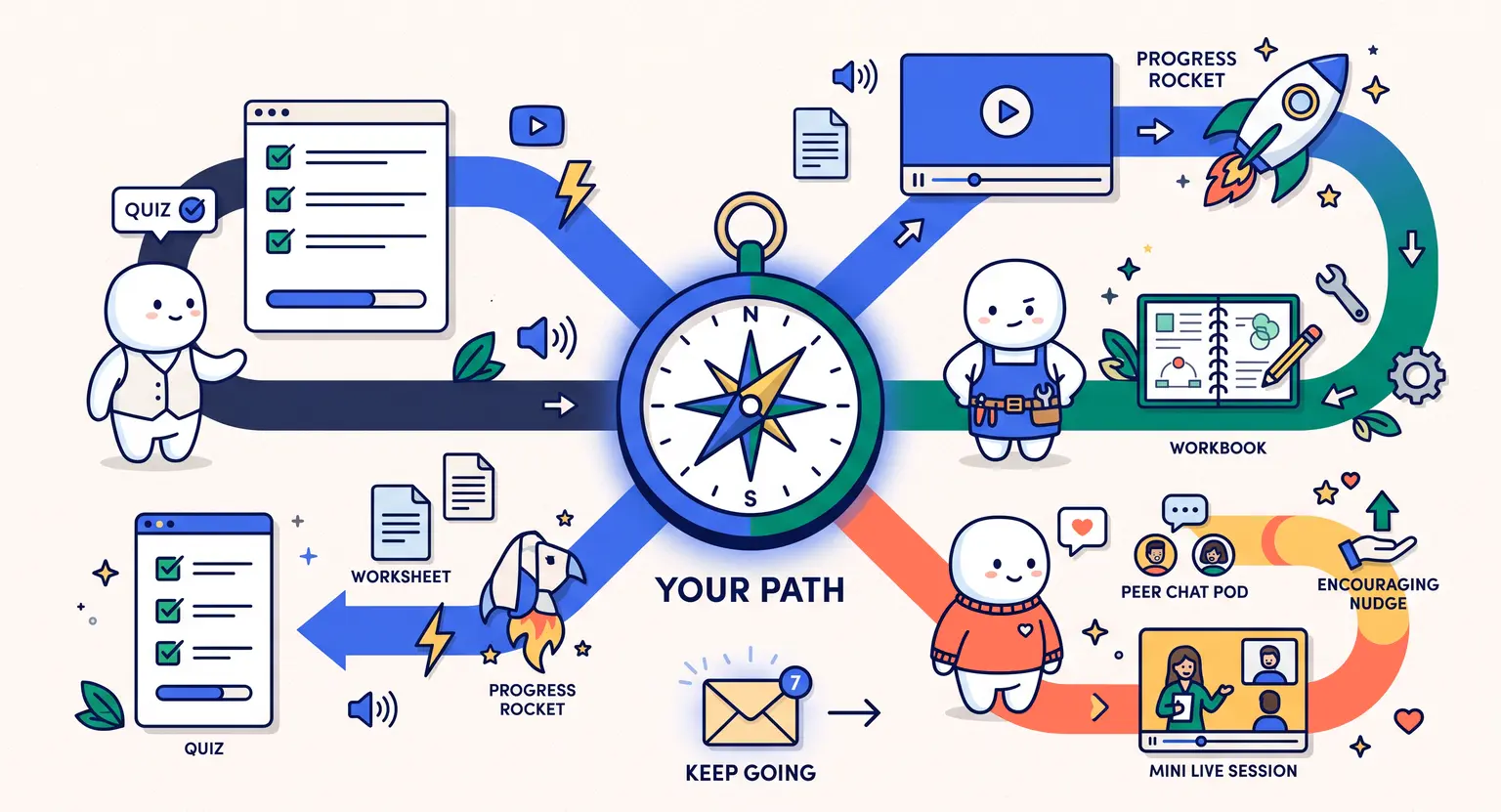
Linear course design assumes every student learns at the identical pace in the identical sequence. Branching design discards that assumption entirely. By organizing your curriculum into modular tracks, you let students skip what they already know and focus on their weak points.
Consider structuring your core syllabus around foundational pillars and optional specialized electives. If an enrolled marketer wants to master paid advertising but already understands copywriting basics, allow them to bypass introductory lessons by passing a quick diagnostic test.
To keep materials structured without confusing your audience, adopt proven methods to structure an online course for student success. Clear milestones keep non-linear paths intuitive and prevent learners from getting lost in a maze of options.
3. Implement Triggered Micro-Interventions and Milestone Feedback
One of the biggest reasons self-paced online learners disengage is feeling invisible. When no one notices whether a student finishes a chapter or gets stuck on a difficult assignment, their motivation plummets.
You can solve this with intelligent automation rules configured right inside your course platform :
-
The 7-day inactivity rescue : if a student logs no activity for seven consecutive days, trigger a gentle, supportive email checking in and offering a condensed two-minute lesson recap.
-
The quiz mastery accelerator : when a learner scores above 90% on a module checkpoint on their first attempt, send an automated shout-out along with an advanced challenge prompt.
-
The struggle detector : if a student fails a milestone quiz twice, automatically surface supplementary explainer videos and invite them to an open weekly office hour.
These timely touches feel personal and human to the student, even though your LMS handles the logic in the background without requiring manual monitoring every morning.
Linear Delivery vs. Dynamic Personalized Delivery
Understanding the operational shift between traditional online teaching and modern adaptive design helps clarify where your effort should go :
| Feature | Traditional linear course | Personalized adaptive course |
|---|---|---|
|
Student onboarding |
Generic welcome video with instant access to all files. |
Intake diagnostic quiz establishing baseline skill and tagging the profile. |
|
Content progression |
Rigid chronological order (Lesson 1 to 50 for everyone). |
Core tracks plus elective paths tailored to specific goals. |
|
Student support |
Reactive support tickets when things go wrong. |
Proactive automated nudges based on real-time platform behavior. |
|
Motivation system |
Passive percentage bar showing remaining videos. |
Dynamic milestones, personalized badging, and targeted check-ins. |
4. Diversify Media Modalities for Different Cognitive Styles
Every cohort contains diverse learners. Some retain concepts best by listening during their morning commute. Others need visual diagrams, step-by-step written breakdowns, or tactile implementation templates.
Personalization does not mean recording five different variations of every single lecture. Instead, provide multi-modal companion assets for each core concept :
-
Include a clean, downloadable audio track alongside your video presentations for mobile listening.
-
Pair conceptual lessons with actionable worksheets or fillable templates to reinforce execution.
-
Provide scannable text summaries with bulleted takeaways beneath video players for visual skimmers.
-
Add interactive self-checks using quizzes designed for online courses to let learners confirm mastery instantly.
By giving students choices in how they consume your lessons, you eliminate friction and make your material far more accessible across varied learning environments.
5. Gamify Achievements According to Individual Milestones
Generic gamification often feels gimmicky. Handing out a generic star just for clicking "Mark as Complete" rarely motivates an adult professional. But gamification tied directly to authentic personal milestones changes behavior dramatically.
When you align incentives with meaningful mastery, engagement surges. You can explore creative strategies in our breakdown on how to use gamification in an online course to reward speed, consistency, and thoroughness.
For example, you might reward a student who completes their first client pitch draft within two weeks with an exclusive feedback badge or an invite to a mastermind breakout session. Tailoring incentives to the actions that actually produce results turns gamification into a real learning accelerator.
6. Combine Automated Intelligence with Community Pods
Automation handles the heavy lifting of path segmentation and schedule reminders. But human connection provides the emotional glue that keeps students invested over months.
Pair your personalized paths with focused peer pods inside your community. When you group students based on their onboarding tags - such as pairing all freelance consultants in one accountability thread and corporate managers in another - conversations become instantly relevant.
Students can critique each other's work, share niche-specific insights, and hold each other accountable without requiring you to moderate every conversation personally. This peer-level tailoring creates a sense of belonging that generic discussion boards simply cannot match.
7. Select the Right Infrastructure to Power the Experience
You cannot deliver a tailored educational journey using disconnected, clunky software. Sticking together a video host, an external form builder, a separate email marketing tool, and a forum plugin via fragile webhooks usually leads to broken automation and lost student data.
To run adaptive branching paths smoothly, you need an integrated learning management hub. Running your course on an all-in-one platform to sell online courses ensures that your student progress data, intake tags, automated email sequences, and billing information talk to each other seamlessly in real time.
Explore Further Resources
-
Discover practical techniques on how to use badges to motivate online course students across skill milestones.
-
Learn how to produce compelling video and written lessons with our guide on how to create engaging course content.
-
Build a thriving peer ecosystem by mastering online community building that keeps students connected.
Frequently Asked Questions
Does personalizing an online course require one-on-one coaching for every student?
Not at all. Smart personalization relies primarily on automated branching logic, intake assessments, and modular milestones inside your learning management system rather than manual 1-on-1 tutoring sessions.
You set the rules once, and your platform adapts each student's journey automatically.
What is the fastest way to start personalizing an existing course?
Add a pre-course diagnostic survey on day one that segments students by experience level, then automatically route them to fast-track or foundational module paths.
You can also offer printable companion resources like a dedicated course workbook to let learners tailor assignments to their specific business niche.
How does adaptive learning affect course completion rates?
Data across 2026 course platforms shows that adaptive paths reduce cognitive overload and boredom, lifting completion rates from an industry average of 10% to over 45%.
When learners feel the content respects their time and current skill level, they stay engaged through the finish line.
Which tools handle automated personalization best for independent creators?
Modern all-in-one learning platforms that integrate conditional tagging, quiz branching, and automated email triggers provide everything needed without third-party connector tools.
Using sophisticated email automation for creators ensures students get the right message at the exact moment they need assistance or encouragement.




 How to Create a Course Refund Policy (Templates & Best Practices for 2026)
 How to Run a Beta Version of an Online Course (2026 Guide)
 How to Create a Cohort-Based Online Course (2026 Guide)
 How to Sell an Online Course With a Quiz Funnel (2026 Guide)
 How to Sell an Online Course Through a Sales Call (2026 Guide)